Offer PosMasr Cloud: the first year 20% off with the code · the licence at launch prices until 14 November See the offer →

Practical guides for people who run a shop

Short, useful reads from the PosMasr team: hardware that actually works in Egypt, running the shop from the cloud, and habits that save money at the till. No fluff.

A shop owner reading on his phone at night, relaxed
1-Click AI & MCP for Claude, ChatGPT & Gemini

1-Click AI & MCP for Claude, ChatGPT & Gemini

Connect your PosMasr shop in one click to Claude Desktop (.mcpb bundle), ChatGPT, Gemini and Cursor with zero coding, and download SKILL.md so your AI assistant answers in Egyptian Arabic or English about today's sales, cashier voids, expiring stock and net margins.

Stop Duplicate InstaPay Transfers & Law 6/2025 Tax

Stop Duplicate InstaPay Transfers & Law 6/2025 Tax

Two real challenges in Egyptian shops today: customers showing reused or fake InstaPay / Vodafone Cash screenshots at the counter, and choosing between Egypt's Law 6/2025 simplified SME turnover tax (0.4% to 1.5%) and the standard 22.5% corporate tax. Here is how PosMasr solves both.

Blind Shift Close, Delivery Captains & Margin

Blind Shift Close, Delivery Captains & Margin

High sales do not always mean money in your pocket at month-end. Here is how Blind Shift Close, no-sale drawer audits, Supplier Price-Creep Alerts, Customer Bakey/Fakka Wallet, Delivery Captain Dispatch, Multi-Tier Price Lists and Multi-Branch Call-Center Order Routing plug every profit leak in your shop.

Kitchen SLA, QR Stamp Card, BOM & Power BI

Kitchen SLA, QR Stamp Card, BOM & Power BI

How do you run your restaurant, pharmacy or supermarket with second-by-second and piastre-by-piastre precision? Discover how PosMasr's Kitchen QA Prep-Stage SLA Telemetry, Waiter/Chef Speed Leaderboards, Waiter Tablet Ready-Bell, Fractional 1/3 Bill Splitting, Instant Mobile Browser PWA Digital Stamp & VIP Card with Cashier QR, Recipe BOM Stock Variance, Pharmacy FEFO Substitutes, and Power BI / Multi-Format HH:mm Exports transform daily operations.

Customer Portal guide — PosMasr

Customer Portal guide — PosMasr

Choose shared sections, confirm customer email and connect documents, support and services in your portal.

How to use Automations

How to use Automations

Create a rule: choose the source module, event, optional resulting state, and the Support ticket or Service order to create. Enable both source and destina

How to use CRM and campaigns

How to use CRM and campaigns

Enable CRM and open a customer profile to record the next follow-up, or create a deal and move it through the pipeline.

How to use Public API and customer MCP

How to use Public API and customer MCP

Open Developer as the owner and consult the live API reference for the supported operations. Create a key with only the required scopes, branch and expiry.


How to use Expenses and petty cash

How to use Expenses and petty cash

Enable Expenses and create an expense with its date, category, amount and supporting details.
How to use Customer Portal

How to use Customer Portal

Buy the add-on in Billing → Plan and enable it in Settings → Modules. Open Customer Portal and select the correct branch and customer.

How to use Analytics

How to use Analytics

Select the branch, date range and sources you are permitted to view, then run the report.

How to use Customer Support

How to use Customer Support

Create a ticket with its customer, priority, assignee and response or resolution deadlines.

How to use Supplier Market

How to use Supplier Market

Browse the public market without signing in. Search by product, brand, category or GTIN and filter currency or base unit. Compare unit price, pack size, mi

How to use Trade & Wholesale

How to use Trade & Wholesale

Buy Trade in Billing → Plan on Shop or a higher POS plan. Enable Customers, Stock and Trade for the branch in Settings → Modules. Give staff only the Trade

How to use Rentals

How to use Rentals

Register each rental item with its serial, daily rate, deposit and condition. Create a reservation for the customer and dates; overlapping reservations are

How to use Partners

How to use Partners

Open the partner portal, review its current terms, register and verify your email. Use the account intended for your partnership.

How to use Production & Assembly

How to use Production & Assembly

Create a bill of materials with component quantities and costs, then publish it. Create a work order from that published revision.

How to use Services & Maintenance

How to use Services & Maintenance

Register the customer’s equipment, site and warranty. Create a service order for that customer and equipment.

How to use Subscriptions and recurring billing

How to use Subscriptions and recurring billing

Create a subscription plan with its cycle, price, included units and applicable tax treatment. Add a customer subscription or share its signup link.

How to use Forms

How to use Forms

Create a form definition and add its typed fields. Review the field names and choices before publishing a version.

Project billing: retention, advances, margin

Project billing: retention, advances, margin

The customer paid an advance, every progress bill holds a retention and recovers part of the advance, and the retention is released after handover. On paper it gets tangled fast. In PosMasr Cloud a project invoice works it out, with a preview before it goes out, and shows the margin per project and phase.

Fixed assets and monthly depreciation

Fixed assets and monthly depreciation

The coffee machine, the fridges, the van and the shop's fit-out: a lot of money spent once, worth a little less every month. In PosMasr Cloud every asset is on a register with a barcode tag, its depreciation is posted to Books each month after a preview, a sale works out the gain or loss, and a count is a walk round with the phone.

Procurement on your PC: desktop 5.7.0

Procurement on your PC: desktop 5.7.0

From version 5.7.0, the PosMasr program on your PC has procurement in the Gold package: purchase requests with approvals, the order made from the request, the supplier's invoice matched with the order and the deliveries, invoices to check and supplier ageing — on one PC, with no internet.

Projects: long jobs with a budget

Projects: long jobs with a budget

A fit-out job that takes three months: workers, materials from stock, a subcontractor, several invoices — and at the end nobody knows what it made. Projects in PosMasr Cloud keeps it all in one place: phases and a budget, tasks on a board, the team's hours from the phone, costs where they happen, invoices, and the margin.

Card and wallet payments with Paymob

Card and wallet payments with Paymob

Online shop customers ask “can I pay by card?”, and the café that buys on credit wants to pay from where it is. With your own Paymob account, PosMasr Cloud will offer “Pay online (card / wallet)” beside cash on delivery, pay links from the credit book, refunds and settlements for Books. Coming soon.

Purchase requests and approvals

Purchase requests and approvals

The branch manager calls you at eleven at night: “we need baby milk”. You approve on the phone and the order is placed with no paper trail. In PosMasr Cloud a purchase request has a reason, a date and a supplier; small ones are approved at once, big ones need two approvals by two different people.

A group of companies on one dashboard

A group of companies on one dashboard

A sweets factory, two shops and a café, each its own company with its own accounts. At the end of the month the accountant gathers Excel files and takes out by hand what the factory sold to the shops. Consolidation in PosMasr Cloud puts every company on one board, without the business between them, and makes the group's P&L and balance sheet.

Modules: one account that grows with you

Modules: one account that grows with you

A small shop does not need warehouses and accounting on day one, and when it grows it should not have to change its system. In PosMasr Cloud everything is a module: a card with what it holds, the plan that includes it, and a switch. Switch it off and its pages disappear; nothing is deleted.

Three-way match: order, delivery, invoice

Three-way match: order, delivery, invoice

The supplier sent 10 cartons and billed 12, one came crushed, and the price went up without a word. In PosMasr Cloud the invoice is matched with the purchase order and the delivery note before it is booked: a match posts by itself, anything outside the limits waits for you in “Invoices to check”.

Batches, serials and a one-minute recall

Batches, serials and a one-minute recall

The distributor calls: batch L2405 of the cough syrup is recalled. Where is yours? In PosMasr Cloud batches travel with their expiry and cost across locations, serial numbers are received one by one, and a recall finds the batch in every location, on the way and in the receipts it went into, in a minute.

Warehouses and transfers that travel

Warehouses and transfers that travel

A supermarket with a shop floor, a back store and a central warehouse in an industrial zone, and a program that sees one number. Warehouses in PosMasr Cloud give every location its own stock, carry a transfer from the request to the receipt by scan and a QR note, and send every discrepancy to a manager.

The AI Front Desk learns your shop

The AI Front Desk learns your shop

A perfume shop's customers ask the same ten questions every day. The PosMasr Cloud AI Front Desk learns your shop: it answers from your notes, products and hours, shows you the question it could not answer so you answer it once, remembers each customer, and turns an open issue into a case for your team. Coming with the next update.

Sales into Daftra, Zoho, Xero and QuickBooks

Sales into Daftra, Zoho, Xero and QuickBooks

Your accountant works in Daftra, Zoho Books, Xero or QuickBooks, and every day somebody types the Z report by hand. Connections in PosMasr Cloud send each branch's day, your customers on credit, their invoices and payments to the accountant's program by themselves, each document once. Coming soon.

Supplier quotes by link, side by side

Supplier quotes by link, side by side

Before Ramadan every distributor says “my price is the best”, and you compare from memory and scattered WhatsApp messages. In PosMasr Cloud each supplier gets its own link to type its price, the quantity it can send and a delivery date; the quotes stand side by side, you pick one, and the order is made at that price.

“Order the same again” from the receipt

“Order the same again” from the receipt

Some customers order the same things every time and dictate them to you line by line. Now the customer opens his receipt from the WhatsApp message and taps “Order the same again”: the online shop's cart fills at today's prices, or he shows a code the cashier scans to refill the cart.

Your top 3 sellers on the menu-board TV

Your top 3 sellers on the menu-board TV

The person at the till all day rarely hears a kind word in front of people. The team slide puts your three top sellers of the day, week or month on the menu-board TV, with gold, silver and bronze medals, first names only, money hidden.

Move slow stock to the branch that sells it

Move slow stock to the branch that sells it

An item asleep on a shelf in the Shubra branch while the Maadi branch runs out of it every week. The slow-stock page of PosMasr Cloud now says where it sells, how fast, and how many to move without leaving the sending branch short, and one tap makes the numbered transfer.

WhatsApp answers, the order reaches the till

WhatsApp answers, the order reaches the till

At night a restaurant's WhatsApp rings more than its phone, and the cashier is busy. The PosMasr Cloud front desk answers with AI from your real menu and prices, builds the order, the customer confirms with “yes”, and the order reaches the till and the kitchen. Coming with the next update.

The stamp card in the phone's wallet

The stamp card in the phone's wallet

The stamp card on the customer's phone now shows the points balance too, and buttons that put it in Apple Wallet or Google Wallet, updating itself after every visit, are coming soon. Shops on the program on their PC now have the stamp card from the Gold package.

Try PosMasr Cloud with sample data

Try PosMasr Cloud with sample data

The moment you sign up, the shop is empty: the reports are zeros and the dashboard is silent, so you cannot judge. “Try with sample data” fills your shop with products, customers, suppliers and 25 days of receipts of your kind; one more click takes it out, and your first real receipt is still number 1.

Supplier raised his price? Keep your margin

Supplier raised his price? Keep your margin

The supplier raises his price, the goods come in, and you keep selling at the old price for weeks without noticing. PosMasr now warns you as you receive: what the cost was and is, where your margin fell, and a price that keeps it, in one tap. And a margin floor if you want a louder alarm.

Returns and questions from the receipt

Returns and questions from the receipt

“The size is too small, how do I return it?” A message at 11 at night among fifty chats, and the morning cashier knows nothing about it. In PosMasr Cloud the customer requests the return or asks from the receipt page, and it reaches the till in order: accept and make the return, decline with a reason, or reply.

“Your week”: a Saturday voice note

“Your week”: a Saturday voice note

Some shop owners never open a report but always listen to a voice note. Your week in PosMasr Cloud is a one-minute voice note in Egyptian Arabic every Saturday morning: sales against the week before, the best day, the top sellers, low and slow stock, and one thing to do this week.

The supplier's price list from a photo

The supplier's price list from a photo

The supplier left a new price list, three pages and seventy lines, and it went into the drawer. The costs in the program stayed old, and the margin you think you have is not the real one. In PosMasr Cloud you photograph the list, the same invoice reader reads it, and you check the change and the margin and apply.

Voice notes and photos on WhatsApp, as orders

Voice notes and photos on WhatsApp, as orders

Half your customers do not type: they send a voice note, a photo of the list on the fridge, or their location. The PosMasr Cloud front desk writes out the voice note, reads the picture, turns them into an order the customer confirms, and hands the conversation to your team when a person is needed. Coming with the next update.

Google reviews from a QR on every receipt

Google reviews from a QR on every receipt

Your happy customers are many and your Google reviews are few, because nobody remembers. Paste your review link once in the settings and every sale receipt ends with “Happy with us? Scan to rate us” and a QR. Online and on your PC, on every plan.

Ask your shop anything, answered by your AI

Ask your shop anything, answered by your AI

Ask your shop used to answer a list of questions with fixed rules, and an unusual question got examples back. Now that question goes to your AI: it reads your shop's own reports with your own rights, answers in plain Egyptian Arabic, and says what it used.

An Android tablet as your till

An Android tablet as your till

Not every counter has room for a PC. PosMasr Till puts the online till on an Android 9+ tablet or handheld: the same products, receipts and reports, selling on when the line is down, printing to a USB, Bluetooth or network printer. Out now on our download page.

Slow and dead stock: money on the shelf

Slow and dead stock: money on the shelf

The item that runs out gets asked for; the one that never sells is forgotten. Every week PosMasr lists the stock with no sale in 45 days, the money it holds, and a practical next step for each line: discount it, bundle it, return it to the supplier, or stop reordering it.

Fingerprint devices, rosters and payroll

Fingerprint devices, rosters and payroll

From the fingerprint device on the wall to the payslip: three ways punches reach the timesheet, a roster that warns without blocking, and payroll with Egyptian income tax, social insurance and the new Labour Law — in editable tables, and honest about what has not been tried yet.

The credit book and reminders

The credit book and reminders

The notebook tells you who owes, but not since when, nor who promised to pay on Thursday, nor when you last reminded him. PosMasr Cloud's credit book keeps all of that in order and prepares polite reminders, sent by e-mail on their own or by one WhatsApp tap from you.

The supplier's invoice from a photo

The supplier's invoice from a photo

The rep left an invoice with 40 lines, and you face an hour of typing. In PosMasr Cloud you photograph it, AI reads it, and PosMasr redoes the sums itself and colours each line: green sure, amber have a look, red needs you. You are the one who confirms.

Instalments, deposits and VAT on deposits

Instalments, deposits and VAT on deposits

The fridge on instalments, the dining set held with a deposit, and a notebook full of crossed-out figures. PosMasr does instalments and deposits at the till, on top of the credit book you already have, and charges the 14% VAT on a deposit when the money comes in.

Ask ChatGPT or Claude about your shop, safely

Ask ChatGPT or Claude about your shop, safely

Every number is already in PosMasr Cloud, but a question still needs someone to dig. Now your own ChatGPT or Claude can read your shop and answer: what we sold, what is running low, what was on that receipt. Read-only, with a key you hold and revoke in a second.

Staff clock-in, commission and advances

Staff clock-in, commission and advances

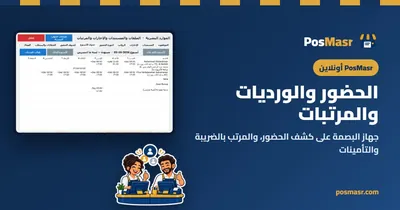
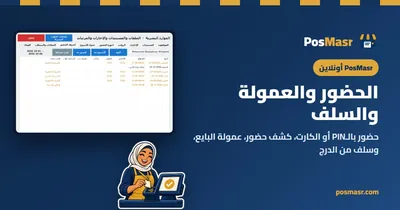
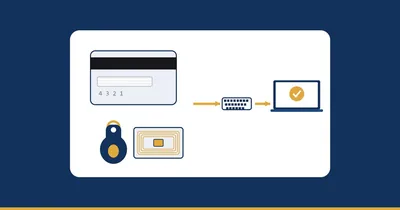
No fingerprint machine and no second program: staff clock in at the till with a PIN or a card, a timesheet tells you who was late and who forgot to clock out, commission follows the salesperson by product, category or target, and advances leave the drawer and show on the Z report.

Smart reorder and expiry control

Smart reorder and expiry control

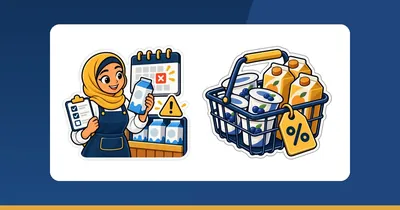
Ordering by eye either empties the shelf on Thursday or piles up what does not sell until it expires. PosMasr works out each supplier's order from real sales speed, warns you weeks ahead that a lot will not make it, marks down that lot only, and prepares the return sheet for the supplier.

8 free shop tools: QR, barcodes, labels, sums

8 free shop tools: QR, barcodes, labels, sums

A QR code for the Wi-Fi, a barcode for a product without one, a sheet of price labels from an Excel list, the VAT on an invoice, and the money in the drawer at the end of the shift. Eight free tools on our site, no sign-up, all running inside your browser — nothing is uploaded.

Quick search (Ctrl+K) and “What happened?”

Quick search (Ctrl+K) and “What happened?”

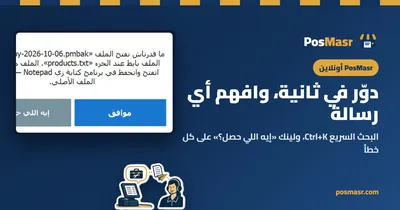
Two small things that save time every day: one search box you open with Ctrl+K to find any page, setting, receipt, customer or product, and a “What happened?” link under every error message that takes you to its explanation, the steps to fix it and the code to give support.

A stamp card on your customer's phone

A stamp card on your customer's phone

The paper stamp card gets lost in the wallet and stamped twice. PosMasr Cloud puts it on the customer's phone: they join with their number from a code at the counter, no app, the till stamps with the sale, and a full card earns the reward you chose.

Job orders for laundries, tailors and repairs

Job orders for laundries, tailors and repairs

The suit left at the dry cleaner, the phone with a cracked screen at the technician, the dress at the tailor waiting for the fitting: work that comes in today and leaves days later. Job orders in PosMasr Cloud hold it from intake to collection, with a claim ticket, a tag per piece and a page the customer follows.

Selling by weight: blends, tare and batches

Selling by weight: blends, tare and batches

A customer at the roastery never says “0.250 kg”. He says “a quarter”, “20 pounds' worth” or “my usual blend”. PosMasr now understands that: it takes off the tub's weight, keeps the blend under its owner's name, and turns a sack into bags with its cost and loss.

Bookings: appointments without the notebook

Bookings: appointments without the notebook

Bookings inside PosMasr Cloud: a booking page customers open without an account, a calendar that never gives the same chair twice, reminders, deposits, and every visit ending as a normal sale at the till. And, honestly, what is not there yet.

Books: accounts that write themselves

Books: accounts that write themselves

Books inside PosMasr Cloud: till sales land in the ledger by themselves, you issue quotes and invoices, match the bank and prepare the 14% VAT for your accountant. In plain words, and honest about what is not there yet.

Owner alerts and Ask your shop

Owner alerts and Ask your shop

You will not dig through reports every hour. Alerts tell you when something deserves a look: a void, a refund, a big discount, a drawer difference, a new device. And Ask your shop answers “how much did we sell today?” with figures, in Egyptian Arabic, Arabizi or English.

Menu boards and an order screen on your TV

Menu boards and an order screen on your TV

The printed menu board changes with every price rise, and the customer stands waiting to hear his number over the noise. PosMasr Cloud turns any TV with a browser into a menu with pictures, prices and offers, and a board that says “your order is ready”, all following the till live.

Start small, grow when you are ready

Start small, grow when you are ready

You do not have to buy the biggest package on day one. Bronze on the PC and Basic online sell, print and hold your products with their pictures — here is who they fit, the signs that it is time to move up, and how you move up without starting over.

Weighed goods with scale labels

Weighed goods with scale labels

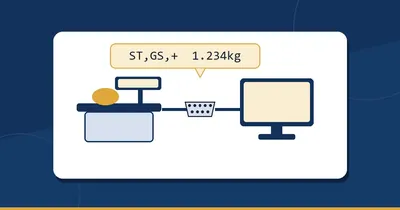
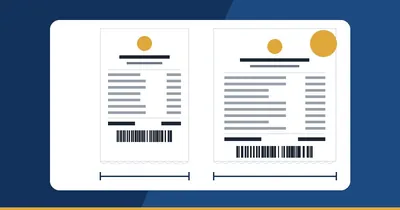
The scale at the cheese or vegetable counter prints a label, the cashier scans it and the item lands with its weight. How PosMasr reads that label, the two-minute set-up, weight or price, and why this is not the scale wired to the till.

A barcode for every product, even without one

A barcode for every product, even without one

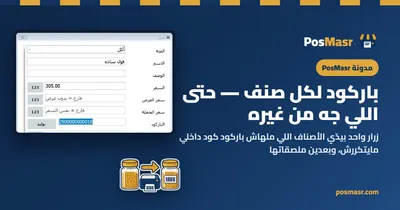
Loose beans, a bag from a local workshop, a blouse with no tag… From 5.1 PosMasr gives any product without a barcode an in-store code starting with 29 that never repeats, one by one or all at once, then offers to print their labels.

Your data is yours: take all of it, any day

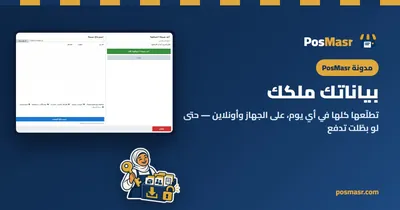
Your data is yours: take all of it, any day

If you cannot take your data out, it is not really yours. Where PosMasr's data lives on the desktop, how to take it out as Excel or a full copy any day, and what happens online if you stop paying.

Online menu and QR ordering at the table

Online menu and QR ordering at the table

Your shop online: a menu on the phone with the till's own prices that updates itself, and a code on every table that lets the guest order, call the waiter and ask for the bill. The order reaches the kitchen once staff confirm it, and staff take the payment as they always have.

Cloud or desktop POS: which fits your shop?

Cloud or desktop POS: which fits your shop?

The same till, two ways: on your PC, working with no internet ever, or online — the shop in any browser and on your phone, a backup every day, always up to date. The honest differences, which shop fits which, and how to change your mind later.

Moving PosMasr desktop to the cloud

Moving PosMasr desktop to the cloud

One file from the desktop program, one import, and your shop is online: open it from any browser or phone, backed up every day, with your products and their pictures, customers and their balances and a year of sales as they were — while nothing on the old PC changes.

Is my data safe in the cloud?

Is my data safe in the cloud?

Online there is no backup to remember and the shop is on your phone from anywhere. But “Who can see my numbers?”, “What if you close?”, “What if the PC dies?” — answered straight: where the data is, who gets in, and how to take all of it and leave any day.

Free POS software costs you time

Free POS software costs you time

Many POS options are free at first, but you pay with your time: days of setting up, learning and typing products — and then the service shuts down or changes and your data goes with it. A worked example in hours you can redo with your own numbers, and how to make it one hour.

Internet down? The cloud till keeps selling

Internet down? The cloud till keeps selling

Your shop is online — any browser or phone, a backup every day, no server to set up — and when the line drops the till keeps selling and printing with a provisional receipt number; when it is back, every receipt goes up in order, exactly once.

Branches from your phone: the Chain plan

Branches from your phone: the Chain plan

Opened a second branch and now you call both every night to hear what they sold? The Chain plan in PosMasr Cloud puts every branch on your phone, from anywhere, with no server to set up and a backup every day: one price list, each branch's stock, numbered transfers, and every branch on one report row.

Plug in the receipt printer: no driver hunt

Plug in the receipt printer: no driver hunt

From 5.1, the PosMasr installer sets up the common USB receipt printers by itself and picks one in the program, and a Devices tab shows what is connected. Exactly what happens, which printers, and what to do when yours is not one of them.

Bring your products from anywhere

Bring your products from anywhere

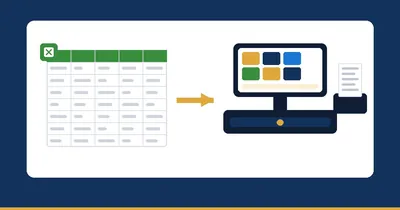
Changing programs should not mean a week of typing. If your products sit in Excel, in another program or in an old PosMasr copy, they come in with a preview before anything is written — and the gaps come from a catalogue of more than 52,000 products.

What if your POS company disappears?

What if your POS company disappears?

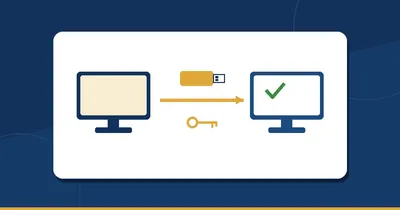
No company can promise to live forever — us included. What you can do is make sure your selling and your data do not depend on the answer. Five questions for any POS, how to test them yourself in half an hour, and how PosMasr answers them.

The real cost of a POS over three years

The real cost of a POS over three years

The software's price is the easiest number to see, and not the biggest. Over three years, time, downtime and lost data can cost more. Where those costs hide, and how to work them out with your own shop's numbers.

One POS for supermarket, pharmacy and café

One POS for supermarket, pharmacy and café

A supermarket needs barcodes and a scale, a pharmacy expiry dates, a café tables and a kitchen. PosMasr is one program that asks what your shop is on the first run and switches on what suits it — here is each kind of shop, the features that matter to it, and which package has them.

Our name is our reputation: genuine PosMasr

Our name is our reputation: genuine PosMasr

A cracked copy looks exactly like the genuine one until the day you need an update, support or your data back. How to know your PosMasr is genuine, where to get it, and why it matters to your shop.

Your shop on your phone: what you see and do

Your shop on your phone: what you see and do

You are not at the counter all day. What your phone shows in PosMasr, what you can do from it besides looking, and the real difference between the desktop edition and PosMasr Cloud: which one needs the till PC switched on, and what waits for the internet.

How to choose a POS: a 15-question checklist

How to choose a POS: a 15-question checklist

Fifteen questions to ask any POS before you pay, grouped: the counter, the hardware, stock and money, the owner away from the shop, your data, the cost over the years and support — with what a good answer sounds like, and a table to print and take with you.

Same price, same name, not the same POS

Same price, same name, not the same POS

Two cashier programs at the same price, under the same name, can be two completely different lives at the counter. What to look at beyond the price tag, and how to test any program in one hour of its free trial.

Everything new in PosMasr 3.2: a tour of the whole release

Everything new in PosMasr 3.2: a tour of the whole release

3.2 is not a line in a changelog. The till now runs without a mouse, the Products tab copes with 500 products, the hardware (customer display, manager card, scale) is part of the program, and the dashboard opens on your phone with no router setup and no static IP. A quick tour of all of it.

Everything new in PosMasr 4.0: the catalogue inside the program, and barcode lookup

Everything new in PosMasr 4.0: the catalogue inside the program, and barcode lookup

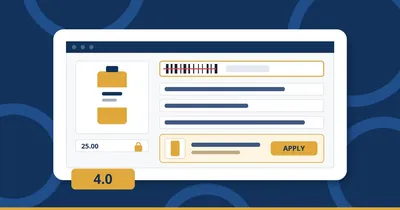
4.0 takes away the longest job in opening any shop: typing the products. The ready catalogue of more than 50,000 products now lives inside the program, and the pack in your hand fills itself in when you scan its barcode — without your price being touched. Plus import from any other program, and a daily copy for your accountant.

50,000+ products ready: open your shop in under an hour

50,000+ products ready: open your shop in under an hour

Most new shops make the same wrong choice in week one: spend three nights typing products one by one, or sell with no products at all and lose stock and profit. The ready catalogue makes a third option real — start from a list that already has the name, the barcode and the category, and type only your prices.

Butcher carcass yields, waste and cut

Butcher carcass yields, waste and cut

A carcass is an input with several outputs, by-products and possibly declared loss. Its cost must be allocated once, with an explained basis

The cheapest complete POS setup in Egypt: three budgets with numbers

The cheapest complete POS setup in Egypt: three budgets with numbers

Three budgets with real numbers: the bare minimum with the PC you own, a 58 mm printer and a scanner; a comfortable till with touch, a drawer and a 2D scanner; and a supermarket lane with a label scale and customer display — plus what to skip, what to buy used, and the software line.

Digital receipts and a paper-light

Digital receipts and a paper-light

Paper-light checkout means offering a usable receipt alternative, not hiding the evidence of a transaction. A digital receipt still needs th

Cashier theft: the five known patterns and how a till catches them

Cashier theft: the five known patterns and how a till catches them

Not an article about suspecting people — about the controls that protect the honest cashier and the shop together. The five patterns that repeat in every shop, and the signal that shows in the reports before the loss grows.

Backups: the habit that saves a shop when the PC dies

Backups: the habit that saves a shop when the PC dies

The day the hard disk dies, the difference between 'we lost two days' and 'we lost three years of sales and credit' is a 150-EGP flash drive and a 30-second habit. What a PosMasr backup holds, how to take it, and how to restore it.

The ETA e-receipt explained for small shops

The ETA e-receipt explained for small shops

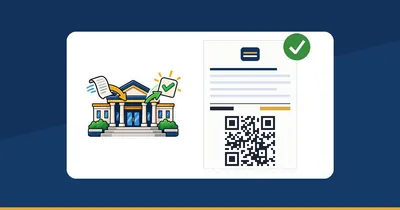
The e-receipt system in shop-owner language: what it really is, ERP versus POS registration in the taxpayer profile, what the customer sees on the receipt, and how to switch it on in PosMasr in half an hour.

Excel vs a POS: when the spreadsheet stops being enough

Excel vs a POS: when the spreadsheet stops being enough

Excel is a fine choice for a first shop… until a specific moment. Here are the six moments the spreadsheet breaks, a task-by-task table, and how to move your products into PosMasr with a single CSV file without giving Excel up entirely.

Give waiters, kitchen and cashiers a

Give waiters, kitchen and cashiers a

A waiter should not search through accounting to take an order, and a cashier should not receive payroll access merely to find checkout. Sep

Set up a focused retail or restaurant

Set up a focused retail or restaurant

A useful tablet workspace shows the tools the business actually needs. Retailers should not navigate unused table operations; restaurants st

Export business data to Excel and refresh

Export business data to Excel and refresh

A spreadsheet and a refreshed dashboard are only as reliable as their source period. Start with an exact range and a report whose totals you

Find anything faster with the

Find anything faster with the

Search is most useful when it recognizes ordinary wording while preserving precise identifiers. A misspelled setting name may still find the

Share one item across restaurant

Share one item across restaurant

Three guests sharing one item should produce one exact bill total, not three rounded approximations that lose money or duplicate stock. Allo

Know where preparation and service time

Know where preparation and service time

Elapsed time since an order began cannot explain which stage took too long. Preparation, readiness, service and payment are different events

POS screens: touch or not, and which size fits your shop

POS screens: touch or not, and which size fits your shop

A normal PC with a touch monitor, an all-in-one terminal, or a used PC with a mouse? Sizes, touch types, a second screen for the customer or the kitchen, PC specs, the brands sold in Egypt and rough prices — with a table that says which setup fits which shop.

Recipe stock versus prepared stock without

Recipe stock versus prepared stock without

An ingredient recipe and a prepared product describe different inventory moments. A preparation batch consumes materials and creates prepare

'Free' POS software: what free actually costs

'Free' POS software: what free actually costs

'Free' means five different things in POS software, and none of them stays free for three years. The five kinds, a real-cost table covering time, hardware, support and data-loss risk, and a checklist to run before choosing any program.

A restaurant shift from table order to

A restaurant shift from table order to

A table order is a sequence of responsibilities, not merely a receipt. A useful training shift starts with one table, a few products and nam

Want to see all of this working on a real till?

Try PosMasr free for 14 days. Any USB scanner, any thermal printer, no subscription.

Start the free trial
PosMasr · A market for real shop work

Supply shops. Stock your shop.

Two ways to use the same market. Choose the route that fits your business.

Wholesale supplier with a digital catalogue, grocery cartons and delivery van

For suppliers

Shops can search published products by name, brand, category or GTIN. Your public business profile gives them a way to understand who supplies the goods.

For suppliers
Shop owner comparing grocery packs before restocking

For shops

Browse the public directory by product, brand, category or GTIN. Check the supplier profile and compare currency, unit and pack size together.

For shops

Explore every market guide

Help centre

Search by feature, screen or task. Open a guide and share its link with your team.

Help centre

Try PosMasr free for 14 days

Download, pick your products from the ready catalogue, plug in the printer and start selling today — no internet needed. Want the shop on any device instead? PosMasr Cloud runs online.