
Receive a partial supplier delivery without losing the balance
Record what actually arrived, keep the remaining quantity visible and reconcile the delivery against your purchase order.
Published 11 October 2026
Count before confirming receipt
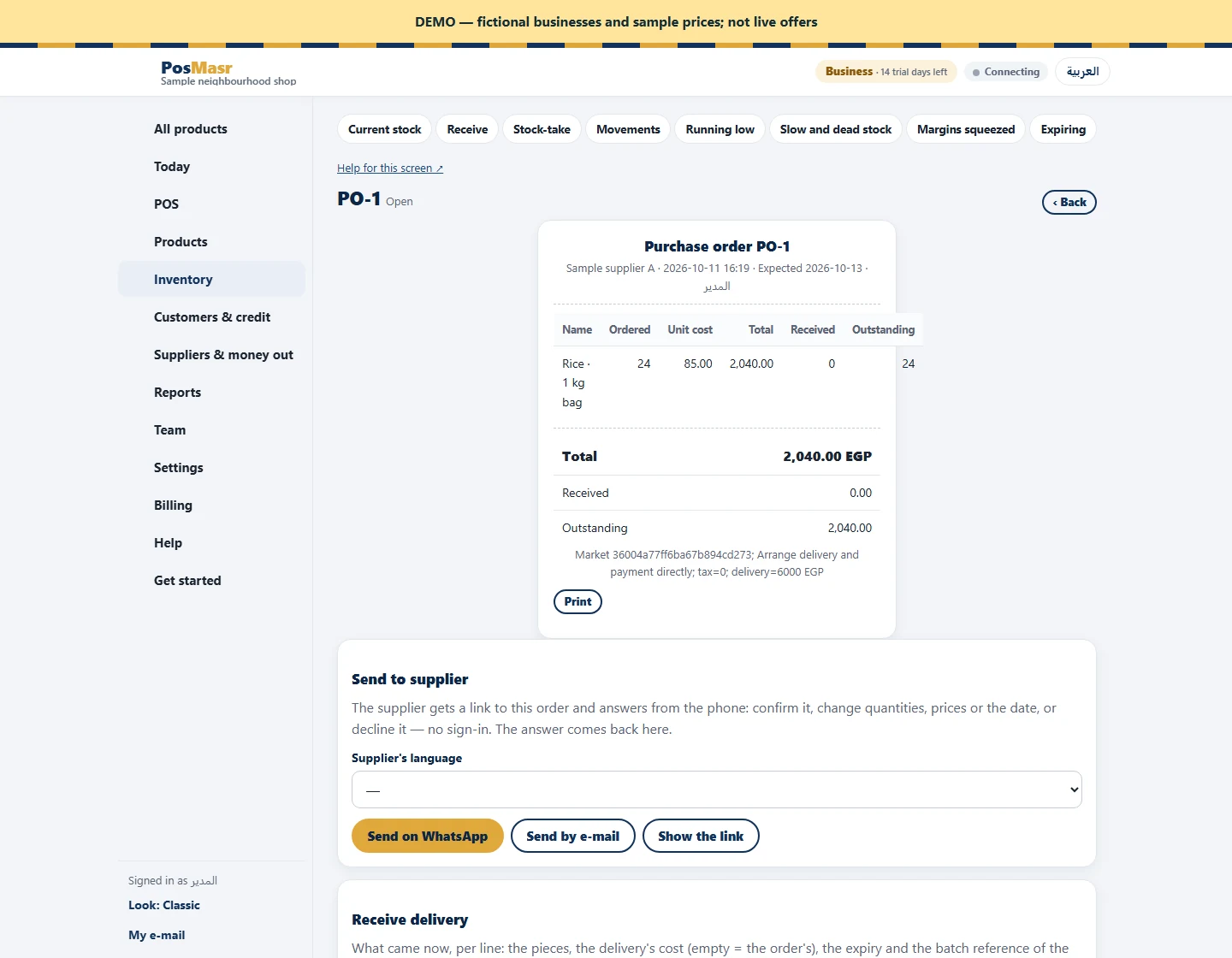
Open the purchase order linked to the agreed market request. Check the supplier, product, ordered quantity and delivery paperwork. Count the goods that actually arrived and inspect their condition. If twenty-four units were ordered and eighteen arrived, do not record twenty-four to make the order look complete. Record the received amount and keep a clear note of any discrepancy.
Keep the remainder actionable
The purchase-order view shows ordered, received and outstanding quantities. In the example, six units remain outstanding after receiving eighteen. Agree with the supplier whether they will follow in another delivery or whether the remaining order should be closed. Do not create a second full order simply to represent the missing units: that makes later receiving and supplier reconciliation harder.
Reconcile documents as well as stock
Check the cost, supplier invoice, applicable tax and delivery charges against the agreement. When lot or expiry tracking is enabled, record the relevant details during receiving. The market request holds the shared agreement and dispatch reference; the purchase order records receiving. They serve different purposes, and receiving is not automatically mirrored into the request. Keep the delivery paperwork so another employee can understand why an order is still open or why the remaining quantity was closed.
