
What's new in every version
Every PosMasr release since 1.0, newest first. Updates are free for the package you own; the program tells the manager when a newer version exists.


5.7 — October 2026 · Procurement on your PC
The program on your PC, Gold package Latest
- Purchase requests and approvals: a request with its own number (PR-1, PR-2…), approved in one or two steps with amount limits and a budget per category or for the whole month; the approver approves it, returns it for changes or rejects it with a reason. How it works →
- The order from the request in the purchase-order screen you know, then receiving as always. The supplier's invoice is matched with the order and what was received: a match goes to the supplier's account, anything else waits in «Invoices to check» (accept it, ask for a credit note, or send the goods back).
- Supplier ageing and a Procurement home with the open requests, the ones waiting for you and the orders not received yet. All on your PC, with or without the internet.
- Switch it on in Settings → Features → Procurement. Its three rights are off for cashiers until the manager gives them; its files are in the backup. Quotes from several suppliers by link are in PosMasr Online.
- Support is on WhatsApp from Settings → Support. Update every PC of a shop together. Download 5.7 →

5.6 — October 2026 · Staff, job orders and the credit book
With PosMasr Online 5.11, the till app 1.1.0 and the first Android till
- Staff: clock in and out with a PIN or a card, and timesheets (Silver); schedules, commission, the salesperson on the bill and advances (Gold). HR: a file for every employee with documents and expiry dates, leave, fingerprint devices and a weekly roster (Silver); payroll and payslips (Gold).
- Job orders for laundries, tailors and repair shops: a ticket and a tag for every piece, a board to follow them, and collection that takes the deposit off. How it works →
- The credit book: who owes you and since when, the dates they promised, a credit limit at the till, a printed statement, and a reminders list you send on WhatsApp. More →
- Instalments and deposits with a schedule; phone and delivery orders with the customer's addresses and last order, drivers and their settlement (Gold); selling by weight with tare, scale labels and blends.
- Smarter stock: reorder from every supplier with the reason, expiry control that marks down what is about to expire (Gold), a warning when a cost goes up at receiving, and a slow-stock list.
- A stamp card on the receipt (Gold), a Google review QR on every receipt, accounting export (Excel, QuickBooks, Xero), a «Needs a look» screen, bringing your data from another program step by step, and a «What happened?» button on error messages. The program is now signed in our company's name.
- PosMasr Online 5.11: accounts and invoices and bookings on Business and Chain, HR from Shop, a return or a question from the receipt page, «order the same again», sample data to try the shop, Ctrl+K quick search, and a help link on every error.
- The PosMasr Cloud till app 1.1.0 (Windows, Mac, Linux) brings all this to the till, even with the line down; and the first Android till, PosMasr Till 1.0.1, for tablets and handhelds. Downloads →
- Most new features are switched on in Settings → Features. Update every PC of a shop together.

5.5.1 — October 2026 · Offers, recipes and stock by lot
The biggest update since 5.0
- Offers that apply themselves: buy X get Y, a percentage or an amount off, and happy hours (Gold and Platinum).
- Recipes and food cost: ingredients come off the stock with every sale, prep batches and waste, and «prepared ahead» items sold from stock.
- Purchase orders and stock by lot: receiving by the carton, lots with an expiry date, and the one that expires first is sold first.
- Split the bill by items or by guests, and move or merge tables.
- Profit without the VAT you collect: the reports' profit no longer counts the VAT that isn't yours; revenue and VAT figures are unchanged.
- Two new looks (clean white and dark), a second product name (e.g. English), large catalogues open fast, a same-name customer is never merged by mistake, exact partial returns, and a receipt on every sale for new shops.
- PosMasr Online 5.10: offers checked on the server, table QR codes protected, the business day follows your shop's time, and a product saved from the web keeps every field it didn't show.

5.3 — September 2026 · Reports, loyalty and sync
Built from what shops asked for
- Tax collected report: for shops that add VAT or service on the bill — the totals of any day, month or quarter by rate, returns subtracted, and the periods you already paid marked as settled.
- Customer loyalty points: points per pound, paying part of a bill with points, and the balance on the receipt.
- Sync with a code: products and sales history between two PCs, or a PC and PosMasr Cloud.
- Pharmacy labels 40×10 mm in pairs, and a printer calibration screen: margins, shifts and a test label.
- Remote support from Help, updates checked every hour with your OK, the printer and devices found and set up on first start, and catalogue suggestions for your products' names and pictures (never prices).
- Fixes: mouse clicks no longer fight the search box, generated barcodes are never read as scale labels, saving is safe on power cuts, receipt numbers never go back, a return can't be repeated, backups are complete and verified, and the daily close counts this drawer only.

5.2 — September 2026 · Four packages
Start small, grow when you are ready
- The new Bronze package, the lowest price to start: selling, barcodes, products with pictures, discounts, returns and backup. Packages and prices →
- Silver now includes much more: cashier accounts and rights, customers and credit, stock and receiving, suppliers, labels, the scale and the customer display. Gold adds the kitchen and tables, Platinum the phone dashboard and e-receipts. Nobody loses anything they already had.
- Restore from a file… in Settings → Backup: bring back any backup file with its pictures — including a copy downloaded from PosMasr Cloud, so you can move back to the one-time program any time. Your data is yours →
- Fix: selling on account (F5) now follows the package like the credit screen and says which package unlocks it.

5.1 — September 2026 · PosMasr Cloud
The same till, online
- PosMasr Cloud: the shop lives on our servers (Europe, Milan, backed up daily) and the till on the PC — nothing to set up on a server, and the shop opens in any browser. Plans per shop per month (plans and prices) and 30 days of Business free, no card. The Cloud page →
- The web app at app.posmasr.com: sign up with an e-mail code, the whole shop in the browser and on the phone — today, sales and receipts, products with the catalogue picker and the camera scanner, stock and stock-takes, customers and credit, suppliers and expenses, shifts and Z, e-receipts, team and rights, billing and invoices, an activity log, two-step verification.
- The PosMasr Windows program has a PosMasr Cloud mode: connect the till to your account with a 6-digit code from the web app instead of a licence key; when the internet is down the till keeps selling and the receipts sync by themselves once it is back. Screens, shortcuts, printers, drawer, scale and displays unchanged.
- A new PosMasr Cloud app for Windows (download), and since 27 September 2026 for Mac and Linux as a preview: the cloud app in its own window with the printer, drawer, scale and customer display.
- Selling with no internet on both: the till sells from its cached products, prints a provisional receipt number (“A-1043”), and syncs everything in order when the line is back — nothing doubled, returns and reprints find the receipt by either number.
- Move both ways: the desktop backup imports into a new cloud shop (with a 30-day check of the totals), and Settings → Data exports the cloud shop as CSV or as the desktop program's own backup.
- Online menu, ordering from the table and an online shop (26 September 2026): the menu at posmasr.com/menu/your-shop with the till's own prices; a QR code per table or seat, where the guest orders, calls the waiter or asks for the bill, staff confirm, the kitchen gets each round at its station and the table keeps one bill; a phone-first waiter view; a nine-step set-up wizard with a test table; the online shop at posmasr.com/shop/your-shop with cash on delivery and an Orders page; an “Online orders” pill on the Windows till. Included in Business and Chain (Chain also gets printed table codes); add-ons on Cashier and Shop: menu 100, table ordering 100, online shop 300 EGP a month. How it works →
- Move to PosMasr Cloud in the desktop program (Settings → Backup): one file with your products and their pictures, customers, suppliers and sales, to upload to the cloud in the web app's Settings → Data. Moving, step by step →
- A Devices tab in Settings lists the devices connected to the PC, and the installer sets up the common USB receipt printers by itself.
- Barcode generation for the products that have none.
- The program's core is now one library shared with PosMasr Cloud, giving exactly the same results on the desktop and in the cloud.
- Fixed: voiding or returning a credit sale now comes off the customer's account.
How it works: the Cloud chapter of the manual.

4.2 — September 2026
Ready for the cloud
- Every new product, customer and supplier gets an ID that is unique on every till, so branches and tills can never clash when they meet in the cloud. Existing IDs are untouched.
- Each till has its own identity and counter, and every sale, return, shift, credit entry and stock change is stamped with its time and time zone — ready for syncing.
- Stock is now a full movement ledger: every sale, return, delivery, stock-take and edit is a line in the stock folder, and the program checks at start-up that the ledger and the stock agree.
- Fixed: cashier accounts added from Settings → Users were saved without an ID.
- The program needs .NET Framework 4 from now on; the old .NET 3.5 build is retired (on Windows 7 install .NET 4.8 once).

4.1.1 — September 2026
Prices from the keyboard
- Save & next (Ctrl+Enter) in the product editor: saves and opens the next product in the list as you see it. With the “No price” filter after picking from the catalogue, pricing is Enter, the price, Ctrl+Enter — a few seconds a product.
- A product without a price opens with the cursor already in the price box.
How it works: the manual.
4.1 — September 2026
The catalogue on your PC, and scan to add at the till
- A bigger, cleaner catalogue: 52,548 products, 18,493 of them with a product picture (was 3,475), sorted into 59 clean Arabic categories; English names that did not match the product were removed, and only barcodes that mean the same product in every shop are shared — a shop's own short in-store codes are not
- The catalogue lives in the program, encrypted: a sharing shop downloads it once as one encrypted file (about 70 MB, in the background), and from then on the picker, the barcode lookup and scan-to-add work with no internet. The key that opens it is issued by PosMasr to that PC only, so a copied file is useless on another PC; the program checks for a newer catalogue at most once a day, and the pictures come out of that file — nothing is loaded from our server afterwards
- Scan to add at the till: scan a barcode your shop does not have yet but the catalogue knows, and a small window shows the catalogue's picture, name and category with an empty price box — Enter adds it and sells it, F2 only adds it, Esc cancels. The catalogue never supplies a price; a cashier without the right to manage products needs a manager's approval
- The picker adds products without a price — the catalogue has none; you type your own, and the “no price” filter in Products lists what is still waiting for one
- Pictures on the sales buttons are scaled so the name and the price stay readable, and the sales screen redraws much faster with hundreds of products. A direct switch in Settings → Products (“Show product pictures on the sales screen buttons”, managers only) joins the one in Features, and when catalogue pictures arrive while it is off, the program offers once to switch it on
- “Powered by BytesGlue” on the Support tab and the login screen
The sharing rule is unchanged: the catalogue is open to the shops that share their product list. More on the catalogue page and in the manual: scan to add, the offline catalogue, pictures on the sales buttons.

4.0 — September 2026
The ready catalogue, inside the program
- Pick from the catalogue inside the program (Settings → Products): 52,525 products Egyptian shops sell, 3,475 of them with a product picture — type to find, tick what you sell, add; a new till offers it right after the shop-type question, and it works offline after the first download
- Barcode lookup in the product screen: scan or type a barcode while adding or editing, and the name, category, a description (English name and brand) and the picture fill in — at once when adding, through an Apply strip when editing. The price is never changed, nor cost, wholesale price, stock or expiry; it works offline
- The catalogue is open to the shops that share their product list: a copy at PosMasr on, the daily upload ticked, and your products not excluded. A shop that stops sharing keeps everything already in its program, pictures included
- Pictures and product details are downloaded into your own program once and kept there — not loaded from our server every time
- Edit several products at once: select two or more rows and the normal product screen opens on all of them — only the fields you touch are saved
- Categories that print no receipt on their own: a sale made only of them is saved and shown, but no paper comes out
- A copy at PosMasr: the products list is on from the start and goes up once a day, the full backup is there when you want it, and Restore from PosMasr brings it back on an activated PC
- Import from another program: a text file with any column names, an Excel file, a database (Access, dBase/FoxPro, or a server through ODBC) or an older PosMasr copy — map their columns onto ours and see the first twenty rows before anything is written
- Export & link: a daily copy of products, receipts, receipt items and stock into a folder (the last 60 days kept), and a read-only feed for the accountant's software with a token you generate
- Every settings screen scrolls to its end and shows all its text, and illustrations across the program
The whole release, explained for a shop: Everything new in PosMasr 4.0.
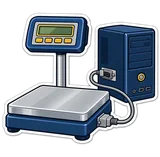
3.2 — September 2026
The scale talks to the till
- Weighing scale connected to the PC (CAS, Mettler Toledo, DIGI, generic RS-232): Ctrl+W weighs straight into the receipt
- Print the current stock list on the thermal printer; search receipts by number, customer, cashier or amount; Receipts and Users buttons on the sales screen
- Daily close report by e-mail through your own SMTP (send time or on shift close): summary, Z report, low stock, expiring
- Silent auto-update: download, verify (SHA-256) and install the new version with one tap or automatically
- Send diagnostics to support from Settings; the till reports its version and license state so support sees it coming
- PosMasr Link: open the till's dashboard from your phone anywhere, with no static IP or router setup (outbound encrypted tunnel to link.posmasr.com)
- Tills pair automatically on the shop network with a one-time code, talk over pinned HTTPS with signed requests, show a live connection pill, and a secondary promotes itself if the primary goes down

3.1 — September 2026
Any customer display, and a card for the manager
- Customer display types: a second monitor (as before), a 2-line VFD/LCD pole display (2×20), or an 8-digit LED amount display — pick yours in Settings, with a test button
- Manager cards and card login: register a magstripe or RFID card per user; a swipe signs in or approves a return, void, discount or drawer open instead of typing a password
3.0 — September 2026
The whole till from the keyboard
- Keyboard-first: shortcuts on every screen, the key printed on each button, F1 shows the full list — the till works with no mouse at all
- Products: categories management (rename, merge, delete, reorder), multi-select bulk actions (move, show/hide, price change, delete), search and filters (no barcode, no price, hidden, low stock, duplicates…)
- No more duplicates: a barcode or name that already exists is refused when adding, editing or importing
- Backup has its own Settings tab and a button on the sales screen (Ctrl+B)
- Cash drawer through a network printer (IP), and the diagnostics try longer pulses; clearer advice when it will not open
- Choosing a shop type now tells you exactly which features it switched on
- Import from an old copy skips duplicate barcodes; the keygen can issue a key for the PC it runs on

2.3 — September 2026
Your old products come along
- Import from an old copy: Settings → Products finds older PosMasr / CSG POS copies on the PC (or Browse to a products.txt) and brings over new products and changed prices — any version since 1.0, current data untouched

2.2 — September 2026
A second till in the same shop
- A second till in the same shop: primary / secondary over the shop network, products and stock from the primary, every receipt pushed to it, queued while the network is down (second license at 40% off)
- Wholesale and retail price levels; wholesale clients switch the sale automatically
- Payment QR (InstaPay / wallet) on the customer display and, optionally, the receipt
- Kitchen ticket printer: a ticket on a second thermal printer for every order with items to prepare
- Send the receipt on WhatsApp in one tap
- New-version notice once a day for the manager; release the license to move it to a new PC (release code)
- A proper installer (PosMasr-Setup.exe) next to the portable zip

2.1 — September 2026
The customer sees the order on a screen
- Customer display on a second monitor: the order as it is rung up, totals, paid and change, welcome screen while idle

2.0 — September 2026
Three packages, the e-receipt, and the shop on your phone
- Three packages: Silver, Gold, Platinum
- Owner portal from anywhere over HTTPS; inventory from the phone (stock-take, add products, receive stock, camera barcode scanning on Android and iPhone); management from the phone (reports over any period, credit payments, expenses and supplier payments)
- ETA e-receipts (Egyptian Tax Authority) with the tax QR on every receipt, offline queue, item codes tool
- Stock-take at the till; detailed thermal tax invoice; client tax numbers
- Fresh installs start empty; products import/export with Excel (CSV); variants (colours/sizes) with their own stock; service charge and VAT with Egypt's numbers; A4 invoice; per-cashier rights; store types

1.4 — September 2026
A feature pack: switch on only what you need
- Optional feature pack, all off by default: discounts and sale prices, returns, shifts with X/Z reports, split cash+card, VAT line, decimal quantities and scales, sizes and add-ons, tables and held orders, product pictures, supplier invoices and expenses with net profit, daily automatic backup, daily summary on Telegram or e-mail

1.3 — September 2026
The shop on your phone while you are out
- Remote monitoring: the owner dashboard on the phone (today, week, month, by hour, receipts, low stock, expiring, credit), HTTPS with your own certificate

1.2 — September 2026
Expiry dates and suppliers
- Expiry dates with alerts; suppliers and clients; client on the sale; receiving log

1.0 — September 2026
The first till: selling, receipts and the drawer
- Touch selling, thermal receipts with your logo, cash drawer with diagnostics, cash / card / credit, inventory with cost and profit, low-stock list, reports, barcode scanning and label printing, cashier accounts, kitchen display over the network, backup and restore, Arabic and English, works offline
