
The same till… on the cloud
PosMasr Cloud is the PosMasr you know, sold by the month instead of once: the cashier sells on the PC as usual, and you follow the shop from any browser or phone — one till or ten, one shop or a chain. Products, stock, customers and reports are the same on every screen, at the same moment.

What changes when the shop is on PosMasr Cloud
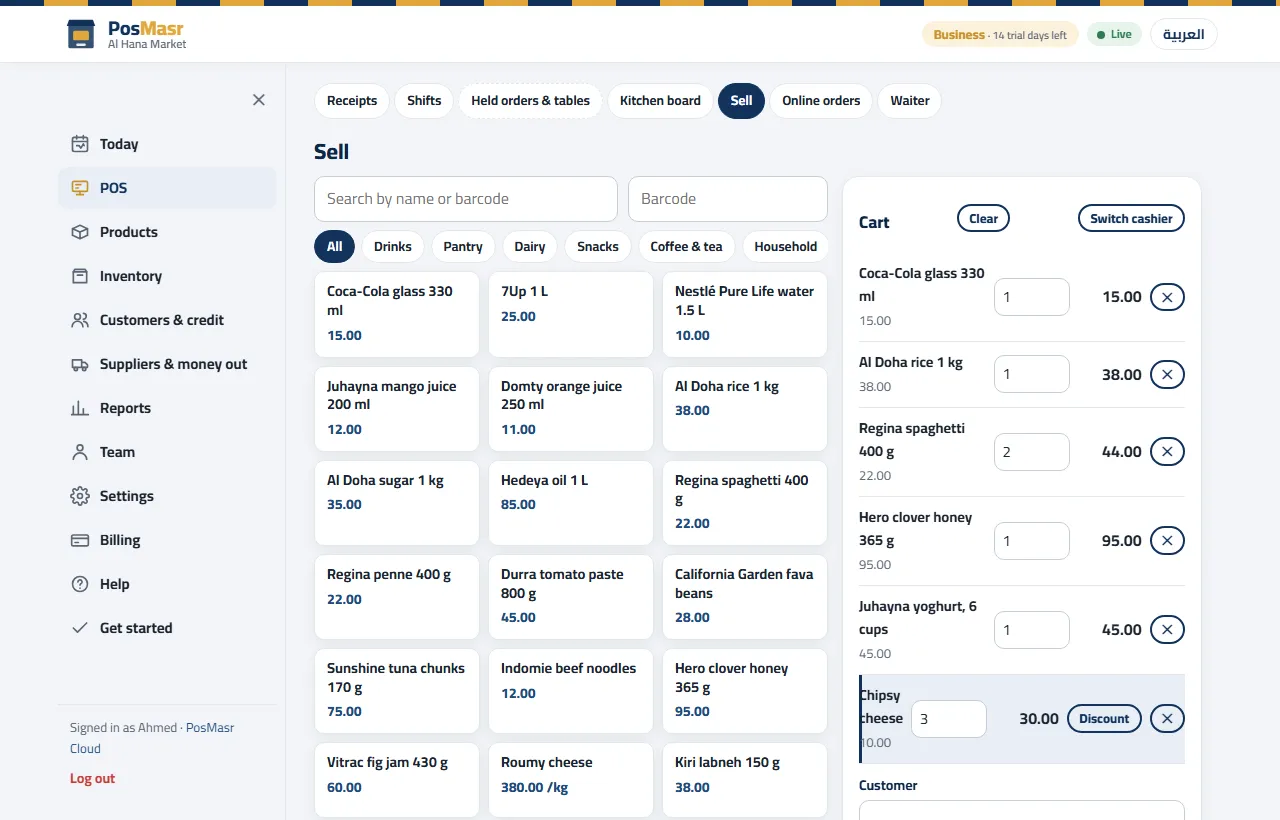
The selling screen, the receipt, the drawer and the barcode scanner are exactly the desktop's. What the cloud adds is everything around the till.

The whole shop in the browser
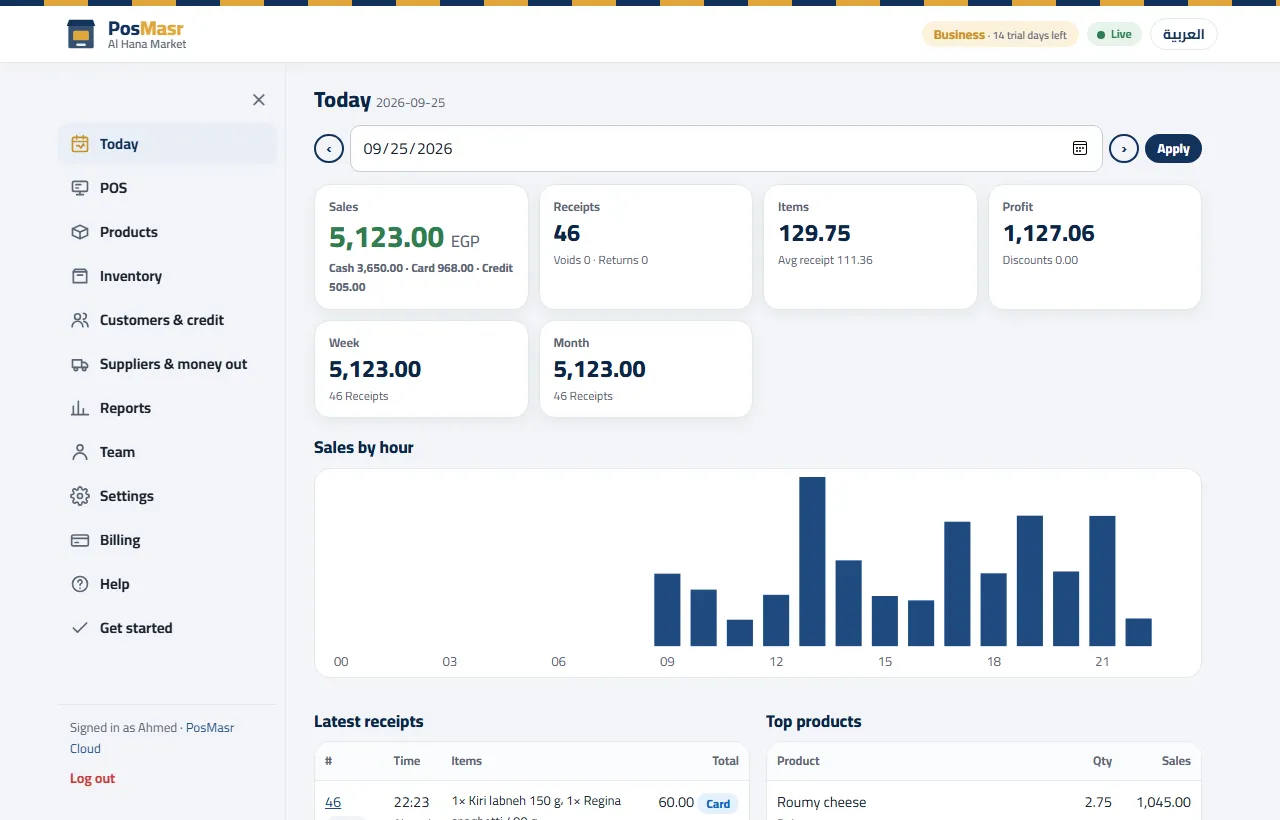
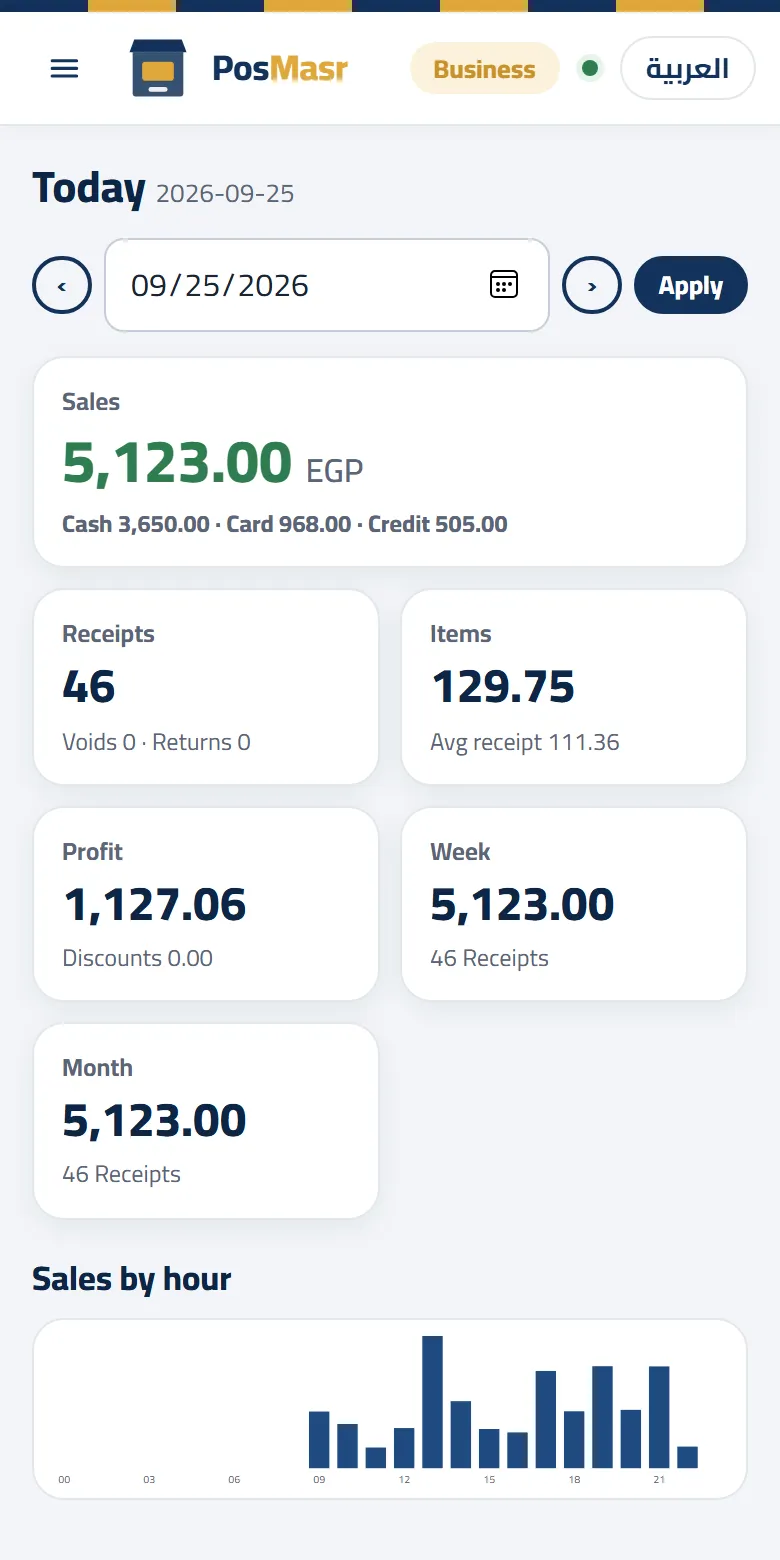
Today's sales, receipts, stock, who owes, expenses, the Z reports — on your phone or any PC, live as the till sells. The same numbers the till prints, not a copy that arrives later.

Several tills, several branches
Every till in the shop sees the same products, stock and customers the moment they change; no primary PC, no shop network to set up. On the Chain plan every branch has its own stock and prices, and the owner sees them all together.

No backup to forget
Your data lives on our servers in Europe (Milan) and is backed up every day. A dead PC costs you a new PC, not your history: pair the new one and carry on.
Sells when the internet is down
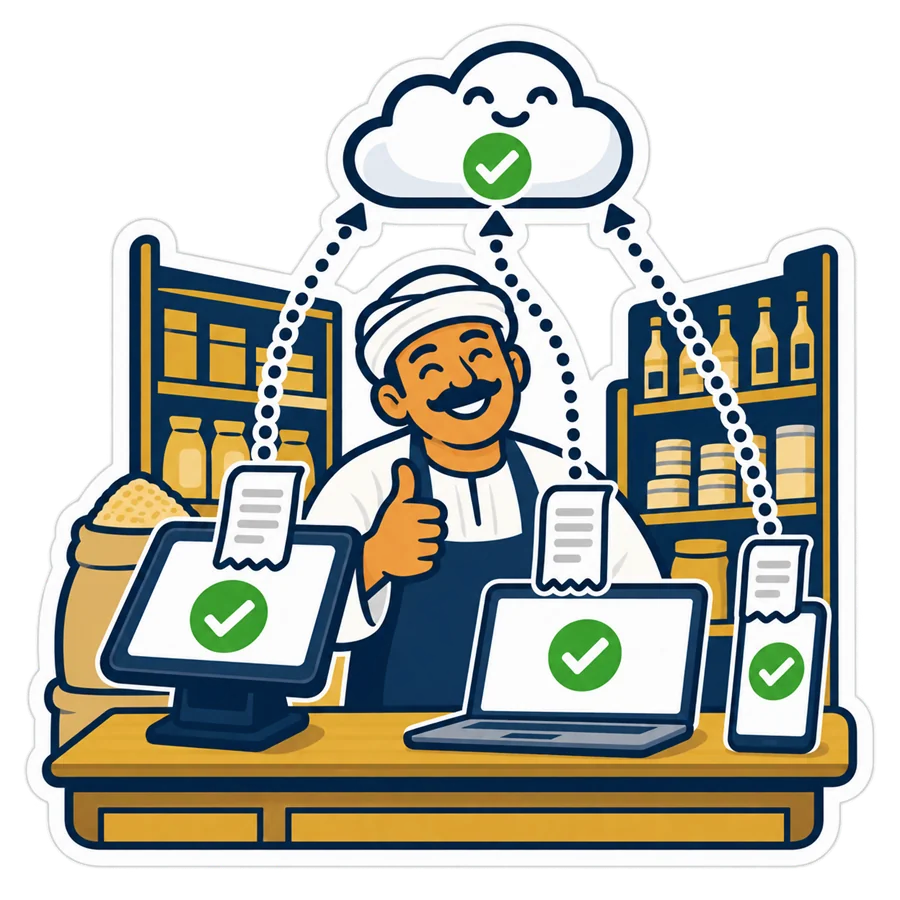
The till keeps a copy of your products, prices and customers on the PC. When the line drops it goes on selling and printing, and the moment it is back everything syncs — in order, nothing doubled.

Your hardware, as it is
Thermal printer, cash drawer, barcode scanner, scale, customer display, kitchen printer: the same devices, driven the same way as on the desktop. And since desktop 5.1 the installer sets up the common USB receipt printers by itself.

E-receipts and the catalogue
The ETA e-receipt is sent from the cloud and queued when the authority is slow; the ready catalogue of 52,000+ products comes with every plan; your daily e-mail report goes out from the cloud even when the till is off.
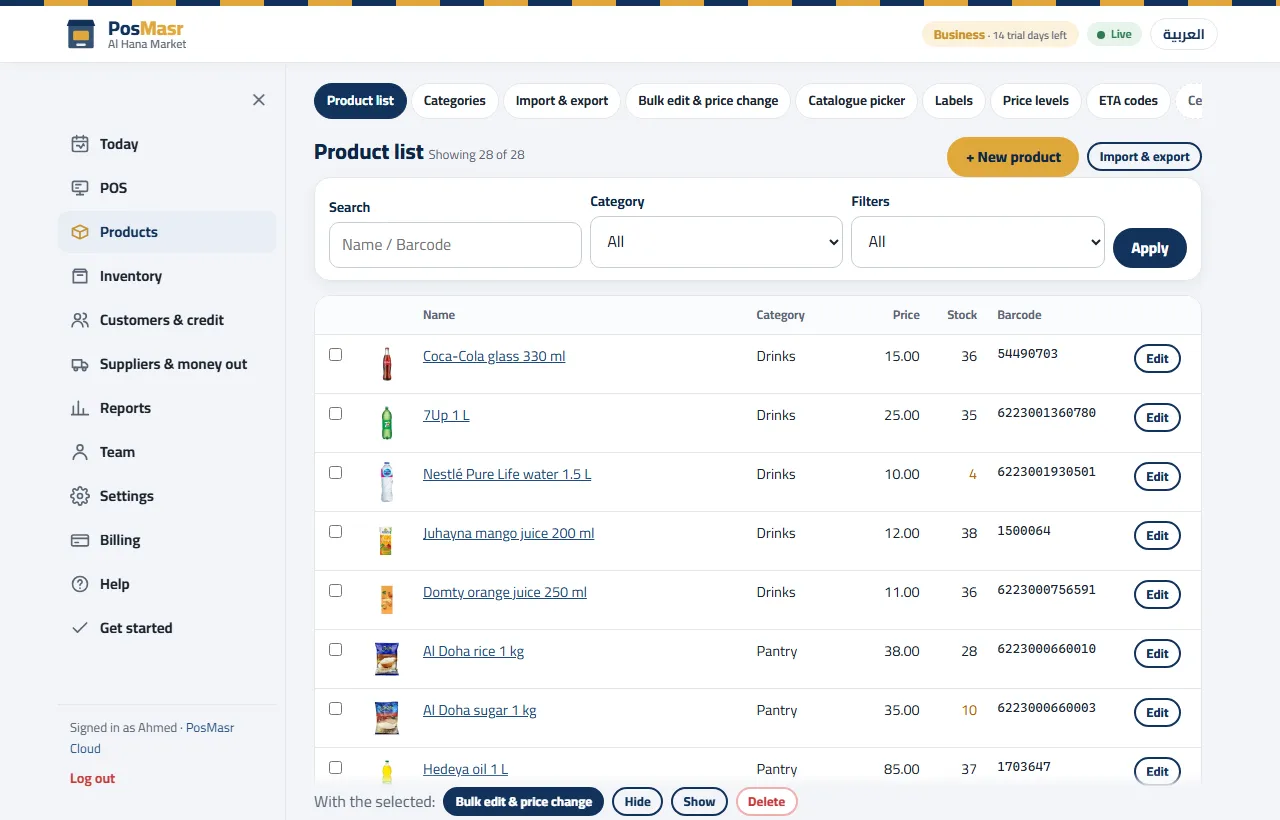
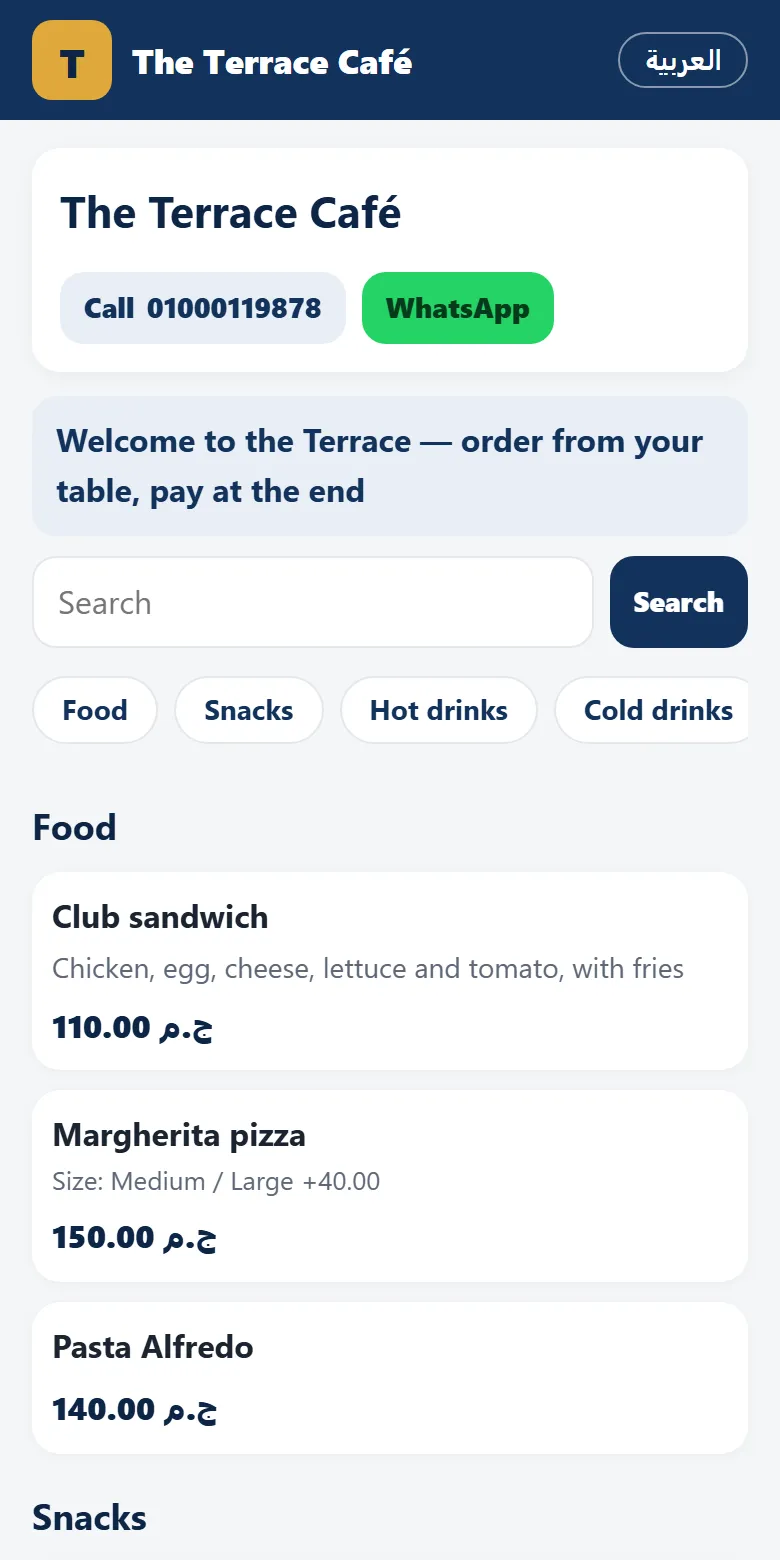
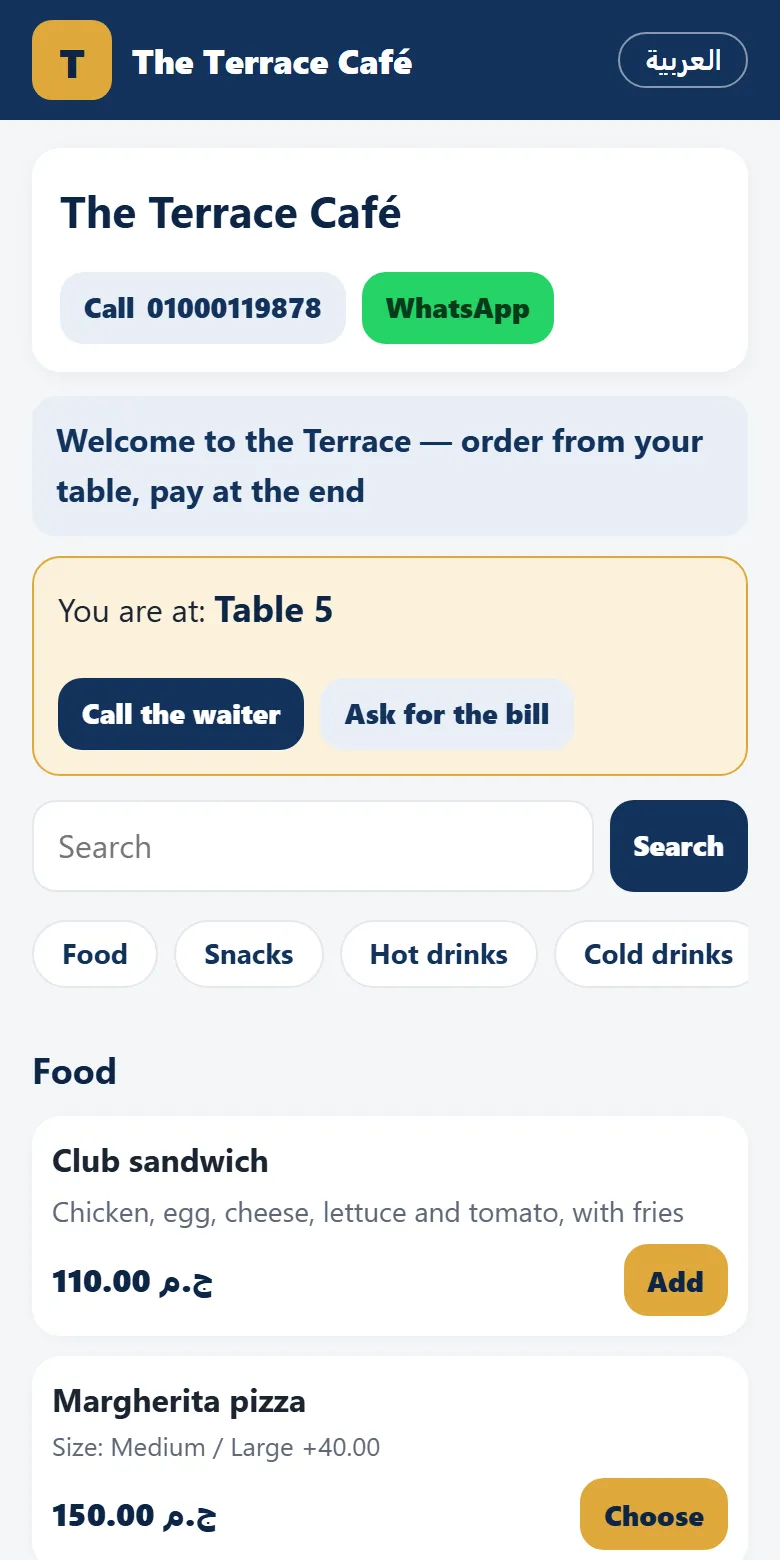
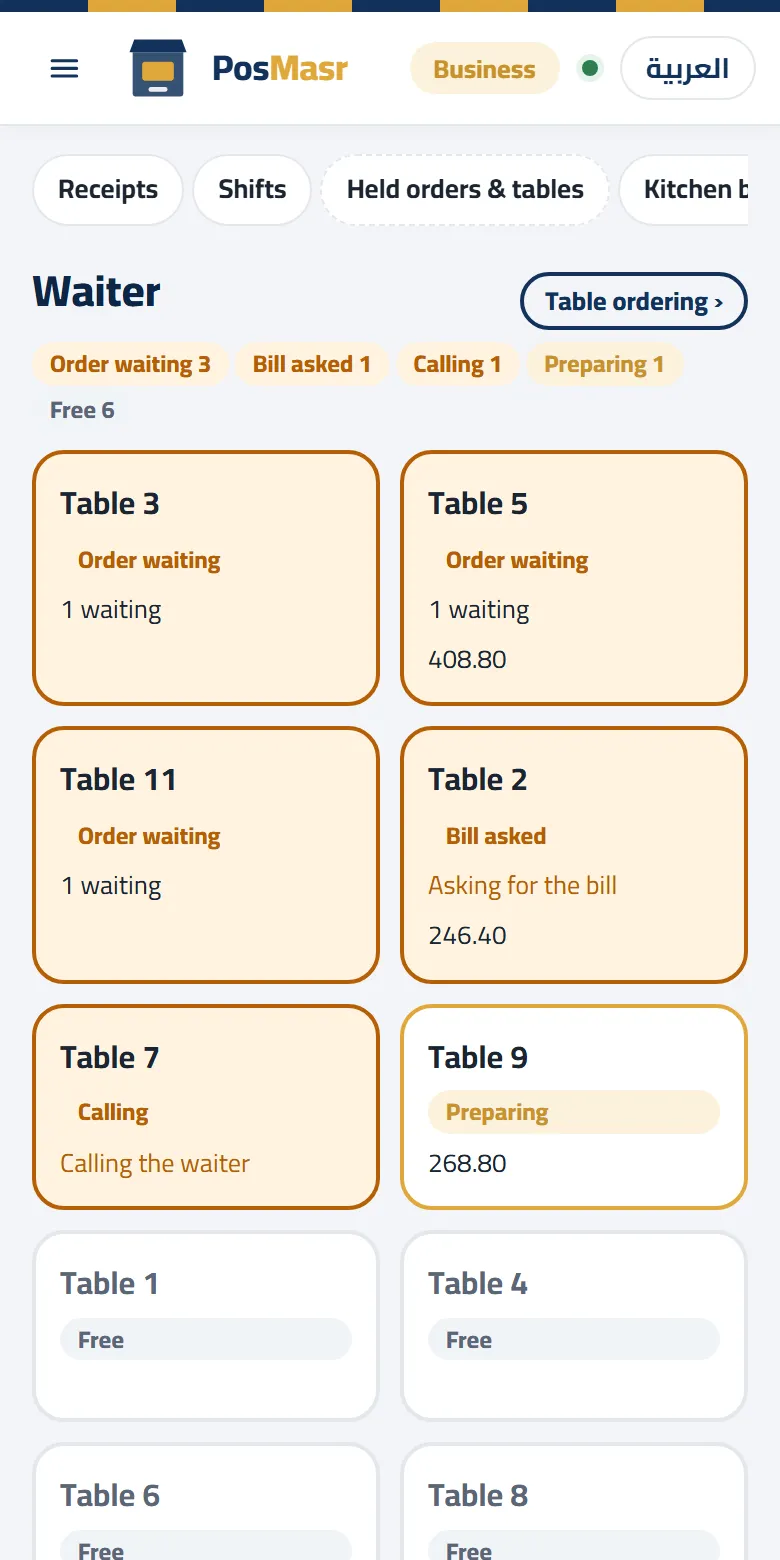
The real screens of PosMasr Cloud
Pictures of the app itself running a demo shop — not drawings. The same pages open in Arabic or English, on a computer or a phone.
Three steps, and you are selling

Sign up
Shop name, e-mail and phone on app.posmasr.com. A code arrives by e-mail — no password to invent, no card. You get 14 days of the Business plan.
Pair the till
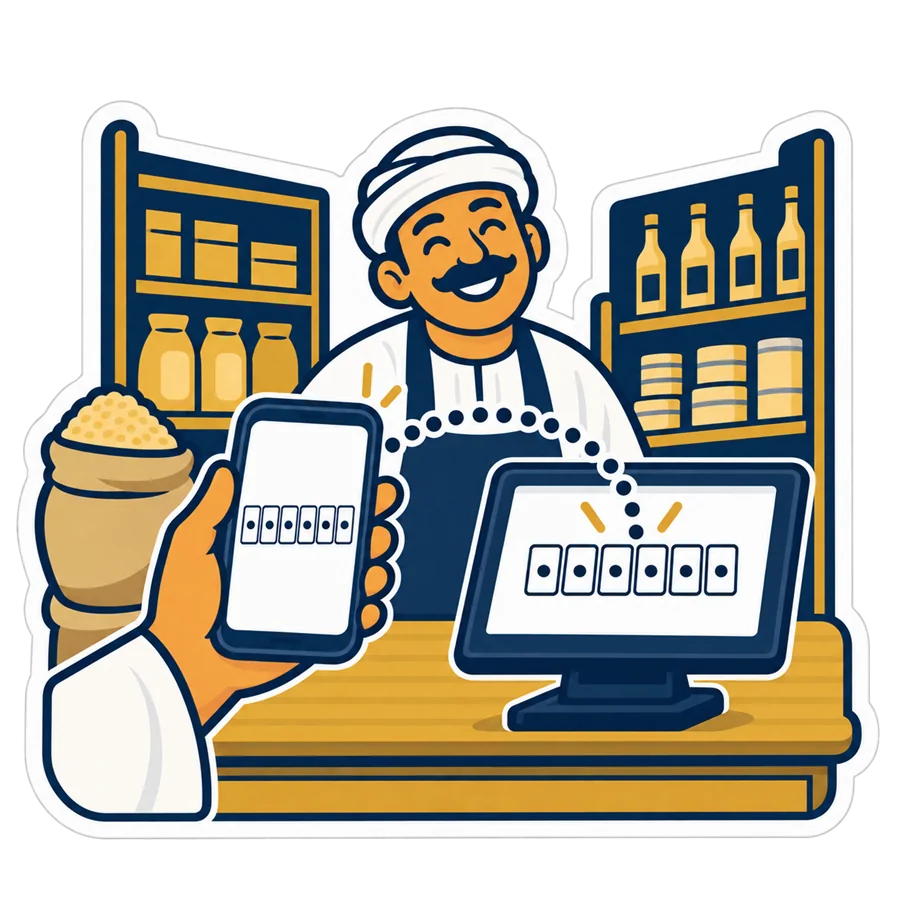
Install the PosMasr Cloud app on the till PC, then in the browser press “Connect a till”: it shows a 6-digit code. Type it in the app and the till appears online in the list within a second.

Sell
Pick your products from the catalogue or import your list, choose the printer, and ring up the first receipt. From that moment your phone shows it.
The line drops. The till does not.
Egyptian shops lose the internet all the time, so a cloud till that stops selling was never an option. PosMasr Cloud sells through the outage and settles up when the line is back.
- An amber strip, not a red stop: “selling offline — 3 receipts waiting”. Cash, card, credit and split sales all work; returns of receipts the till holds, cash in/out, opening and closing a shift too.
- A provisional receipt number (“A-1043”) prints with the line “provisional — final number after sync”. After the sync the till keeps the map, so a reprint or a return of that receipt finds it by either number.
- Nothing is doubled: every sale carries its own key, so a receipt the server already stored is never stored twice, even if the answer was lost mid-way.
- What waits for the line: editing products, settings, the reports pages and the phone. The cashier's job never does.
Two ways to run the till, three operating systems
Either is a real till: it pairs with a code, signs cashiers in, prints, kicks the drawer and sells offline.

The PosMasr Cloud app — Windows, Mac, Linux
A small program that opens the cloud app in its own full-screen window and drives the hardware: receipt printer, cash drawer, scale and customer display. About a minute to install; the Windows version is ready today, Mac and Linux are coming soon.
Download for Windows Mac & Linux: soon
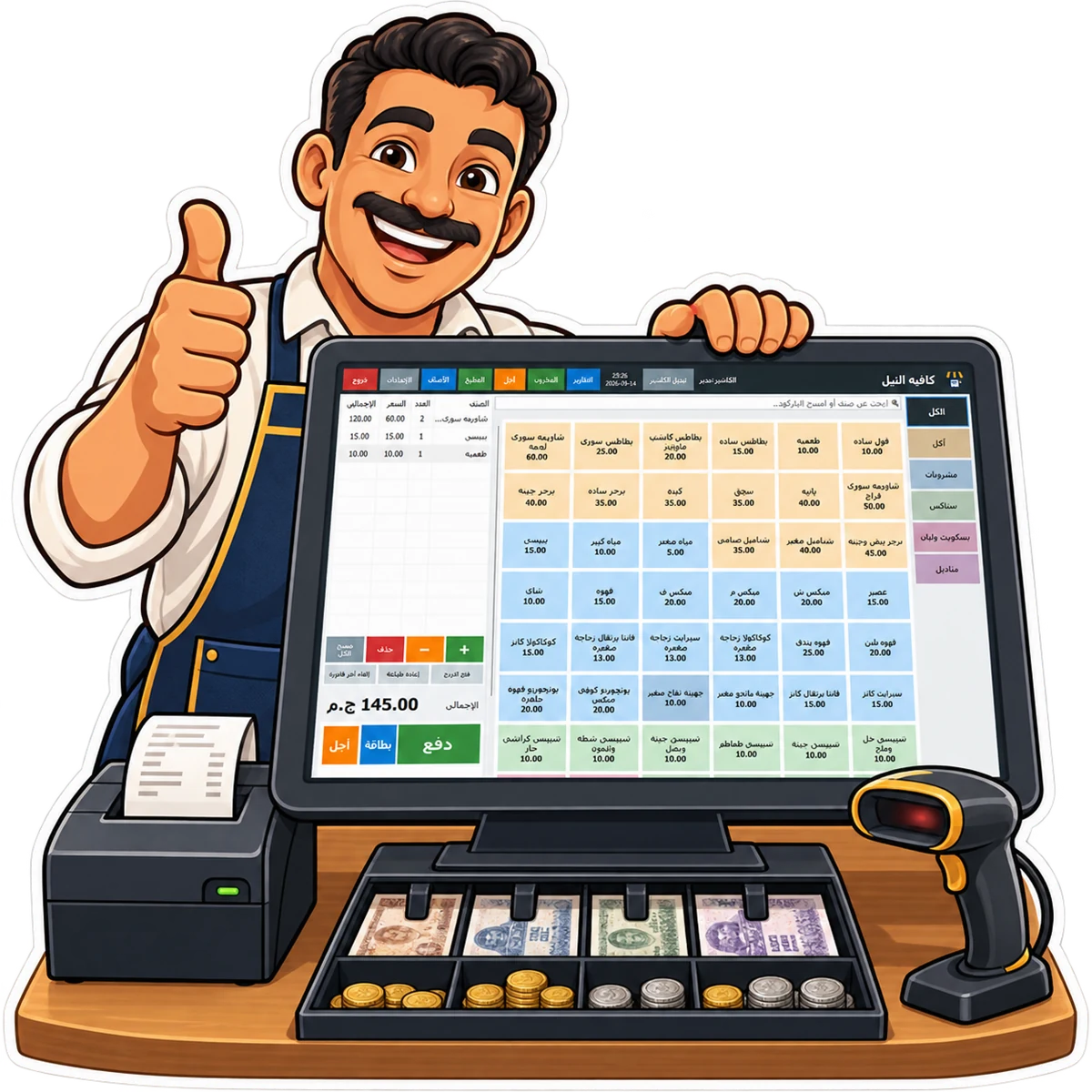
The PosMasr Windows program in cloud mode
The desktop program you already know, from version 5, has a cloud mode: instead of a licence key it takes the 6-digit pairing code, and from then on its screens, keyboard shortcuts and printers work exactly as before — but the data lives in the cloud. Free to download; Windows 7 and up.
The PosMasr Cloud app (Windows 10 and up) or the PosMasr program in cloud mode (Windows 7 and up).
Available nowThe PosMasr Cloud app for Mac. Until it ships, the browser on a Mac shows every page except the selling screen.
SoonThe PosMasr Cloud app as a .deb for Ubuntu and Debian, with the printer on lp or a network queue.
SoonPhones and tablets: every management page works in the browser (Chrome, Safari), including the camera barcode scanner for stock-takes. Selling needs one of the two till programs above.
Your menu online, ordering from the table, and a shop with cash on delivery
Three pages on posmasr.com that read the same products and prices as your tills, so there is nothing to keep in step. Included in Business and Chain; monthly add-ons on Cashier and Shop.

The online menu
posmasr.com/menu/your-shop, in Arabic and English: categories, pictures, sizes and add-ons, prices shown or hidden as you choose, sold-out items hidden or marked, your phone, WhatsApp and hours. Change a price on the till and the menu has it — no PDF to print again.
Add-on on Cashier and Shop: 100 EGP a month

Ordering from the table
A QR code on every table or seat. The guest scans, orders, calls the waiter or asks for the bill; your staff confirm, the kitchen gets the order at its station, and the table keeps one bill for every round until it pays. A waiter view on the phone shows which table needs what, most urgent first. Payment stays with your staff — cash or card at the table or the counter.
Add-on on Cashier and Shop: 100 EGP a month · Chain: printed codes from us

The online shop
posmasr.com/shop/your-shop with cash on delivery: your delivery areas with their fee and minimum order, pickup, opening hours, and a status page for the customer. Orders arrive on the Orders page and on the till; accept one and it becomes a normal sale.
Add-on on Cashier and Shop: 300 EGP a month
PosMasr Cloud, shop by shop
The same app, set up for what you sell: pick yours and see the screens and the plan that fits.

Restaurants & cafés
Table ordering by QR, the kitchen by station, the waiter on a phone.

Supermarkets & groceries
Barcodes, the scale, stock and running-low lists, offline selling.

Pharmacies
An expiry date on every product and the expiring list, on the phone too.

Chains & branches
Central prices, stock per branch, transfers between branches.
 Plans
Plans
Four plans. Pay by the month, cancel any time.
Prices are per shop per month in Egyptian pounds. Every plan includes the ready catalogue, the phone dashboard and daily backups. The online menu, table ordering and the online shop are included in Business and Chain, and are monthly add-ons on Cashier and Shop.

Cashier
The counter: sell, print, follow from the phone.
- Touch selling, receipts, drawer, barcode scanning; cash, card, split, VAT and service
- Products with pictures, categories, variants, Excel import/export, the ready catalogue
- Discounts, returns, receipt on WhatsApp, payment QR
- Today's dashboard and sales reports in the browser and on the phone
- Cashier accounts with rights and login cards, activity log
- Add-ons by the month: online menu 100, table QR ordering 100, online shop 300

Shop
Everything in Cashier, plus the stock room and the ledger.
- Stock, receiving, stock-take from the phone, movements history, cost and profit
- Expiry dates, low-stock and expiring lists
- Customers and credit with statements; suppliers, their invoices and expenses; net profit
- Barcode labels, scale and selling by weight, A4 or thermal tax invoice
- Add-ons by the month: online menu 100, table QR ordering 100, online shop 300

Business
Everything in Shop, plus the restaurant, the tax authority and the accountant.
- Kitchen screen, tables and held orders, sizes and add-ons
- Shifts with X and Z reports, cash in/out
- ETA e-receipts sent from the cloud, customer display
- Daily e-mail report and Telegram summary, CSV exports and the accountant feed
- Wholesale and retail price levels
- Included: the online menu, table QR ordering with the waiter view, and the online shop with cash on delivery
Chain
Everything in Business, in every branch, seen together.
- Central products and prices, with per-branch overrides you can lock
- Stock per branch and transfers between branches
- Consolidated reports: every branch and the total on one page, and a branch chooser on the dashboard
- Online menu, table ordering and the online shop in every branch, plus printed table QR codes from us (one set per branch a year, up to 40 codes)
- The first branch is in the 5,000; each further branch adds 750 a month

14 days free, the Business plan
Sign up with an e-mail, no card. When the trial ends you choose a plan; nothing you entered is lost, and until you pay the shop is read-only — reports and exports keep working.

Pay by card or by transfer
A card through Stripe renews by itself every month, or send a bank transfer / InstaPay and we mark it paid on the same day. Every invoice is in the app to print. Upgrade any day and pay the difference for the rest of the month; downgrade from the next month.
Leave with everything
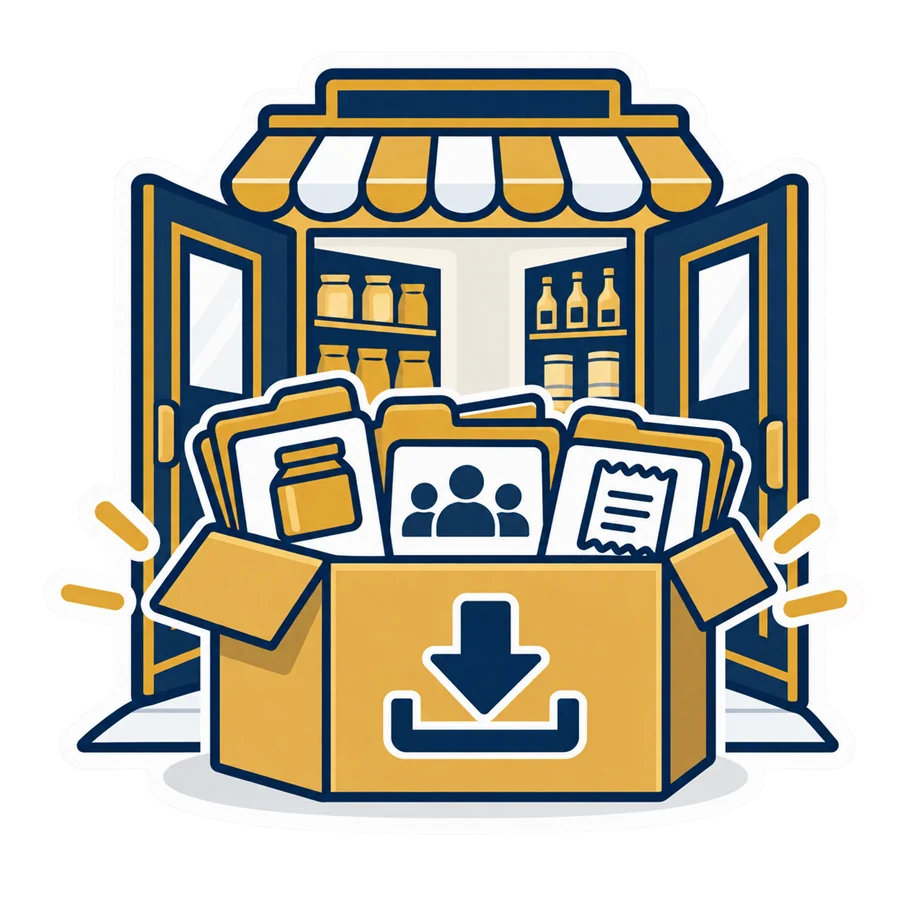
Settings → Data → “Download a copy” gives you every product, sale, customer and setting — as CSV, or as the desktop program's own backup that restores into the one-time edition. It works on every plan and even after you stop paying.
Four questions, and you know your plan
Answer for your shop as it is today; you can move up or down a plan any month.
Cashier
Shop
Business
Chain
- The plan 1,000
- Extra branches
- Online menu add-on +100
- Table ordering add-on +100
- Online shop add-on +300
- The online menu, table ordering and the online shop are included in this plan
Shop, for stock, suppliers, credit, labels and the scale.
Business, for the kitchen screen, tables, sizes and extras.
Tills selling at once: Cashier 1, Shop 2, Business 4.
Chain, for more than one branch: the first branch is in the price, each further one +750 a month.
More than four tills in one shop? Talk to us on WhatsApp and we size it with you.
The plans side by side
The limits are what a plan sells; every feature of a lower plan is in the ones above it. What you wrote you can always read and export, whatever the plan.
| Feature | Cashier | Shop | Business | Chain |
|---|---|---|---|---|
| Price per month (EGP) | 500 | 1,000 | 2,500 | 5,000 + 750 / extra branch |
| Tills selling at the same time | 1 | 2 | 4 | Unlimited per branch |
| User accounts (owner, managers, cashiers) | 3 | 6 | 15 | Unlimited |
| Branches | 1 | 1 | 1 | 2 or more |
| Selling, receipts, products, categories, pictures, variants, discounts, returns, phone dashboard, the catalogue | ✓ | ✓ | ✓ | ✓ |
| Stock, receiving, stock-take, expiry, suppliers and expenses, customers and credit, labels, scale, tax invoice | — | ✓ | ✓ | ✓ |
| Kitchen screen, tables, sizes and add-ons, shifts and Z, e-receipts, customer display, daily e-mail report and Telegram, CSV exports and accountant feed, price levels | — | — | ✓ | ✓ |
| Central products and prices, stock per branch, transfers, consolidated reports | — | — | — | ✓ |
| Online menu at posmasr.com/menu/… | Add-on 100 / month | Add-on 100 / month | ✓ | ✓ |
| Table QR codes, ordering from the table, the waiter view | Add-on 100 / month | Add-on 100 / month | ✓ printable code sheet | ✓ + printed codes from us |
| Online shop at posmasr.com/shop/…, cash on delivery | Add-on 300 / month | Add-on 300 / month | ✓ | ✓ |
| Selling while the internet is down, daily backups, export everything, two-step verification | ✓ | ✓ | ✓ | ✓ |
A “till selling at the same time” is a paired PC signed in right now; you can pair a spare and keep it off. A kitchen screen or a customer display never counts as a till. On Business a fifth till is told which four are online so you can sign one out from the browser.
 Honest comparison
One-time licence or monthly cloud — which one for you?
Both are the same program with the same screens. They differ in where the data lives, how you pay and how many places you sell from.
| Desktop (Silver / Gold / Platinum) | PosMasr Cloud | |
|---|---|---|
| How you pay | Once, per till PC: 4,900 / 8,500 / 12,900 EGP (launch prices) | Per shop per month: 500 / 1,000 / 2,500 EGP, Chain 5,000 + 750 per extra branch |
| Where the data lives | In files on your PC; you back them up to a flash drive | On our servers in Milan, backed up daily; you can download all of it any time |
| Internet | Never needed | Needed to sync, to manage from the phone and for the reports; selling continues without it |
| More than one till | A second licence at 40% off, over the shop's network, one PC is the primary | Included in the plan (2 / 4 / unlimited); every till is equal, no shop network to set up |
| Your phone | Platinum: a small server in the program, reachable after opening a port on the router | Every plan: app.posmasr.com from anywhere, nothing to configure |
| Branches | Separate copies; products can be exported from one to another | The Chain plan: central prices, stock per branch, one report for all |
| Can it be switched off? | Never — it is yours | If you stop paying, selling stops after a 7-day grace; reading and exporting never stop, and the desktop backup takes you back to the one-time edition |
| Old PCs | Windows 7 and up | The cloud app needs Windows 10; the PosMasr program in cloud mode runs on Windows 7 and up |
| Updates | Free for your package; you install them | The browser side is always the latest; the till program tells you when a new version is out |

Pick the one-time licence if…
- One shop, one or two tills, and you would rather pay once and own it
- The internet in your area is bad and you don't need the phone dashboard every day
- You want the data on your own PC and nowhere else
- A year of the Shop plan (12,000) already costs more than a Gold licence (8,500 at launch), and every year after widens the gap

Pick PosMasr Cloud if…
- You are not always in the shop and want the numbers on your phone, now
- More than one branch, or more than two tills
- You would rather start for 500 a month than pay 4,900 up front
- You never want to think about backups or a dead PC again
Already on the desktop? Silver maps to Cashier, Gold to Shop, Platinum to Business. The desktop program's Move to PosMasr Cloud… (Settings → Backup) makes one file with your products and their pictures, customers, stock and history; upload it in Settings → Data and the cloud shop starts from it. Nothing on the old PC changes. Moving, step by step →
Questions about PosMasr Cloud
What do I need to start?
An e-mail address, a Windows PC per till (Windows 10 for the cloud app, Windows 7 and up for the PosMasr program in cloud mode), an internet line — a phone hotspot is fine as a fallback — and a thermal printer if you print receipts. The trial needs no card.
Does selling really work with no internet?
Yes. The till keeps your products, prices, customers and cashier logins on the PC. When the line drops it sells, prints and opens the drawer as usual, with a provisional receipt number; when the line is back the receipts sync in order and get their final numbers. Only management pages — editing products, settings, reports, the phone — wait for the line.
What are the add-ons?
Three online features you can add to the Cashier or Shop plan by the month from Billing → Plan: the online menu (100 EGP), table QR codes with ordering from the table (100 EGP) and the online shop with cash on delivery (300 EGP). They are included in Business and Chain. An add-on bought mid-month is charged for the days left, and cancelling switches it off at once. You get an invoice for every payment in the app.
How do I pay?
By card through Stripe (it renews by itself each month, and you can remove the card any time), or by bank transfer / InstaPay: send the receipt on WhatsApp and we mark the invoice paid the same day. Fees are on us.
What happens if I am late paying?
Seven days of grace with a banner, then the shop goes read-only: no new sales, but every report, receipt and export keeps working. Pay and the tills switch back within a second. After 60 days read-only the account is cancelled and the data is deleted 90 days after that — you can download it until then.
Where is my data, and who can see it?
On our servers in Milan, Italy (Europe), reached only over an encrypted connection, with a backup taken every day. Only the accounts you create see your shop; when our support has to look inside to help you it is read-only, for 15 minutes at a time, and every such look is written in your activity log.
Can I leave and take my data?
Any day, on any plan, even after you stop paying: Settings → Data → “Download a copy” — CSV files, or the desktop program's own backup, which restores into the one-time edition with your products, customers, stock and sales. Then delete the account from the same page.
I have the desktop version — can I move to the cloud?
Yes. In the desktop program press Settings → Backup → “Move to PosMasr Cloud…” to make one file, sign up, upload it (the “Add products” step, or Settings → Data later), and the import brings your products with their pictures, customers, suppliers, stock and sales history; the plan that matches your package (Silver → Cashier, Gold → Shop, Platinum → Business) is pre-selected. Pair each till with its code; the old program stays on the PC for reading. Step by step →
Mac or Linux in the shop?
The PosMasr Cloud app for Mac and Linux is coming soon — the same program as the Windows one, with the printer, drawer, scale and display. Until then a Mac or Linux browser opens every page except the selling screen.
What is two-step verification?
An optional second lock on the owner's and managers' browser sign-in: besides the e-mail code, a 6-digit code from an authenticator app on your phone (Google Authenticator, Microsoft Authenticator…). Switch it on in Security → Two-step and keep the eight recovery codes somewhere safe. Cashiers on the till are not affected.
PosMasr Cloud, explained on the blog
Six practical reads: choosing between the cloud and the desktop, selling through an outage, branches, moving over, your data, and ordering from the table.
 PosMasr CloudCloud or desktop POS: which fits your shop?
 PosMasr CloudInternet down? The cloud till keeps selling
 PosMasr CloudBranches from your phone: the Chain plan
 PosMasr CloudMoving PosMasr desktop to the cloud
 PosMasr CloudIs my data safe in the cloud?
 PosMasr CloudOnline menu and QR ordering at the table