The table orders, the kitchen cooks, the waiter knows
PosMasr Online puts the till, the kitchen, the waiter and the online menu on the same products and prices: the guest orders from a QR code on the table, the order goes to its station in the kitchen, and the table keeps one bill until it pays. No server in the shop to set up: the kitchen board and the waiter view open in any browser, you follow the floor from your phone wherever you are, and the till keeps selling when the internet drops.

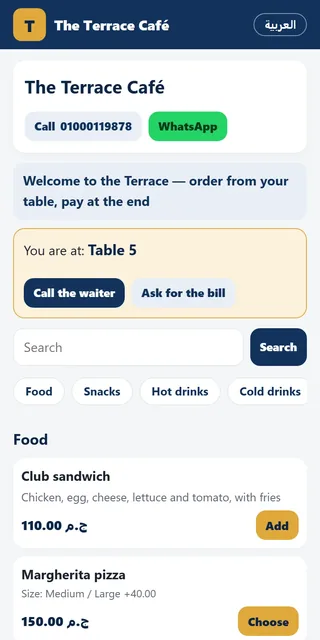
Ordering from the table by QR
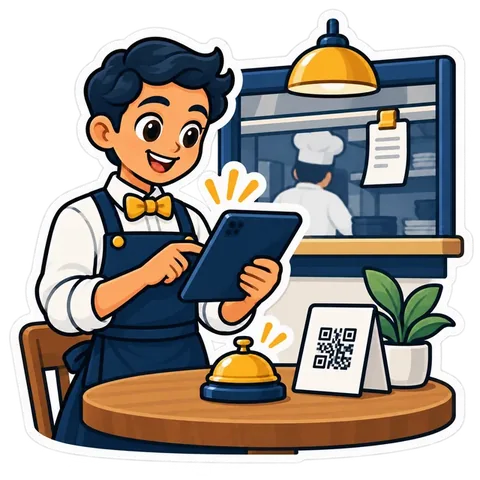
A code on every table or seat. The guest opens the menu on their phone with no app to install, orders, calls the waiter or asks for the bill.
The kitchen by station
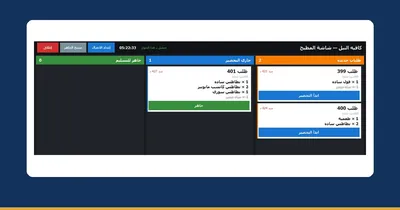
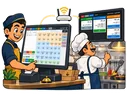
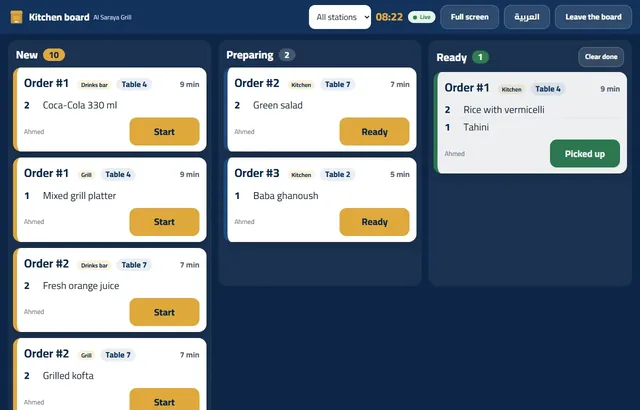
The kitchen board splits each order across your stations — grill, kitchen, bar — and each one sees its own items and the table: new, preparing, ready.
The waiter on a phone
The waiter view lists the tables, most urgent first: order waiting, bill asked, calling. Confirm the order, print the pre-bill, take the payment.

One bill per table
Every round lands on the table’s bill until the guests leave; payment stays with your staff — cash or card, at the table or the counter.

Sizes, extras and service
Sizes and extras on the product with their price difference, the service charge on the bill, and orders held on tables from the till itself.
The till sells through an outage
When the line drops the till keeps selling and printing, and syncs afterwards. Ordering from the guest’s phone needs the internet, so during an outage the waiter rings the order up on the till as before.
From the table to the kitchen to the bill
The recommended flow for restaurants and cafés — change it in the wizard:
- The guest orders from the table code, and the order shows as “waiting” on the waiter view.
- The waiter confirms with one tap, and the order splits across the kitchen stations.
- The kitchen cooks: start → ready → picked up, the table on every ticket.
- The bill stays open for every round, and the table pays once at the end.
No drawings: this is what you will see
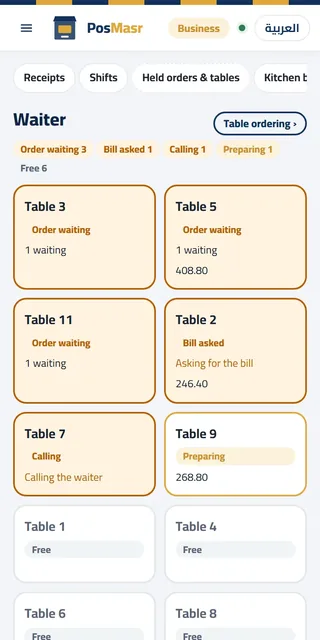
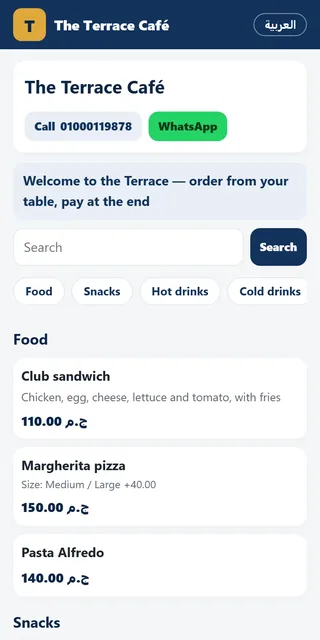
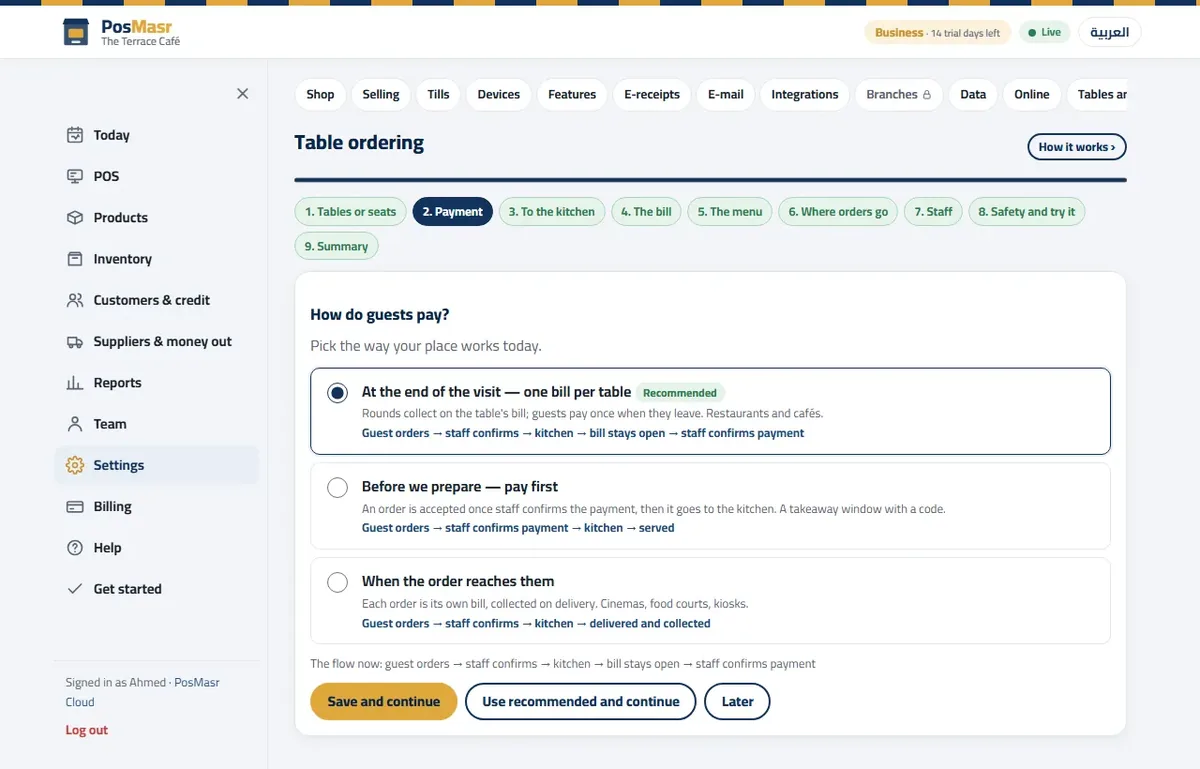
Which plan, and what it costs — every one of them online

F&B Platinum
- The kitchen board by station, tables and held orders, sizes and extras
- The online menu, QR ordering with the waiter view and the online shop — included
- 4 tills selling at once, 15 accounts
- Shifts with X and Z reports, the daily e-mail report
In every plan: no server to set up and no updates to install — the online side updates itself and backs up every day. Open the shop in any browser, on a computer, a phone or a tablet, from anywhere; a new till pairs in a minute with a 6-digit code, and selling carries on when the line drops. Selling itself runs in the till program on a Windows PC, or on a Mac or Linux PC with the preview app; phones and tablets do everything else.
A coffee kiosk with one till? F&B Silver at 249 EGP a month, with the online menu as an add-on for 100 a month. A café or restaurant that wants the kitchen screen, tables, the online menu and ordering from the table by QR? F&B Gold at 499 EGP a month, with 2 tills. More than one branch? See PosMasr Online for chains.
Quick questions
Does the guest need an app?
No. They scan the code with the phone camera and the menu opens in the browser at posmasr.com/menu/your-shop, in Arabic or English.
How do the menu prices stay right?
The menu reads the same products and prices as the till. Change a price once and the menu has it — and sold-out items are hidden or marked.
Can I try it before paying?
Yes: 14 days of F&B Platinum, with no card, including the table-ordering wizard and a test table to order from yourself.
What if the internet drops in the restaurant?
The till keeps selling and printing with a provisional receipt number and syncs when the line is back. Ordering from the guest’s phone needs the internet, so during an outage orders are taken at the till.
Everything about PosMasr Online → The Cloud chapter of the manual