Clean books, and a drawer that adds up
Most cashiers are honest. That is exactly why the shop deserves controls that are written down instead of remembered: who is allowed to do what, what needs a manager, what the drawer should hold, and what actually came out of it at the end of the night.

It is rarely theft. It is almost always “we'll remember”.
A cancelled sale nobody wrote down. A discount somebody gave a friend. Fifty pounds taken out for the bread man and put back later — maybe. None of it is malice, and all of it ends the same way: at midnight the drawer does not match the day, and nobody can say where it went apart.

A control is not an accusation
Rights and approvals protect the honest cashier first: when the numbers are short, the log says what happened instead of the shop guessing about a person.

Handovers are where money leaks
Two people on one drawer with no opening figure and no closing count is not a shift — it is a shared pocket.

Books you can show
Voids, returns, discounts, cash taken out — if they are written by the program as they happen, the month closes itself.
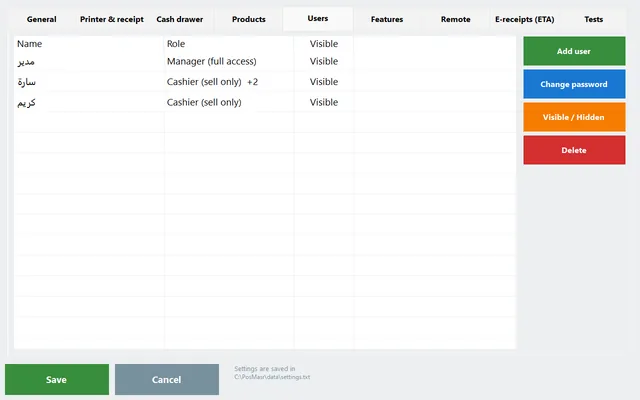
An account for every cashier, and rights one by one
The manager account has everything. A cashier sells, and the management buttons simply do not appear. Between the two you hand out — or take away — any single right.
- Reports · inventory & receiving · edit products and prices · credit accounts · suppliers and clients · expenses and supplier invoices.
- Void a receipt · returns · a discount above the allowed limit · reprint the last receipt · print an A4 invoice.
- Open the drawer without a sale · delete a held order or a table · close another cashier's shift · close the program.
- Every receipt records the cashier who made it, and the reports filter by cashier.
- Switch cashier in the top bar hands the till over without closing the program.
In the manual: Login & accounts Rights per cashier
Anything outside the rights asks for a manager — password or card
Nothing is blocked outright. When a cashier reaches for something they do not have, the manager sign-in appears on the spot; the manager approves it and the cashier carries on. The shop does not stop, and the moment is recorded.

A card instead of a password, all night
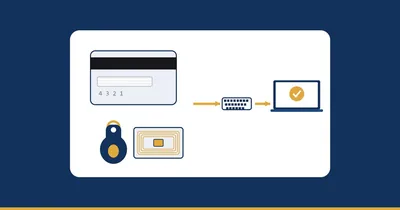
Typing a password every few minutes in front of a queue is how passwords end up written on the monitor. Register a card for the manager and a swipe approves the void, the return, the over-limit discount or the drawer — exactly like the supervisor at a big coffee shop.
Any USB magnetic-stripe or RFID/NFC reader that types like a keyboard. One card per user, and the program only ever shows its last four digits. A cashier's card is never accepted on the manager screen, and a lost card is cleared from the same row.
In the manual: Manager cards & card login

A ceiling on discounts, not a ban
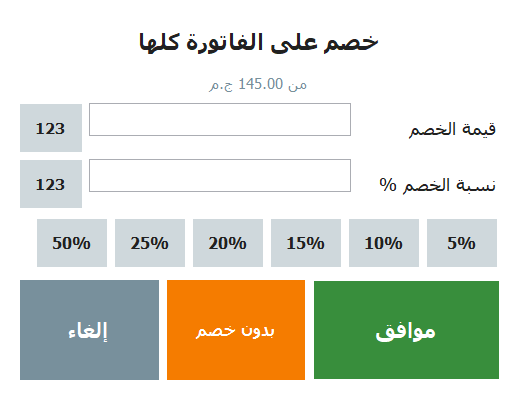
Give the cashier a discount ceiling and the day runs normally: a small courtesy discount goes straight through, and anything above the limit waits for the manager. The discount can be an amount or a percentage, on one line or on the whole receipt.
A permanent price cut is not a discount at all — it is a sale price on the product, and the button shows it as “4.00 (was 5.00)” for everyone to see.
In the manual: Discounts & sale prices
Open with a float, close with a count
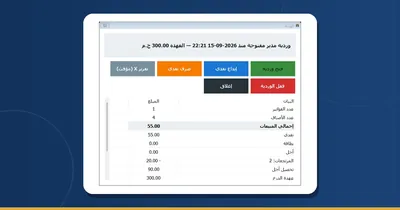
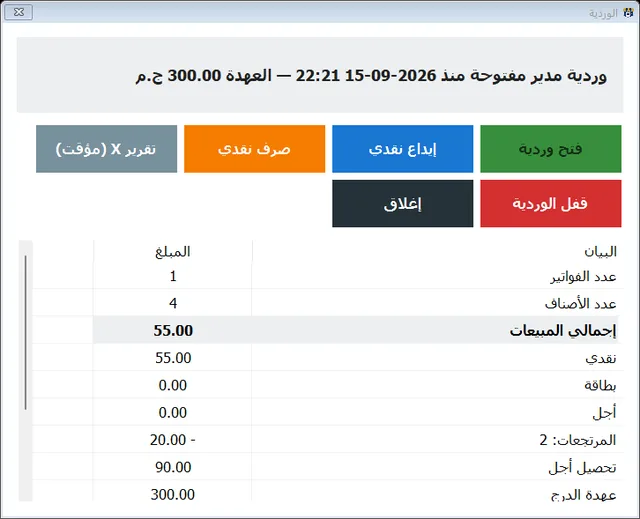
A shift starts by typing the cash that is in the drawer right now — the opening float. From there the program knows what the drawer should hold at every minute of the night.
- Cash in and cash out during the shift, each with an amount and a note — the bread man, the delivery boy, change brought in. No more slips of paper.
- An expense paid in cash from the drawer can be recorded as a cash-out of the shift in the same step.
- At the end you count the drawer and type what you counted. The program shows expected — counted — difference before it closes anything.
- Then it prints the Z report: cash, card and credit, the credit collected, the discounts, the returns, the voided receipts, the VAT, and every cash movement of the shift.
- An X report does the same while the shift is still open, so you can check on the till in the middle of the day without closing it.
- Closing someone else's shift is its own right — a cashier does not close a colleague's drawer unless you allow it.
In the manual: Shifts & the Z report

Every receipt, every void, every return — in one list
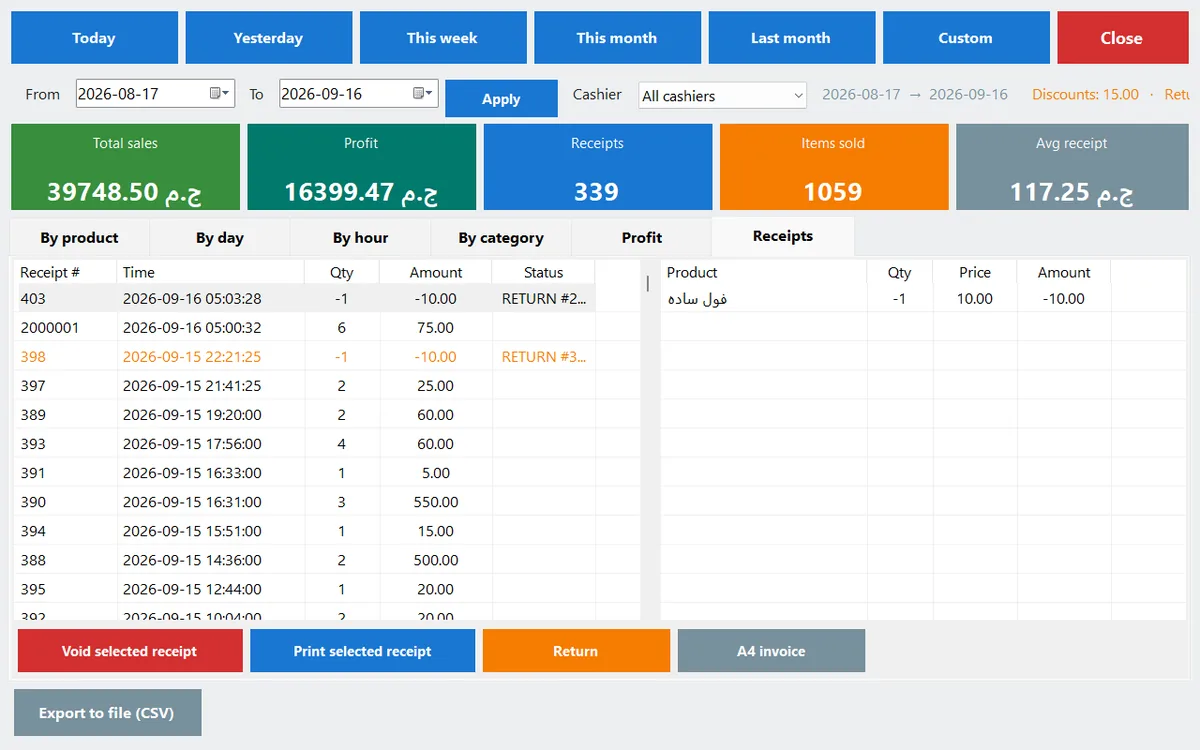
The receipts tab in Reports lists every receipt of the period with its cashier. A void is not an erasure: it is stored as a second entry against the same receipt number, so the original is still there and so is the fact that it was cancelled. A return prints its own receipt with its own number and puts the goods back into stock.
Find it fast
A search box above the list finds a receipt by its number, the customer's name or the amount as you type, and the selected one reprints with a key.
Filter by cashier
Pick a cashier and a period and the totals, the best sellers, the profit and the receipts all narrow down to that person's work.
Take it to Excel
Export CSV saves the table exactly as you see it, Arabic intact, so an accountant can work on it outside the program.
In the manual: Reports & the receipts list

The drawer opens for a sale — not for a look
With “open the drawer on every sale” on, the drawer pops by itself when a cash payment is confirmed, and that is the normal way it opens all day. Opening it without a sale is a separate right; take it away from a cashier and the drawer asks for the manager instead.
- A card payment records no change and does not open the drawer at all.
- The manager's card approves a drawer opening exactly like the password does.
- Whatever comes out of it for a reason goes in as a cash-out with a note, so the close count still lands on the right number.
In the manual: The cash drawer

The owner sees the shift without standing in the shop
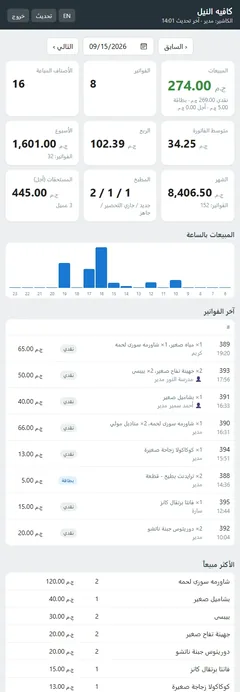
Switch on the built-in monitoring and the dashboard opens on your phone: today's sales, the best sellers, the cash in the drawer, who owes you, suppliers owed and the last backup. It installs on the phone like an app.
Reports over any period
Totals, by product, by category and by cashier, and every receipt with its lines — from the Manage page.
Credit and collections
Who owes what, their statement, and recording a payment — each action logged with the manager's name.
The close in your inbox
A daily summary on Telegram or e-mail at the time you choose, and the Z report of the closed shift with it.
In the manual: Watch the shop from your phone
One shared login / accounts, rights and shifts
| Everyone on one account | With PosMasr's controls | |
|---|---|---|
| Who made this receipt | Whoever was standing there | Written on the receipt and filterable in the reports |
| Cancelling a sale | One press, no trace | A right — and a manager approves it; the original stays in the list |
| Discounts | Whatever the cashier decides | Up to a ceiling; above it the manager approves |
| Money taken out during the day | A note on paper, if at all | A cash-out with an amount and a reason, inside the shift |
| The end of the night | Count, then argue | Expected vs counted vs difference, then the Z report prints |
| The owner, off site | A phone call | The drawer, the sales and the receipts on the phone dashboard |
Quick answers about cash control
Will my cashiers feel accused?
Tell them the truth: the controls exist so that a short drawer is never pinned on the wrong person. Every cash-out has a reason next to it and every void has a manager behind it, so the honest cashier is the one they protect most. In practice the argument at closing time disappears.
Does asking for a manager slow the queue down?
It only happens for the few actions you chose to protect — a void, a return, a discount above the limit, opening the drawer without a sale. And with a manager card it is one swipe on the reader, not a typed password.
Do I have to use shifts?
No. Shifts are one of the optional switches and they start off. Turn them on when you have more than one person on the drawer or when you want the Z report at the end of the night; nothing about selling changes until you do.
What does the Z report actually contain?
The opening float, what the drawer should hold, what you counted and the difference, then the detail: cash, card and credit, the credit you collected, the discounts, the returns, the voided receipts, the VAT and every cash-in and cash-out of the shift.
Can a cashier delete a receipt to hide it?
There is no delete. A void is stored as a second entry against the same receipt number, so both the original and the cancellation stay in the list and in the reports — and voiding is a right the cashier only has if you gave it.
What if the cashier forgets their password?
The manager changes it from Settings → Users, or disables the account there. Passwords are stored hashed, and a registered login card works alongside the password, never instead of being able to reset it.