
Discover products before signing in
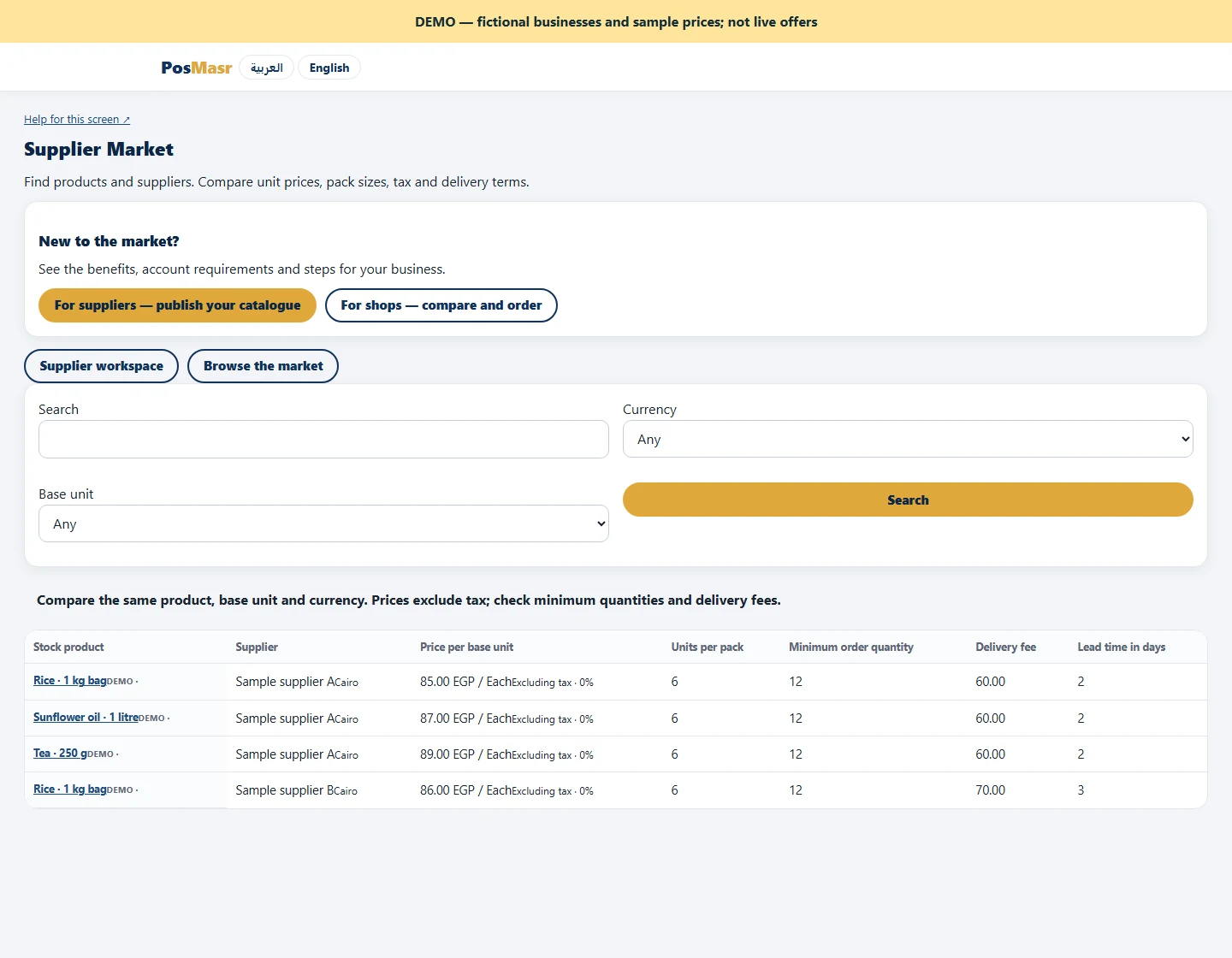
Browse the public directory by product, brand, category or GTIN. Check the supplier profile and compare currency, unit and pack size together.
Search a public catalogue, compare units and delivery terms, then turn a supplier-confirmed request into a purchase order in PosMasr. Keep the product, agreement and receiving work connected.

Browse the public directory by product, brand, category or GTIN. Check the supplier profile and compare currency, unit and pack size together.
A low unit price can come with a larger minimum order or delivery charge. Compare the quantity you need and the applicable taxes and freight.
Request an allowed quantity. If the supplier proposes a new price or terms, you accept them explicitly before the supplier confirms the request.
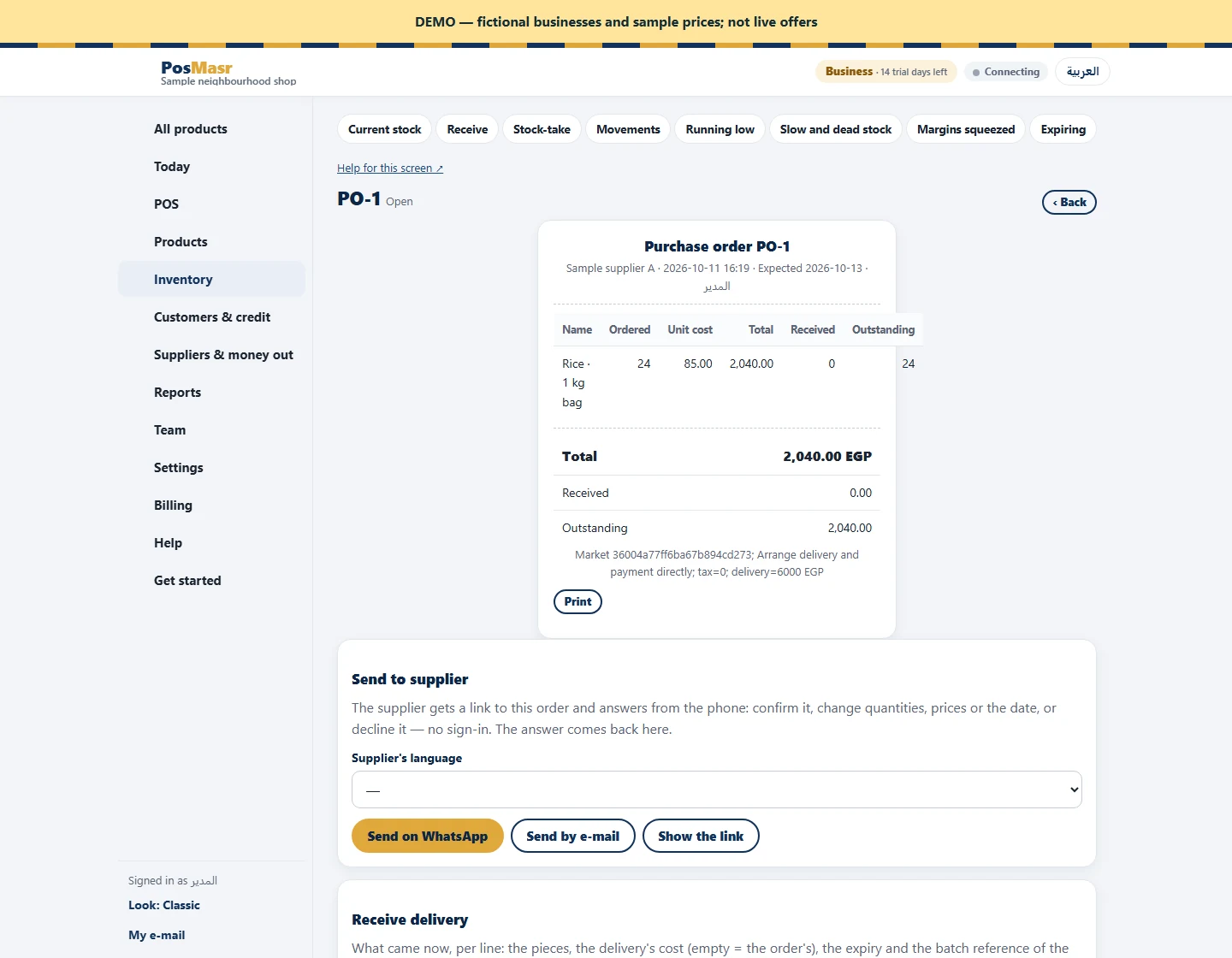
Map the agreed listing to your own product and supplier records. Create a linked purchase order, then receive the goods in your existing purchasing workflow.
Worked example only, before tax. Both quotes cover the same 24 one-unit bags; confirm product equivalence and applicable charges.
| Sample quote | Unit price | Quantity | Delivery | Total before tax |
|---|---|---|---|---|
| A | 85.00 EGP | 24 | 60.00 EGP | 2100.00 EGP |
| B | 83.00 EGP | 24 | 120.00 EGP | 2112.00 EGP |
Browse without an account. Check that the product, size, currency and unit really match before comparing prices.
Create or sign in to PosMasr. Use Shop or above and enable the paid Trade add-on. An authorized buyer needs approval rights.
Send the quantity and delivery contact. Review any revised quote and wait for supplier confirmation. Payment and delivery remain a direct agreement.
Confirm your local product, unit and supplier mapping. Create the linked purchase order. Record goods received there and reconcile tax and freight with the supplier invoice.
Actual product screens with fictional businesses and sample prices. These are demonstrations, not live supplier offers.
/ month · Shop
/ month
/ month
Trade is billed per workspace in addition to the base plan. It is not included in the base trial. Other optional modules have their own charges.
A brand account is required to list. Normal subscription and account-retention rules apply; this is not a permanent free supplier account.
Regular monthly prices before VAT. Promotional eligibility and the final total appear in Billing.
No marketplace transaction fee. Arrange payment and delivery directly with your trading partner.
Understand the costsYes. Public browsing does not require an account. Sending requests and creating linked purchase orders require an eligible online account and the paid Trade add-on.
No. A desktop licence alone does not enable this online workflow. Use an eligible PosMasr online account with Trade.
No. Check the GTIN where available, brand, pack contents, size and base unit. You confirm the mapping to your own stock item.
No. Agree payment directly with the supplier. There is no platform checkout, escrow or supplier payout service for these orders.
No. Review controls publication; it does not guarantee identity, stock or fulfilment. Check business details and agree the commercial terms before committing.
Payment is settled directly. Publication review is not a guarantee of supplier identity, availability or delivery.
A practical method for comparing supplier offers when cartons, bag sizes and minimum quantities differ.
Combine merchandise, delivery and applicable tax to compare what you would actually pay for a restock.
Use product identifiers, size and units to avoid receiving the right name into the wrong stock record.
Follow the agreement, product mapping and purchase-order steps without confusing a request with a confirmed purchase.
Record what actually arrived, keep the remaining quantity visible and reconcile the delivery against your purchase order.
Balance demand, existing stock, open purchase orders and supplier pack sizes before sending your next request.
Help build the next place shops find their suppliers. This is a new market: joining does not promise enquiries, orders or sales.
After email verification, open Supplier Market. Buyers also enable Trade in Billing and module settings.
Search by feature, screen or task. Open a guide and share its link with your team.

Sign up in a minute, pair your till with a 6-digit code and start selling — every feature of the Business plan, no card needed. Then the first year is 20% off with the code AHLAN20, whichever plan you pick.
The discount code: