
From supplier quote to a linked purchase order
Follow the agreement, product mapping and purchase-order steps without confusing a request with a confirmed purchase.
Published 11 October 2026
Request a quantity the listing allows
Browse the listing and check price, base unit, pack, minimum quantity, delivery charges and validity. An authorized buyer with an eligible online plan and the Trade add-on can send a request. Review the contact and address you share with the selected supplier. These details travel with the request so the supplier can evaluate the order.
Finish the agreement before mapping
The supplier may accept, reject or propose revised terms. If it revises the quote, the buyer explicitly accepts the revision and the supplier then confirms it. Read the resulting agreement rather than relying on the original search result. Do not create a separate manual order merely because a response is taking time; first check which stage the existing request has reached.
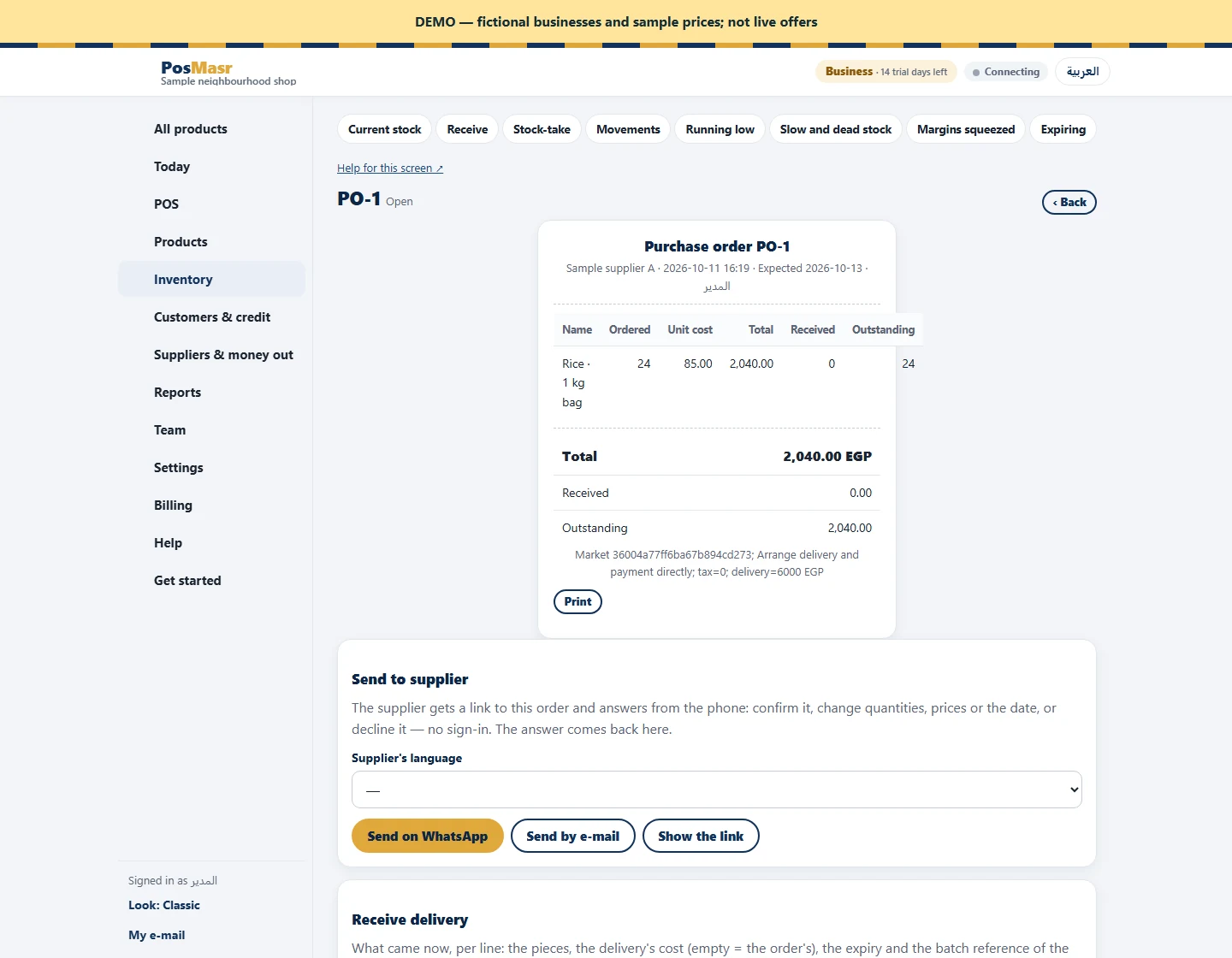
Create and receive against one order
After confirmation, select your local product and supplier, check the base unit and confirm the mapping. Create the linked purchase order and open it from the request. Repeating that creation returns the same linked order, helping avoid duplicates. Receive against this document in the existing purchasing workflow. Merchandise cost is copied; reconcile tax and freight from the note with the supplier invoice. Payment is arranged directly, and receiving status remains authoritative on the purchase order rather than automatically appearing on the market request.
