Windows POS and stock for your shop — PosMasr
Sell and print on Windows, even offline. Try every feature free for 7 days, then choose a one-time licence for your shop.
After the 14-day trial: Bronze for sales and receipts starts at 2,450 EGP once per till. Silver, with stock and suppliers, is 4,900 EGP once per till.
No compulsory renewal. Updates and WhatsApp support are free. Compare the packages before buying.
Compare packages and prices →Rather use it online, from any device, with nothing to set up? The PosMasr Online till software is further down, and the trial starts at app.posmasr.com.
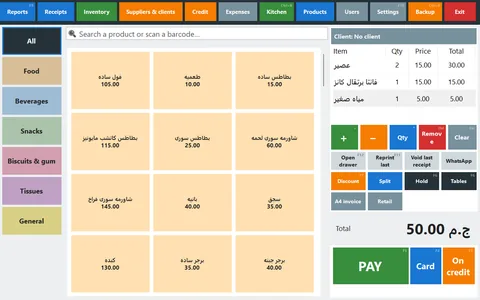
Try your own shop before buying
- Install the Windows trial. Try all features free for 7 days; no card needed.
- Add five products with prices and opening stock, or import your product list from Excel.
- Try a sale and check the receipt and stock. Compare plans before buying: stock and suppliers are included in Silver.
Want help setting up your product list? Ask us on WhatsApp. Updates and WhatsApp support are free.
PosMasr for Windows — version 5.7.3
Runs with no internet. Windows 7, 8, 10 or 11. The same file is the trial and the full program: a key turns it into your package.
Setup (recommended)
AvailableNext, Next, Finish: it installs the program with its shortcuts and sets up the common USB receipt printers.
SHA-256 fingerprint
cca52d74c76888d5329e607e4040868f3dd1b6071b3ed2f1a32d73ab5782f6b7
Portable ZIP
No installer and no admin rights — for a USB stick. Extract it to a fixed folder such as C:\PosMasr and run Create Shortcut.cmd once.
SHA-256 fingerprint
1013ac898b937e2ce548fd2291840dd98c7b7cf60bbab7bf4f067ba229031736
The user guide (Arabic PDF)
Every screen of the program, step by step, in Arabic — to print or keep on the till PC. The full manual is also on this site.
SHA-256 fingerprint
55edbacabd7971c81e82e353462fdf5f6890566664d16083962b994eac185961
Need a hand? Chat with us on WhatsApp
Answers in seconds, any time: an automated assistant replies first, and a person from our team takes over when you need one.
Check the file before you run it: in PowerShell, Get-FileHash .\PosMasr-Setup-v5.7.4.exe must print the SHA-256 shown above. Why a genuine copy matters →
 PosMasr Online
PosMasr Online works on any computer — Windows, Mac, Linux
In the browser, with nothing to install: sign up at app.posmasr.com and run the shop from any computer, phone or tablet — it updates itself and is backed up every day. On the till, our small app adds the selling — even when the line drops — and prints straight to the receipt printer, with the cash drawer, scale and customer display. It pairs in a minute with the 6-digit code from the Tills page. The first year is 20% off every plan with the code AHLAN20.
Windows
AvailableWindows 10 and 11. Installs the Microsoft WebView2 runtime by itself if the PC lacks it.
SHA-256 fingerprint
12093dff181f567ddd8fe4214fe29a3917114b3cd3377b8ccf9e7d778f127f75
Mac
PreviewmacOS 14 Sonoma or newer, on Apple Silicon Macs (M1 and later). The first open needs a one-time “allow”: the steps ↓
Download for Mac (Apple Silicon)
SHA-256 fingerprints
- PosMasr-Cloud-1.2.0-mac-arm64.dmg
0743480e0f42b624744f3434c06f12d1f67792193378b4fea7743ad8f7e9b41f - PosMasr-Cloud-1.2.0-mac-x64.dmg
bdeaac1480e319590f5b5c4d5f70d68d84eca2bfb14280aaacc33ae26935508c
Linux
PreviewUbuntu 24.04 or newer, Debian 13 or newer, Linux Mint 22 or newer. How to install ↓
Download .deb (amd64, most PCs)
.deb for ARM computers (arm64)
Portable, no install (.tar.gz): x64 · 34.8 MB — arm64 · 33.4 MB
SHA-256 fingerprints
- posmasr-cloud_1.2.0_amd64.deb
f0a8f1c875e87e4cc34588bf5eae6a76f3e80a10a34782266a56847b46c5103d - posmasr-cloud_1.2.0_arm64.deb
dc93b2984d64b83d22a25ab1f8407551ca995a74b9ae54de63d843bfc9eadfe4 - posmasr-cloud-1.2.0-linux-x64.tar.gz
ed133e30b36a157096eccc5ae4d9a4d46115efb37c94c1529ab492edb39b9748 - posmasr-cloud-1.2.0-linux-arm64.tar.gz
2903cef2694a7a01a6a0a49e9a14cf1c50347b5ecb40c9fec9c89642c771d20b
Android tablets and handhelds
PreviewPosMasr Till, for Android 9 or newer: Samsung tablets, Sunmi, iMin. The same online till: it sells when the line is down, prints to USB, Bluetooth and network receipt printers and to the printer inside Sunmi devices, and scans barcodes with the camera. Open this page on the tablet, download the file and open it; the first time, Android asks you to allow installs from this source. It is not on Google Play yet, and it tells you by itself when a newer version is out. The steps in the manual →
SHA-256 fingerprint
561048ae11de28de1d2e266478b7507f906831eb1c8831c4a96735200914f6de
“Preview” means the Mac, Linux and Android apps start and pass our checks, but have not yet been run in real shops with every printer. If something does not work for you, message us on WhatsApp. Every checksum in one file: SHA256SUMS.txt (check it with shasum -a 256 -c on a Mac, sha256sum -c on Linux).
Opening it the first time on a Mac
The Mac app is not notarized by Apple yet, so macOS blocks the first open until you allow it yourself — once:
- Open the .dmg and drag PosMasr Online onto the Applications folder.
- Open it once from Applications. macOS says it cannot verify the app: press Done.
- Open System Settings → Privacy & Security and scroll down to “PosMasr Online was blocked…”.
- Press Open Anyway and type your Mac's password. From then on it opens like any other app.
Comfortable with Terminal? This removes the “downloaded from the internet” flag and skips the steps: xattr -dr com.apple.quarantine "/Applications/PosMasr Online.app"
Installing on Linux
- In a terminal, in the folder you downloaded to:
sudo apt install ./posmasr-cloud_1.2.0_amd64.deb(the_arm64.debon an ARM computer). It pulls in WebKitGTK and everything else it needs. - Open PosMasr Online from the applications menu, or run
posmasr-cloud. - Printing and serial devices (scale, customer display): add the cashier's user to the
lpanddialoutgroups, then log out and in again:sudo usermod -aG lp,dialout $USER - A USB receipt printer needs a raw queue, once:
sudo lpadmin -p PosMasr-Printer -E -v "$(lpinfo -v | awk '/usb:/{print $2; exit}')" -m raw— then picklp:PosMasr-Printerin the app's Devices. A network printer works straight away on port 9100.
No install: unpack the .tar.gz and run ./PosMasr-Cloud inside the folder (once: sudo apt install libwebkit2gtk-4.1-0). Ubuntu 22.04 and Debian 12 are too old for it.

The PosMasr Windows program in cloud mode
The desktop program from version 5 has a cloud mode: on first run choose “PosMasr Online”, type the pairing code instead of a licence key, and the same screens, shortcuts and printers you know work on your online shop. Free; Windows 7 and up, so it suits an older till PC.
The download link is on the Connect a till page inside the app after you sign up — or ask for it on WhatsApp like the trial copy.
Sign up for the 14-day trial How PosMasr Online works First day, step by step: the Online manual

Which one runs where
- The PosMasr desktop program (the offline edition, the trial above): Windows only, 7 and up — no internet needed at all.
- PosMasr Online in the browser: any computer, phone or tablet — every management page, with nothing to install.
- The PosMasr Online app for selling at the till: Windows 10 and 11, Mac, Linux and Android tablets (preview).
System requirements
If it runs Windows, it runs PosMasr.

Install in two minutes
Run the Setup — that's it
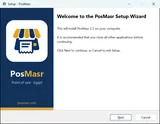
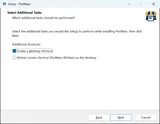
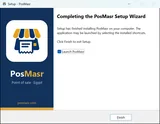
- Open PosMasr-Setup.exe and press Next, Next, Finish. It installs the program, puts a shortcut on the desktop and in the Start menu, and opens it.
- Your products, sales and settings are kept in
C:\ProgramData\PosMasr\data— updates and uninstalls never touch them. - Updating: run the new Setup over the old one. It closes the till, swaps the files and keeps everything else.
C:\PosMasr — not inside Program Files, and never run it from inside the ZIP itself — then run Create Shortcut.cmd once. The data folder is created next to the program.Or we install it for you
Setup is a separate paid service: we install the program, connect your printer, drawer and scanner, enter your products, and train your cashier — over a screen-share. Ask us on WhatsApp for the price.
See the pricesFive minutes to your first receipt

Create the manager
Name and password. Add cashiers later from Settings → Users.

Set your products
Pick them from the ready catalogue, import your list, or type them in Settings → Products; then your prices.

Pick the printer
A common USB receipt printer is already set up by the installer (see Settings → Devices); otherwise Settings → Printer: printer and paper width, then Tests → Test print.
The ready catalogue of more than 52,000 products comes with every package for shops that share their product list, and we set it up with you during installation — so you are selling in under an hour, not after days of typing.
Already running another program? Bring your products in from it — a file with any column names, an Excel sheet or a database — instead of typing them again.
After the trial: buy by card, activate in a minute
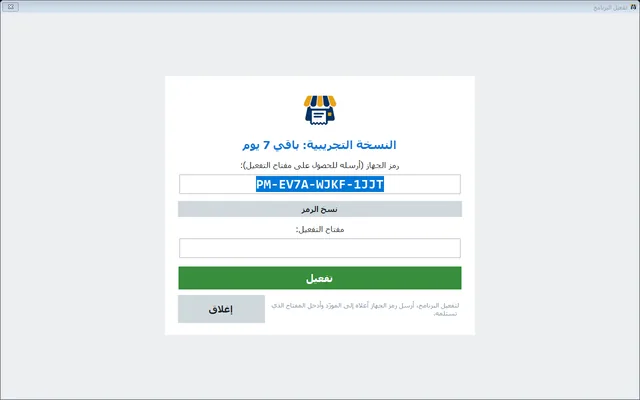
Pick your package and pay by card: an e-mail brings the download link and an activation link. Settings → Tests → License status shows your machine code; paste it into the activation page and the key appears. Type it in, done.
Buy by card: Bronze Silver Gold Platinum
Can't pay by card? Contact us on WhatsApp and we send you the same e-mail. What each package has →