The questions owners really ask
When we show PosMasr Cloud to a shop owner, the questions are rarely about technology. They sound like this:
- “Who can see my numbers?” You, and the accounts you create — each with the rights you give. When our support has to look inside to help you, it is read-only, 15 minutes at a time, and written in your activity log. Details below.
- “What if you close?” Honestly, no company can promise to live forever, and we will not pretend to. What we can give you is your data in your own hands, any day: a full download on every plan, a weekly automatic copy, and a desktop backup that the one-time edition restores. Details below.
- “What if my PC dies?” You lose a PC, not your history. Pair a new one with a code and carry on. The comparison below.
- “What if the internet company cuts the line?” The till keeps selling from its copy on the PC and syncs when the line is back. That has its own article.
- “What if someone gets into my e-mail?” Switch on two-step verification, and a stolen mailbox alone does not open the shop. How, below.
- “If I stop paying, is my data held hostage?” No. Selling stops after the grace period, but reading and exporting keep working. The timeline below.
- “Is my card stored with you?” No. If you pay by card, it is saved with the card processor, never with us. You can also pay by bank transfer or InstaPay.
Where the data lives
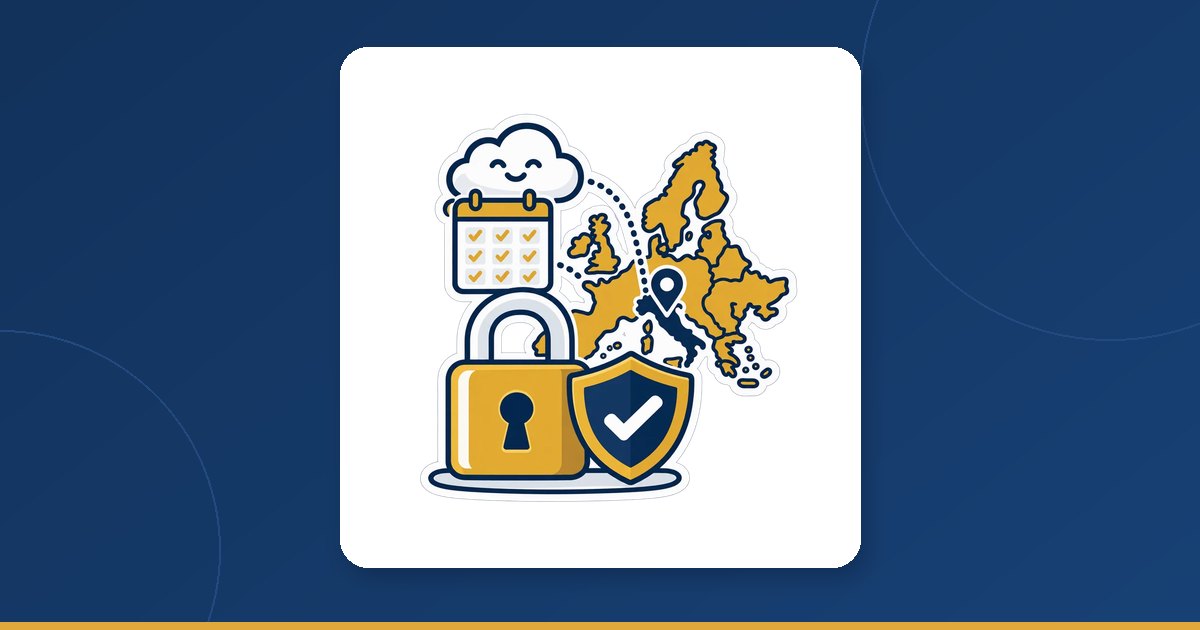
- On our servers in Milan, Italy (Europe). Your tills, your browser and your phone all talk to the same shop there.
- Reached only over an encrypted connection — between the till and the servers, and between your phone and the servers.
- A backup is taken every day, by us, on every plan. There is no USB stick to remember and no Saturday routine to skip.
- The till keeps a copy of the shop on the PC — products, customers, cashier logins, settings — so it can sell when the line drops. That copy is exactly why a lost PC should be revoked (below).
You will not find percentages or badges here. We would rather point you to two things you can check yourself, today, in your own account: the activity log and the download.


Signing in: an e-mail code, and a second step
There is no password in PosMasr Cloud's browser sign-in. You type your e-mail and a 6-digit code arrives, valid 10 minutes — every time. Nothing to guess, nothing reused from another site, nothing written on a note under the till. It also means your mailbox is the key, so protect it, and for the owner and managers add the second step:
- Your account → Security → Two-step → Switch on.
- Add the account to an authenticator app on your phone (Google Authenticator, Microsoft Authenticator, Authy…): scan the QR or type the key shown.
- Type the app's current code to confirm.
- Save the eight recovery codes the page shows once — printed and kept at home, or in a password manager. Each opens the account one time if the phone is lost.
- From then on, after the e-mail code the sign-in asks for the app's code.
Cashiers on the till are not affected: they sign in with their till password or card as before. And if the phone and the recovery codes are lost together, support can issue a one-time sign-in code to the owner after checking the account — and that event is written in your activity log too.
Who can see your shop
- Only the accounts you create. Each person has their own rights — the same fifteen switches as the desktop, with ready presets: cashier, senior cashier, stock-taker, accountant. A cashier signs in on the till only; a manager can sign in to the browser too.
- Our support, only to help you, and only to read. When support has to look inside your shop to solve a problem, the look is read-only, 15 minutes at a time, and every such look is written in your activity log.
- The activity log (Team → Activity log) keeps every export, import, plan change, device pairing and sign-in for 13 months. If someone downloaded your customer list, you will see who and when.
A good habit for the owner: open the activity log once a week from your phone, the way you glance at the day's sales. A pairing or a sign-in you do not recognise is worth a phone call the same day.
A lost or stolen PC
Every till is a paired device with its own identity, not a browser tab that anyone can reopen. If a till PC is stolen, lost, or sold with the shop still on it:
- From any phone or PC: Settings → Tills → Revoke on that till's row. It is refused from that moment — including anything still in its offline queue.
- To be careful, give the cashiers new till passwords, since the old PC held a copy of their logins.
- Pair the replacement PC with a new 6-digit code (Settings → Tills → Connect a till). Products, customers, stock and every past receipt are already there.
Your data is yours: export everything, and leave any time

Settings → Data → Download a copy works on every plan and in every status — even read-only, even cancelled. Pick the range and the format:
- CSV files — products, customers, suppliers, receipts with their lines, stock movements, credit ledgers, expenses. They open in Excel.
- JSON, for a programmer or another system.
- The desktop backup — the very file the PosMasr one-time edition restores. Install PosMasr, choose “On this PC”, restore it, and the shop runs from files on your PC again. Cashiers get a one-time password on the way back, so set new ones on the first day.
The export runs in the background and the download link is valid for 24 hours. From the same page you can switch on a weekly automatic copy, so a recent copy of the whole shop reaches you without anyone remembering — the answer to “what if you close?” that does not depend on our word.
Deleting the account is on the same page. It waits 30 days, and you can cancel it with the same button during that time; then everything is erased. Export first.
If you stop paying: the exact timeline
| When | What happens | What still works |
|---|---|---|
| The paid-until day passes | 7 days of grace, with a banner on every till and browser | Everything, selling included |
| After the grace | The shop becomes read-only: no new sales | Receipts, reports, products, exports and billing. Pay, and every till is back within a second |
| 60 days read-only | The account is cancelled | Download a copy |
| 90 days after the cancellation | The data is deleted | Nothing — export before this day |
A 14-day trial that ends unpaid goes read-only at once, because nothing was paid — but nothing you entered is lost, and paying brings it back. This is the one real difference from a one-time licence, which is never switched off; we would rather you know it before you start.
Desktop on your PC vs the cloud: the risks side by side
| Risk | Desktop (data on your PC) | PosMasr Cloud |
|---|---|---|
| The till's disk dies | The data goes with it unless you have a recent backup on a USB stick; then you restore from it | You lose a PC, not your history: pair a new one and carry on. The one exception: offline sales that had not synced yet lived on that PC only |
| Theft, fire or water in the shop | Whatever was only on that PC goes with it; the stick at home saves you | Revoke the PC from your phone; the shop is untouched on the servers |
| Ransomware | Encrypts the data files and any USB stick left plugged in | Can hit the PC, not the shop on the servers: clean or replace the PC and pair it again |
| A forgotten backup | The most common failure of all: the daily automatic copy stays on the same PC, the stick is on you | Nothing to remember: a backup is taken every day |
| The internet is down | Does not matter — never needed | Selling continues; editing products, reports and the phone wait for the line |
| Someone gets into your e-mail | Not relevant | Two-step verification stops a stolen mailbox from opening the shop |
| Who can see the data | Whoever has the manager password at the till, or copies the data folder | Only the accounts you create; support read-only, 15 minutes, logged |
| You stop paying | Nothing happens — the licence is yours and is never switched off | 7-day grace, then read-only; the export always works until deletion |
| The data leaves the shop | Never — it stays on your PC | Yes — on our servers in Milan, over an encrypted connection |
The honest reading of this table: the desktop edition keeps your data only on your PC, and some owners prefer exactly that — nothing leaves the shop, nothing depends on the line or on us. If that is you, the one-time licence plus a real backup habit is a sound choice. If you would rather never think about backups again and see the shop from your phone, the cloud carries that job for you. Both are the same program, and you can move either way: desktop to cloud with the move file, cloud to desktop with Download a copy.
Quick answers
Can your support change my prices or my sales?
No. When support looks inside your shop to help, the access is read-only, 15 minutes at a time, and written in your activity log.
Does two-step verification slow the cashiers down?
No. It applies to the owner's and managers' browser sign-in. Cashiers on the till sign in with their till password or card as before.
I pressed Delete the account by mistake. Is it gone?
No. Deletion waits 30 days and can be cancelled from the same button; only after that is everything erased.
I want my data on my own PC and nowhere else.
Then the one-time desktop edition is made for you: the data lives in plain files on your PC and it never needs the internet. See the desktop prices and cloud or desktop.
Try it, and export everything on day one
Sign up, add a few products, then press Settings → Data → Download a copy and see your data leave as easily as it came in. 14 days of the Business plan, free, no card.