The classic pain of a second branch
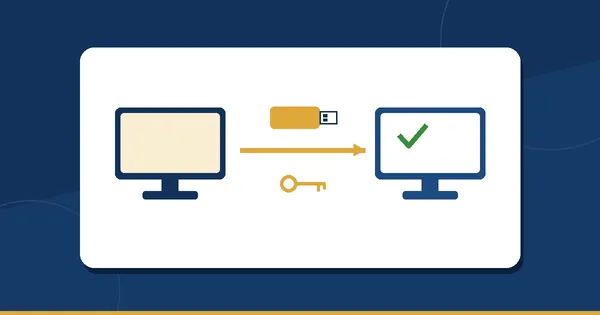
With a program installed on each PC, every branch is a separate copy: its own products, its own prices, its own sales, its own backups. Nothing is wrong with each copy on its own. The trouble is everything between them:
- Calling each branch at night. To know what the day was, you phone the manager of each branch, wait for him to read the Z report, write the numbers down and add them up yourself. The day he forgets, you do not know.
- Prices drifting apart. The supplier raises a price; you change it in the main shop and forget the second one, or the second one changes it and forgets to tell you. A month later the same item has two prices, and a regular customer notices before you do.
- Stock in the wrong place. One branch runs out of an item that is sitting untouched on the other branch's shelf. Moving it means a phone call, a boy with a carton, and two copies that each have to be corrected by hand — if anyone remembers.
- Two of everything else. Two product lists to type, two sets of cashier accounts, two backup routines, and a customer with credit in one branch who is a stranger in the other.
None of this is a disaster on day one. It adds up quietly, and by the end of the first year the owner of two branches is working as a telephone operator.
What the Chain plan gives you

Chain is everything in the Business plan, in every branch, with the branches held in one shop account on our servers. Each branch keeps its own tills, stock, address and phone, receipt header and footer, and its own settings where you want them different. On top of that:
- Central products and prices. One product list for the whole chain. Products → Central price lists sets one price for every branch, with per-branch overrides that you can lock. Change a price once and it reaches every branch.
- Stock per branch. Each branch has its own quantities, and a branch chooser at the top of Inventory shows you any branch's stock, low-stock list and expiry dates.
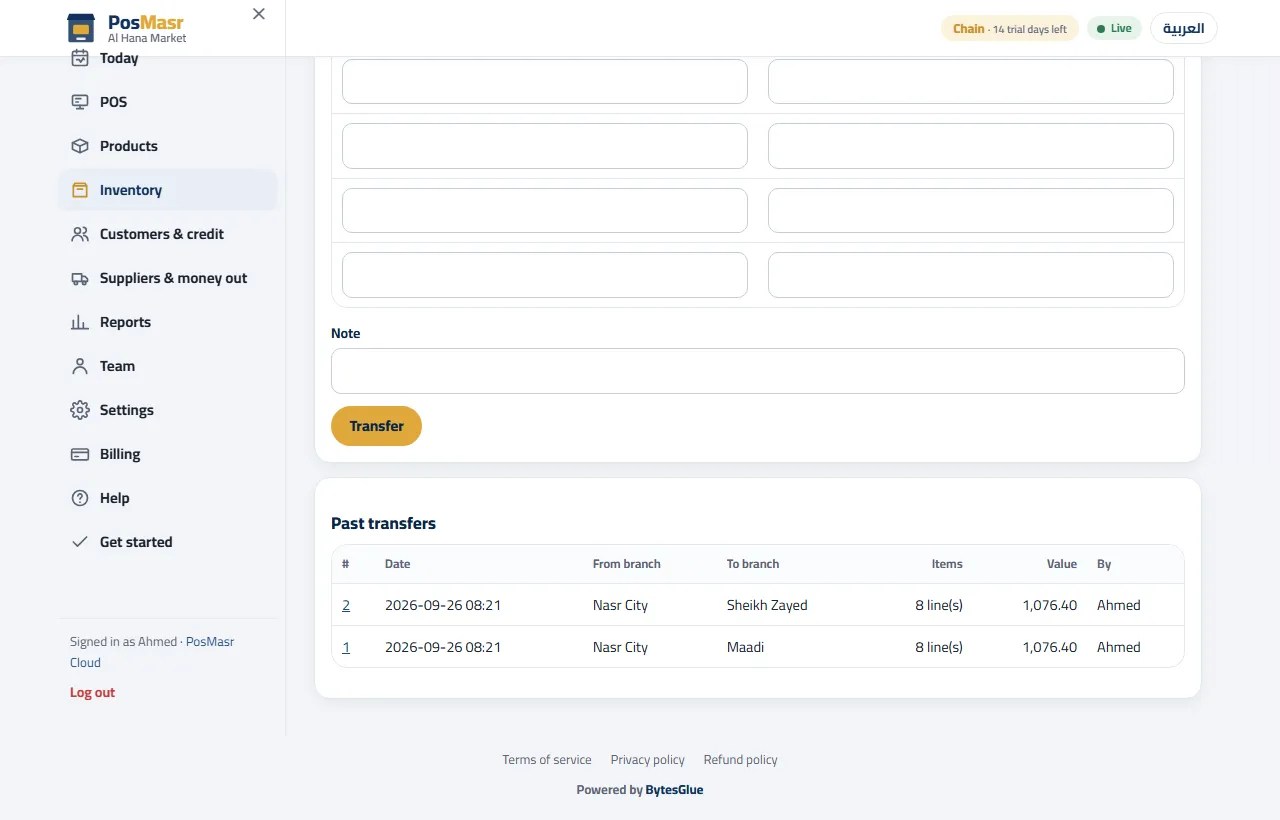
- Transfers between branches. Inventory → Transfers: the quantity leaves one branch and lands in the other in one operation, with a numbered transfer note. No two copies to correct by hand.
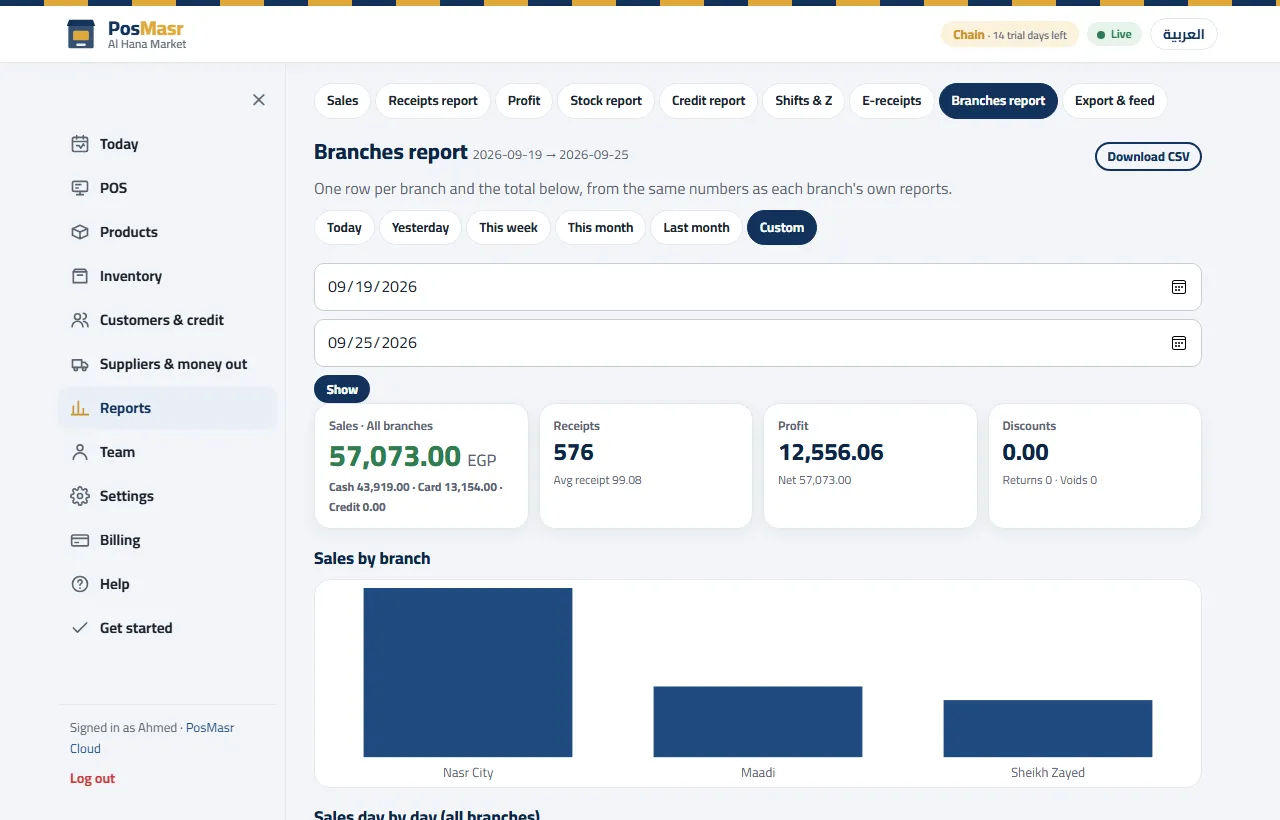
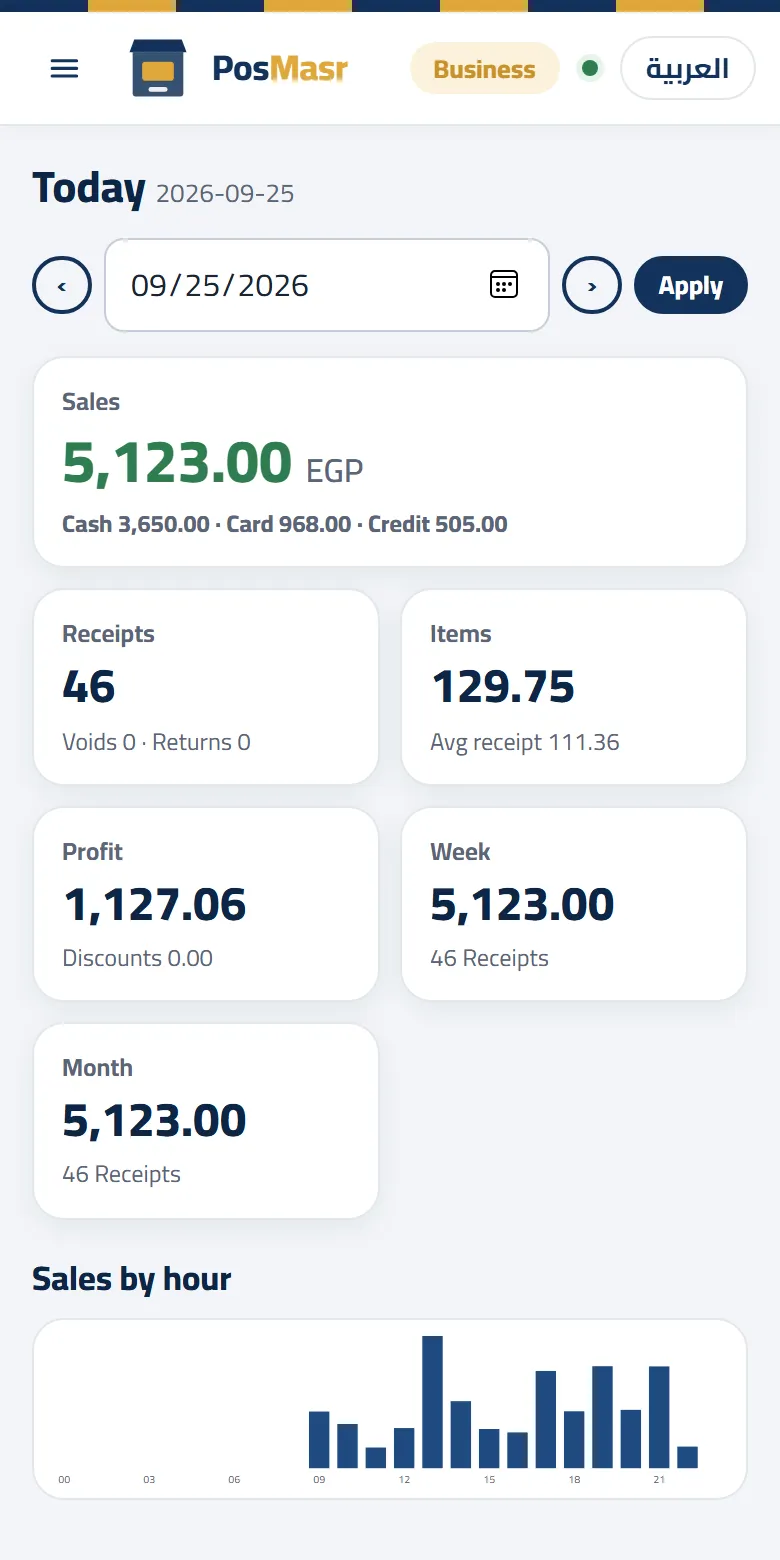
- Consolidated reports. The branches report puts every branch on one row with the total, for any range of dates: per-branch and total sales, net, receipts, average ticket, returns, discounts, profit and cash / card / credit, a day-by-day series, and a CSV export. And the Today dashboard has a branch chooser — all branches together or one of them, remembered for each user.
- Customers shared across the chain. A customer and his account are the same in every branch, so a regular of the first shop is a regular in the second.
- Users scoped to branches. Each account works in the branches you give it; the branch chooser on Reports, Inventory, Tills and price lists shows each person what is theirs.
- Unlimited tills per branch and unlimited accounts. A branch that grows from one till to three pays nothing more for the tills; kitchen screens and customer displays never count as tills anyway.
| The job | Separate copies, one per branch | PosMasr Cloud, Chain plan |
|---|---|---|
| Knowing yesterday's sales | A phone call per branch, you add up | The branches report: a row per branch and the total |
| Changing a price | In each copy, one by one | Once, in the central price list |
| Moving stock | Correct two copies by hand | One transfer with a numbered note |
| A credit customer in the other branch | A stranger | The same customer, the same account |
| Backups | One routine per branch, yours to remember | A backup every day on our side, for the whole chain |
Adding a branch
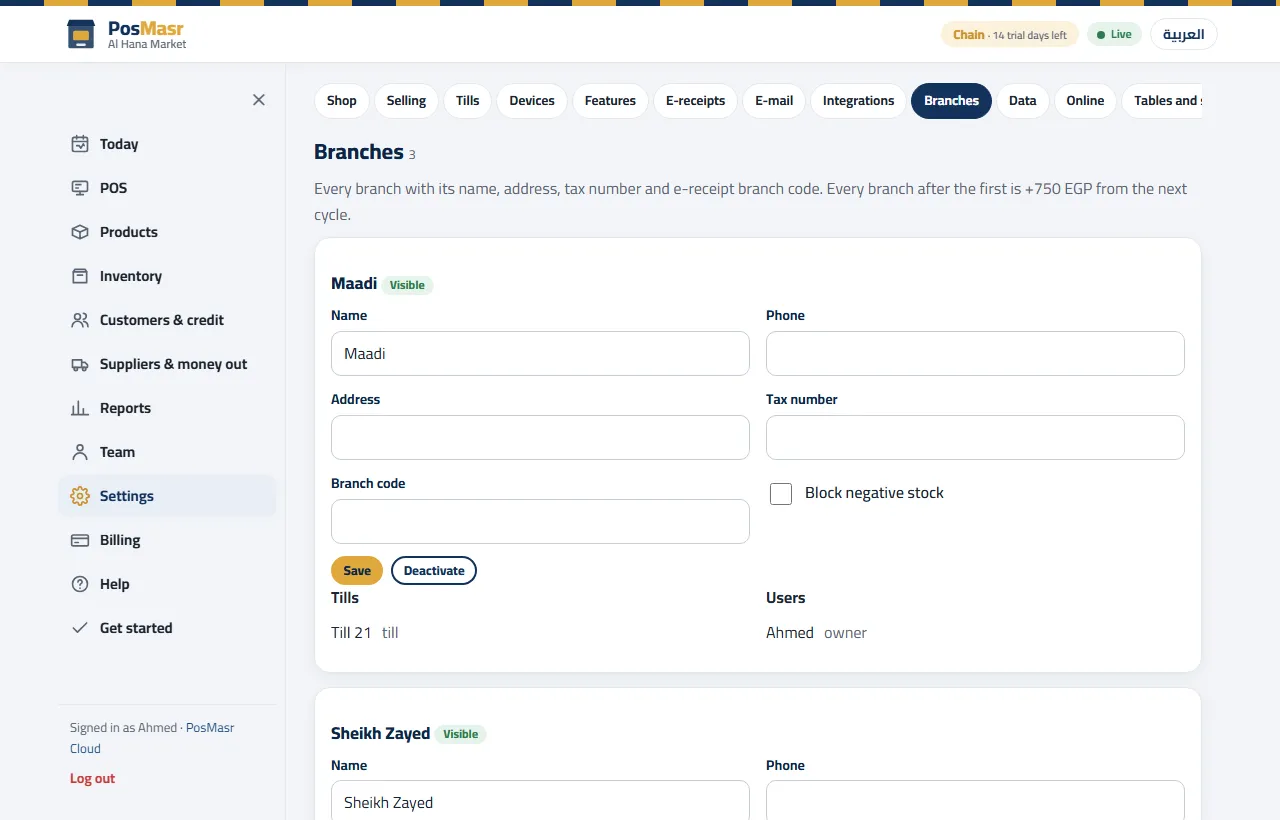
- In the browser: Settings → Branches → add a branch. Before you save, the page tells you plainly: “+750 a month from the next cycle”.
- Fill in the branch's address and phone and its receipt header and footer, and change any setting that should differ from the rest of the chain.
- Pair the branch's tills: Settings → Tills → Connect a till gives a 6-digit code valid 10 minutes; type it on the till PC with a till name. Give tills different initials — the first letter prefixes the provisional receipt numbers.
- Put stock in it: a transfer from an existing branch, or receiving from the supplier straight into the new branch.
- Give the branch its people: invite the branch manager and add the cashiers, each scoped to that branch.
A morning from the phone (an example)
An example of how an owner of three branches might spend ten minutes with his tea, before leaving the house. Every step is a page at app.posmasr.com in the phone's browser.
- The branches report, yesterday. Three rows and a total, with the returns and discounts of each. One branch looks lower than usual? Pick it in the dashboard's branch chooser and look at its day.
- Cash, card or credit? The same report splits each branch's takings by cash, card and credit, so the cash you expect in each drawer is one glance away.
- Inventory, branch chooser on the second branch. The low-stock list shows an item running out there; the chooser on the first branch shows plenty of it.
- Inventory → Transfers. Make the transfer from the first branch to the second; the numbered note is waiting when the manager arrives, and the quantities are already right in both branches.
- Products → Central price lists. The supplier's new price from last night goes in once; every till picks it up as soon as it is online.
No phone call, no waiting for anyone to read a Z report aloud. And if you prefer not to open anything, the daily e-mail report and the Telegram summary are part of the plan too.



The price, honestly
Chain is 5,000 EGP a month with the first branch included, and 750 EGP a month for each extra branch, charged from the next billing cycle after you add it. Tills and accounts are unlimited, so those are the only two numbers. Since Chain means two branches or more, the smallest chain has one extra branch:
| Branches | The sum | Per month |
|---|---|---|
| 2 | 5,000 + 750 | 5,750 EGP |
| 3 | 5,000 + 750 × 2 | 6,500 EGP |
| 4 | 5,000 + 750 × 3 | 7,250 EGP |
Pay by card, or by bank transfer / InstaPay (send the transfer receipt on WhatsApp and it is marked paid the same day; the transfer fees are on us). Every invoice, with its extra-branch lines, is in Billing → Invoices to print. You can upgrade from Business to Chain on any day and pay only the difference for the rest of the month; it applies the moment it is paid.
When Chain is not for you
- One shop, even a busy one. Chain is about branches, not about tills. One shop with up to four tills selling at the same time fits the Business plan (2,500 EGP a month), which already has the kitchen, shifts, the customer display and the online menu and table ordering.
- One small shop with one or two tills fits Cashier or Shop — and if it stays small for years, the one-time desktop licence is cheaper in the long run. The honest sums are in cloud or desktop.
- A second branch you are only thinking about. Start on Business in the first shop; the day the second branch opens, upgrade and add it. Nothing you entered is lost on the way.
What needs the internet, and what does not
Selling does not. Every till in every branch keeps a copy of the shop on the PC and keeps selling when its line drops: cash, card, credit up to the customer's saved balance, returns, shifts, printing and the drawer. The receipt gets a provisional number such as A-1043 and takes its final number when the line is back. The details are in when the internet cuts.
What waits for the line:
- Editing products and prices, including the central price list. A till that is offline keeps selling at the prices it has and picks up the new ones when it reconnects.
- The browser and phone pages — transfers, reports, settings — need the device you are holding to be online.
- A branch whose line is down shows in Chain views only up to its last sync; its offline receipts join the report when they arrive.
If you run cafés: table QR codes per branch
Chain includes the online menu, table QR codes and ordering from the table, and the online shop, like Business. On top of that, a Chain shop gets printed table QR codes from us: one set per branch per year, up to 40 codes each; more codes or a reprint is quoted. How the guest orders and how staff take payment is explained in online menu and ordering from the table.
Quick answers
Can I try Chain before paying?
Every new shop starts with a 14-day trial of the Business plan, no card. To try two branches during the trial, send us a message on WhatsApp and we switch the trial to Chain, so you can add the second branch and see the reports with real sales before you pay anything.
Is there a limit on tills in a branch?
No: tills are unlimited per branch on Chain, and so are user accounts. Kitchen screens and customer displays never count as tills on any plan.
Can one branch sell at a different price?
Yes. The central price list holds one price for all, and you set per-branch overrides where a branch really needs its own price — and lock them, so the chain stays one price everywhere else.
I have two shops on the PosMasr desktop. Can I bring both?
The move from the desktop brings one shop's products, customers, suppliers, cashiers, settings and a year of sales in one file. How it works, step by step, is in moving your desktop to the cloud; for two copies, talk to us on WhatsApp before you start.
All your branches on one screen
Start the 14-day trial, no card; to try two branches, ask us on WhatsApp and we switch the trial to Chain.