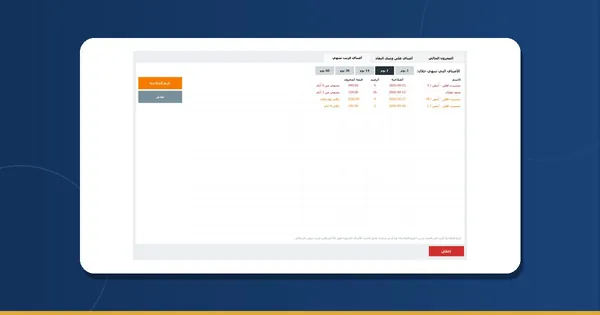
What is about to expire shows before it becomes a loss
Every product with its expiry date, and an “expiring” list for the number of days you choose, the expired ones on top in red. On the pharmacy PC or on your phone between the shelves — and the till sells even when the internet is down.


An expiry date on every product
Type it on the product, or while receiving from the supplier, on the same line as the quantity and the cost.
“Expiring”
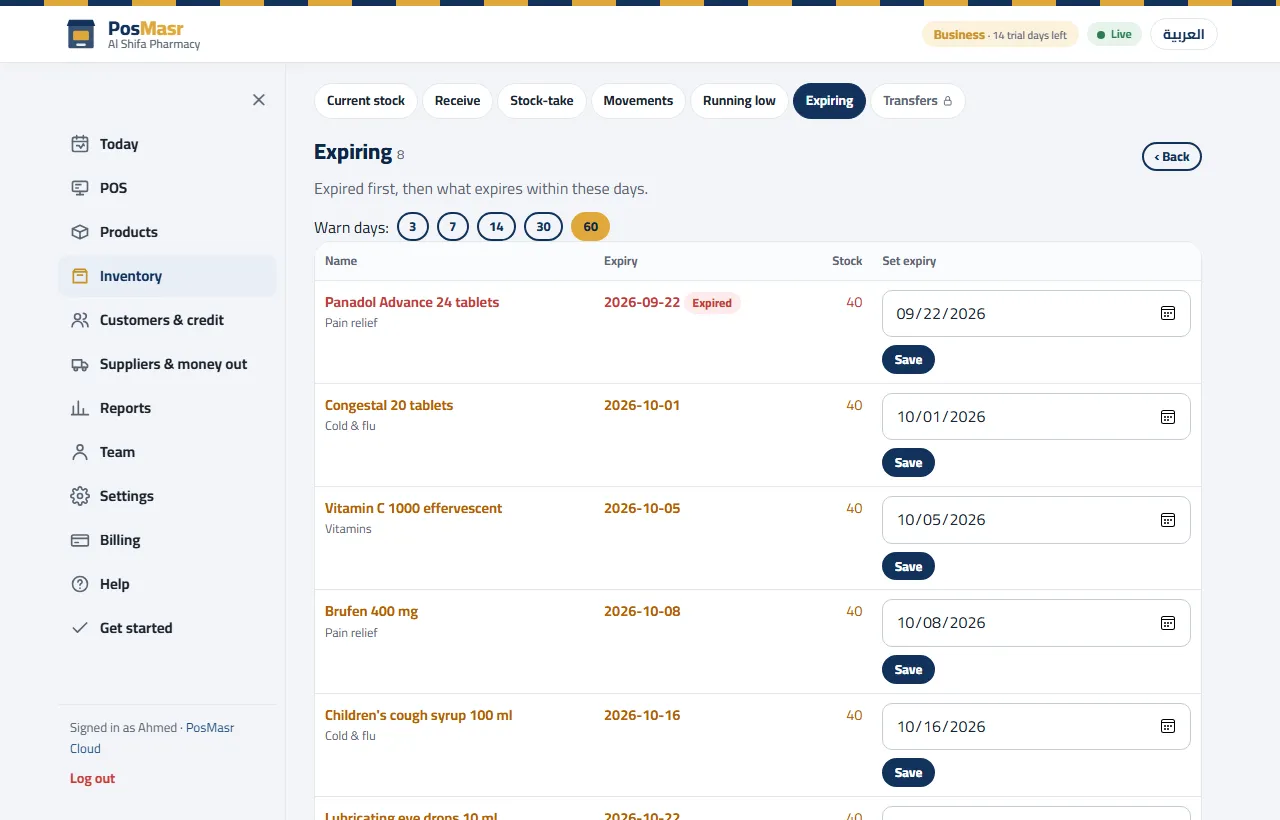
Pick 3, 7, 14, 30 or 60 days: expired items on top in red, the ones close to it in orange, and you fix a date on the same page.

Pharmacy labels
The pharmacy label size (2 × 25 × 25) is ready on the Labels page, next to rolls and the other sizes.

Customers and credit
An account per customer with a statement you can send on WhatsApp, and who owes what on the Today page.

The phone between the shelves
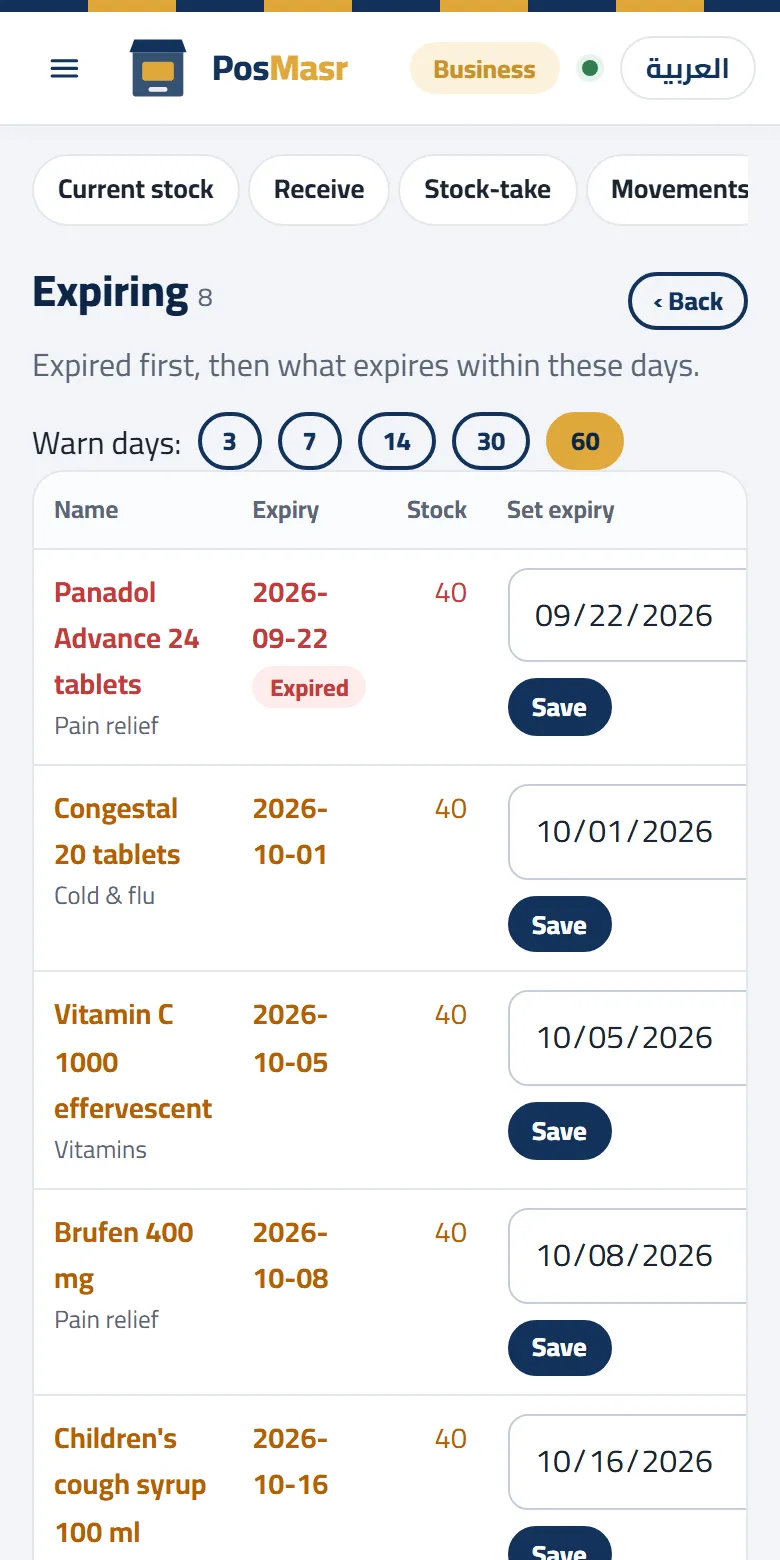
Stock-takes with the phone camera, and the expiry list on the phone as you walk the shelves.

Sells through an outage
The till keeps the products and prices on the PC; it sells and prints during an outage and syncs afterwards.
Expiry on the computer and the phone
The same list, sorted from expired to the ones with time left:
- Expired items first, marked “expired”
- The stock next to each item, so you know what is at risk
- And the Today page has a card with what is expiring
The expiry list on the computer
Which plan, and what it costs

Shop
- Expiry dates and the expiring list
- Stock, receiving with expiry, stock-takes on the phone
- Barcode labels in the pharmacy size
- Two tills, 6 accounts, customers and credit, suppliers
Need three or four tills, the e-receipt sent from the cloud, or a daily e-mail report? The Business plan at 2,500 EGP a month. More than one branch? See PosMasr Cloud for chains.
Quick questions
Where do I enter the expiry date?
On the product itself, while receiving goods (supplier, quantity, cost and expiry on one line), or from the “Expiring” list when it changes.
How do I see what is expiring without opening the app every day?
The Today page on your phone has a card with what is expiring, and the full list is under Inventory → Expiring.
What if the internet drops?
The till sells and prints with a provisional receipt number and syncs when the line is back. Editing products and the reports wait for the line.
I have the desktop program — how do I move?
In the desktop program 5.1: Settings → Backup → “Move to PosMasr Cloud…” makes one file with your products and their pictures, customers, suppliers and sales; upload it in the web app's Settings → Data. Moving, step by step →
Everything about PosMasr Cloud → The Cloud chapter of the manual