The bill nobody prints
We have written before about the five kinds of “free” POS — trials, limited tiers, ad-funded apps, open source and pirated copies — and what each costs in money over three years. This article is about the other bill, the one every kind shares, even the honest ones: the hours you put in before the first sale, and what happens to them when the service is gone.
Time is easy to ignore because nobody asks you to pay it at once. It leaks out an evening at a time. But a shop owner's evening has a price — it is the time you would spend with suppliers, on the shelf, or at home — and it adds up faster than a subscription.


Where the hours go
- Choosing and installing. Trying two or three programs, creating accounts, finding the printer driver, getting the receipt to print Arabic the right way round.
- Learning it. Where the discount is, how a return works, how to close the day. Every program hides these in a different place.
- Entering the products — the big one. Name, price, category, and scanning each pack for its barcode. Then a picture, if the program shows pictures.
- Teaching the cashiers, and answering the phone for the first week.
- The months that follow. Customers' credit, supplier accounts, a sales history that tells you what sells in which season. Nobody counts this as setup time, but it is the most valuable thing you build in the program — and the one thing you cannot type again.
Notice what the list has in common: none of it is about the program's price. A paid program can waste the same hours, and a free one can save them. So the useful question is not “free or paid?” but “how many hours before the first sale — and do I keep them if I leave?”
An example in hours — redo it with your numbers
The numbers below are our assumptions for an example shop, not measurements or averages: a grocery with 600 products and two cashiers, set up by the owner. Change every number to yours; the formula is in each row.
| Step | Assumption (change it) | Hours |
|---|---|---|
| Choosing, installing, the printer | 3 evenings × 2 hours | 6 |
| Learning the program | 2 evenings × 2 hours | 4 |
| Typing the products | 600 products × 1 minute (name, price, category, barcode) | 10 |
| A picture for each | 600 × 1 minute, if you want pictures | 10 |
| Teaching the cashiers | 2 cashiers × 2 hours | 4 |
| Total | About four working days of the owner's time | 34 |
Your shop may be half that, or three times. The shape does not change: product entry is the largest line, and it grows with every product you sell. Put a price on your own hour and the “free” program has a cost before the first receipt.
When free ends: paying the hours twice
Free services end in ordinary ways: a new version drops the free tier, limits appear, the app stops being updated, the company is bought and the product closed. None of that is a scandal; it is how free products often go. What decides the damage is one question: can you take your data with you?
- If yes, you lose a few days learning a new program. The products come in by import, and the history stays readable in Excel.
- If no, the table above starts again from zero — and the last line, the customers' balances and the sales history, does not come back at all. You rebuild the list from the shelf and the credit book from memory.
A change can cost as much as a shutdown. A free tier that suddenly stops at 100 products, a “one user” limit on the week you hire a cashier, an update that moves every button just before Ramadan — each one sends you back to the first rows of the table: choosing, installing, learning, typing. Nobody announces these a year ahead, so nobody plans the hours for them.
Before you type a single product into anything
Four checks, a few minutes each, on any program — free or paid:
- Can it import? If you already have a list anywhere, bring ten rows in from a file. A program that only takes products by hand is asking for the table above.
- Can it export? Add ten products and one sale, export them, open the file in Excel.
- What happens when it ends? Find the page that says what happens to your data when the free tier stops or you stop using it.
- Where does the data live? On your PC, on their servers, or both — the five-question checklist in What if your POS company disappears? goes deeper.
A program that passes all four turns your hours into something you keep, wherever you go next. One that fails any of them is borrowing your hours, and it decides when to stop giving them back. Twenty minutes of checks before the first product is the cheapest insurance in this whole article.
The same shop in under an hour
This is the problem PosMasr was built around, so here is how it answers the table:
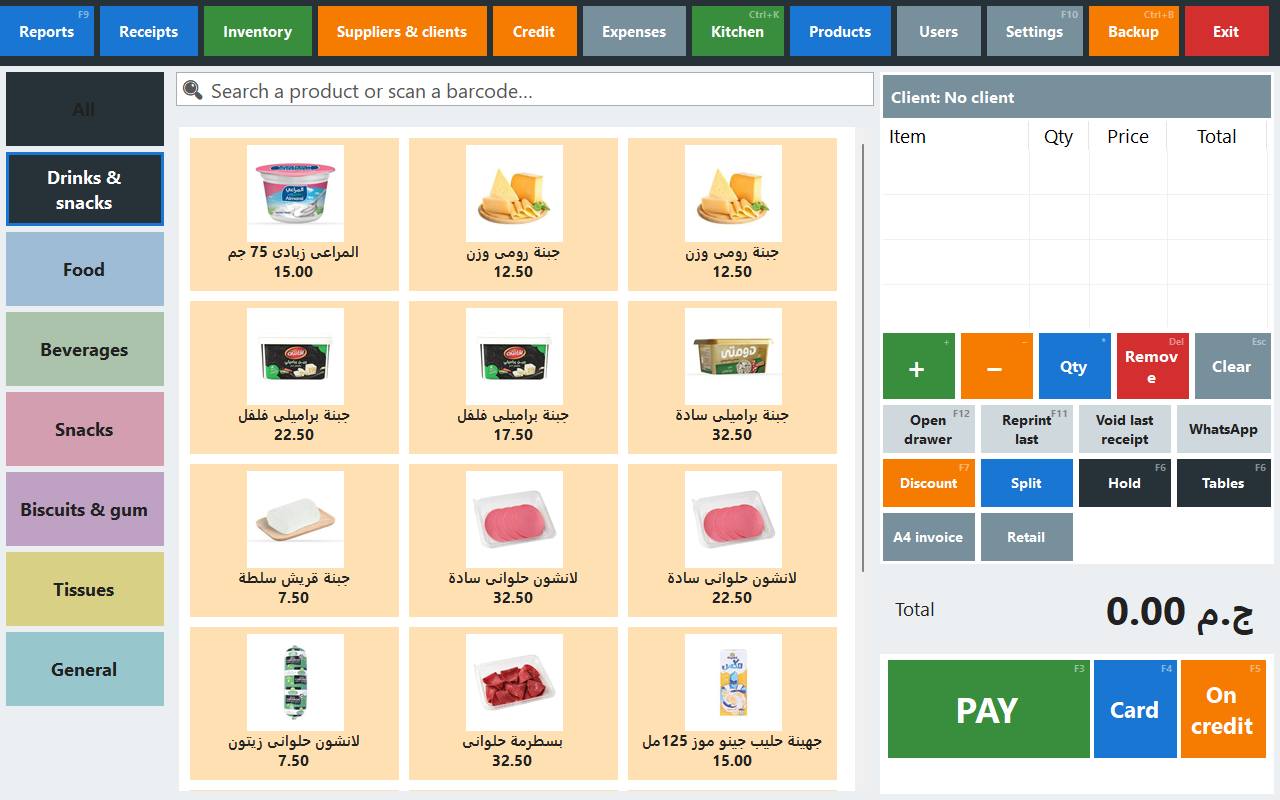
- The products are already typed. The ready catalogue holds more than 52,000 products sold in Egyptian shops, each with its Arabic name, barcode and category, and 18,493 with a picture. Tick what you sell and type your prices from the keyboard — Enter, the price, Ctrl+Enter for the next — a few seconds a product. The catalogue has no prices on purpose.
- What you missed, the scanner adds. In the desktop program, a pack you forgot to tick is scanned at the till and added from the catalogue with your price; one the catalogue does not know is typed once; and if you have a list elsewhere, the import wizard brings it in with a preview.
- The hours stay yours. Export everything any day; the desktop edition keeps working without internet and without us; and you can move between the desktop and online in both directions. The details are in Your data is yours.
Redo the example with the catalogue: 600 products at 5 seconds each for ticking and pricing is 50 minutes — our assumption again, so time yourself on the trial. Each product the catalogue does not know adds about the minute from the table. That is where “open your shop in under an hour” comes from, and it is why the time you do spend is not spent twice.


Quick answers
Is this the same as your article on free POS software?
No. That one sorts the kinds of free and their money cost over three years. This one is about time: the hours of setup and product entry, and losing them when a service ends.
Where do your hour estimates come from?
They are assumptions for an example shop, written next to each number so you can replace them. They are not a survey or an average. Time yourself on ten products and multiply.
Does the catalogue have my prices?
No, never. What a pack sells for in your shop is yours to say. Products arrive without a price, and the no-price filter lists what still needs one.
Can I try PosMasr before paying anything?
Yes: 7 days of the desktop program, or 14 days of PosMasr Cloud, with your own products. Whatever you enter during the trial stays yours: export it on the last day if you decide not to continue.
I already typed everything into a free program. Is that time lost?
Only if it cannot export. If it can save the products as Excel or CSV, the import wizard brings them into PosMasr with a preview, and you keep the hours you already spent.
Time your own first hour
Install the trial, pick your trade's products from the catalogue, type your prices, and sell a test receipt. Then export it all to Excel, just to see that you can.