Why the phone is not a luxury
Most owners check on the shop by calling the cashier. The call interrupts a sale, and the answer is a guess: “about four thousand, I think”. A number on your phone is the same number the till prints on the Z report — nobody has to count for you, remember for you, or step away from a customer to answer you.
It pays off in the morning, when you want to know what is running low before you pass by the supplier, and at night, when you want to know the day closed right without driving back to the shop.


What you see on the screen
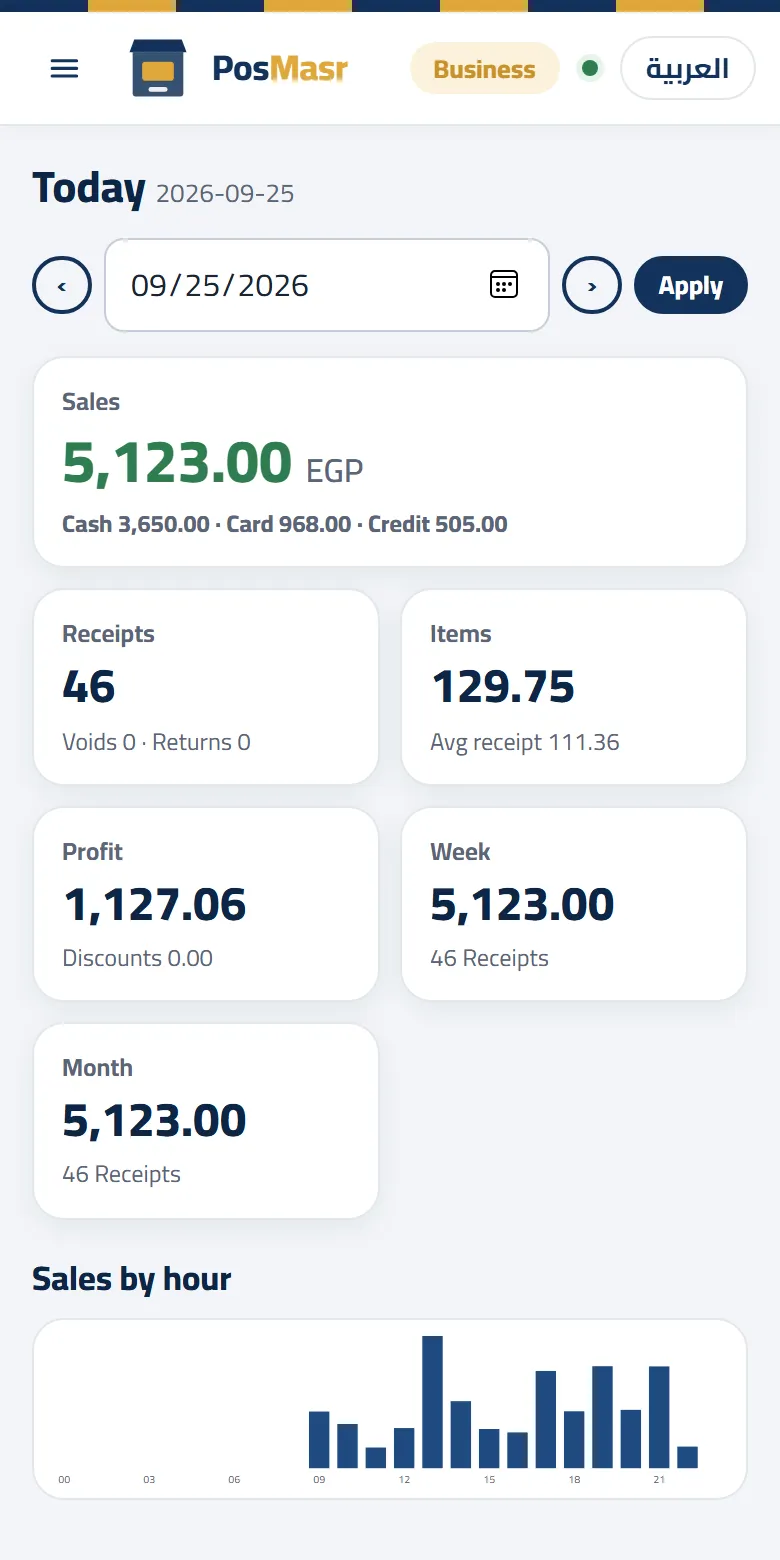
The dashboard is one page, built for a phone, with a date bar on top: the arrows go to the day before or after, and the calendar to any day. Under it, cards:
- Sales in big digits, split into cash, card and credit under them.
- Receipts, with the voids and returns next to them; items sold and the average receipt.
- Profit: sales minus the cost of the goods sold, as long as your products carry a cost.
- The week (from Saturday) and the month so far.
- Sales by the hour: bars that show when your rush really is — often not when you think.
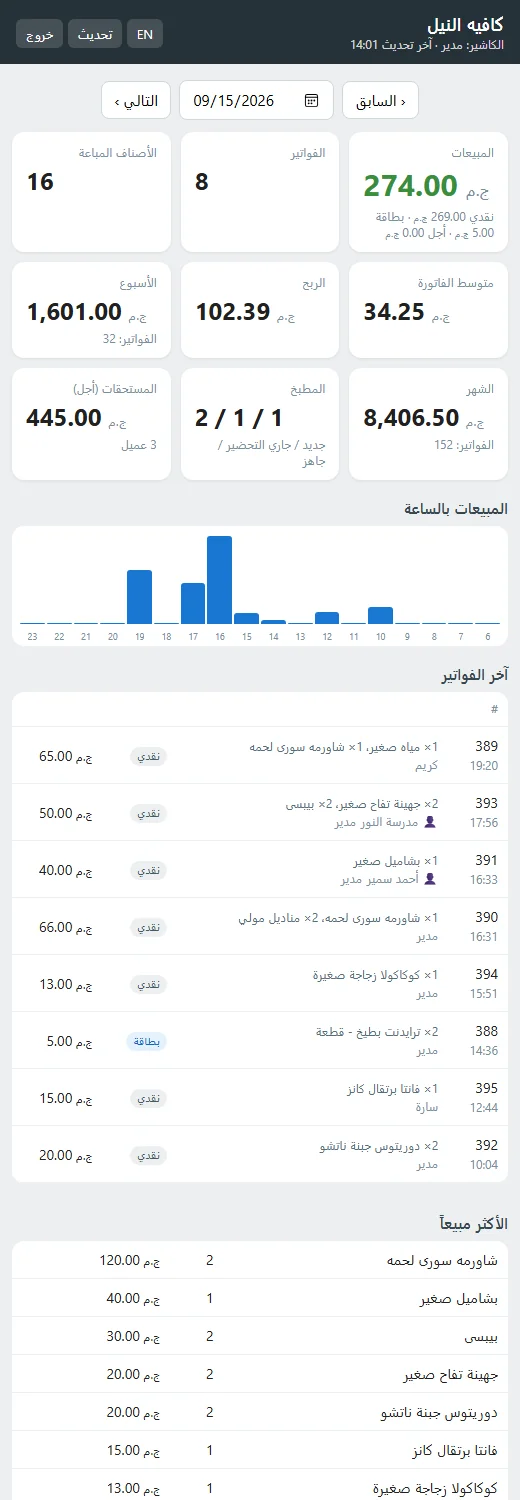
- The latest receipts with their items, cashier and payment, and the best sellers of the day.
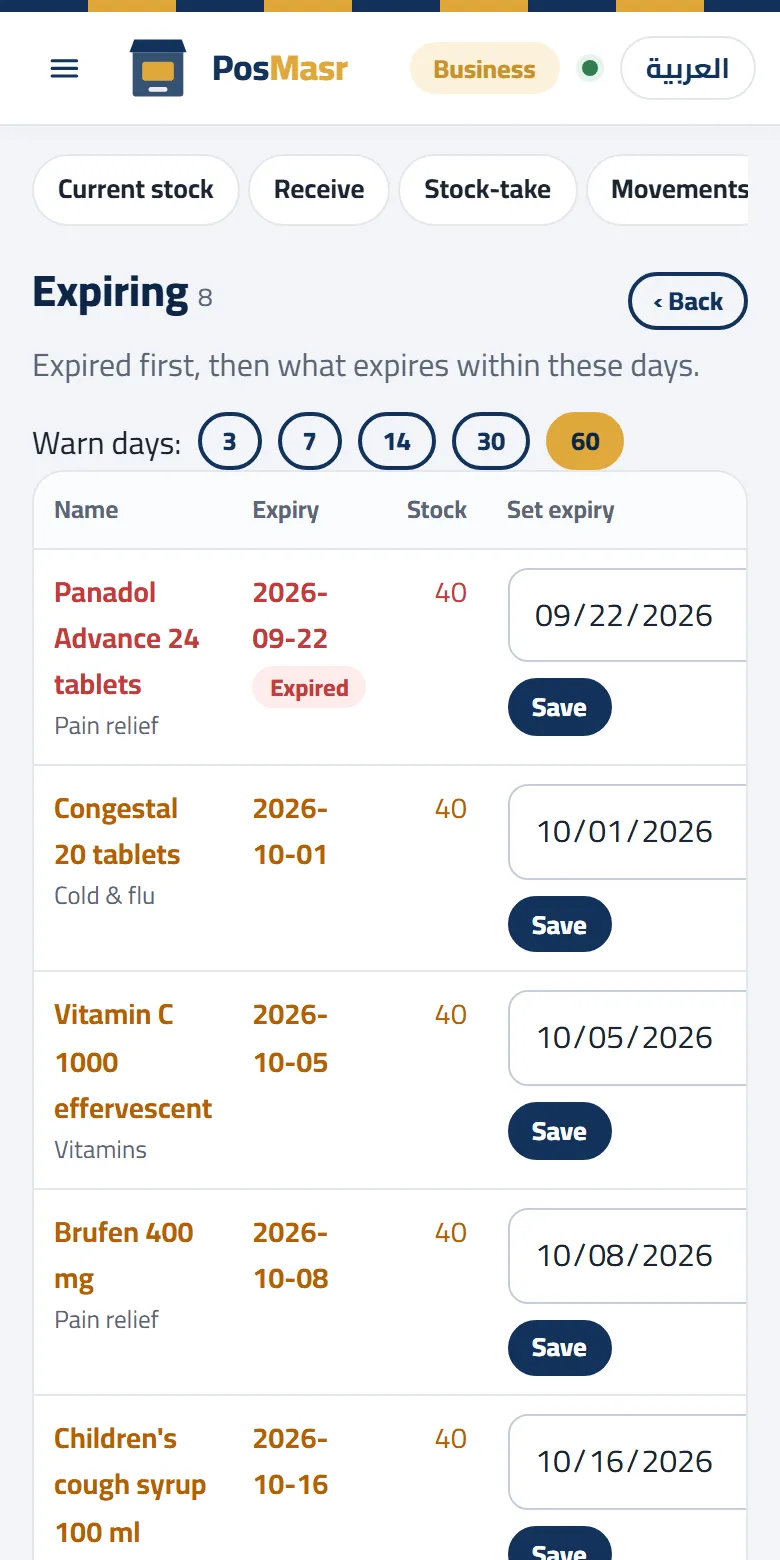
- When the feature is on: running low, expiring soon, credit owed (the total and the top names), the drawer (what the open shift should hold in cash, and who is on it) and the kitchen (new, preparing, ready).
Not just watching: what you can do from the phone
The dashboard itself only shows; the work is in the pages next to it.
On the desktop edition there are two more pages behind the same manager sign-in:
- Inventory: count a stock-take with the phone's camera as the scanner, add or edit a product, receive goods with the purchase price and the supplier. The till picks up the change within seconds.
- Manage: reports for any period (totals, by product, by category, by cashier, and every receipt with its lines), credit (who owes what, the statement, recording a payment), and with suppliers switched on: expenses, supplier invoices and payments. Every action is recorded with the name of the manager who did it.
On PosMasr Cloud the whole shop is the web app, so the phone does almost everything except ring up a sale: change a price (it reaches the till a moment later), add products, look at a receipt and reprint, void or take a return on it if your account has the right, record a customer's payment, pair a new till with a 6-digit code, revoke a PC that was lost, add a cashier or invite a manager. Selling itself stays on the till program on the shop's PC.
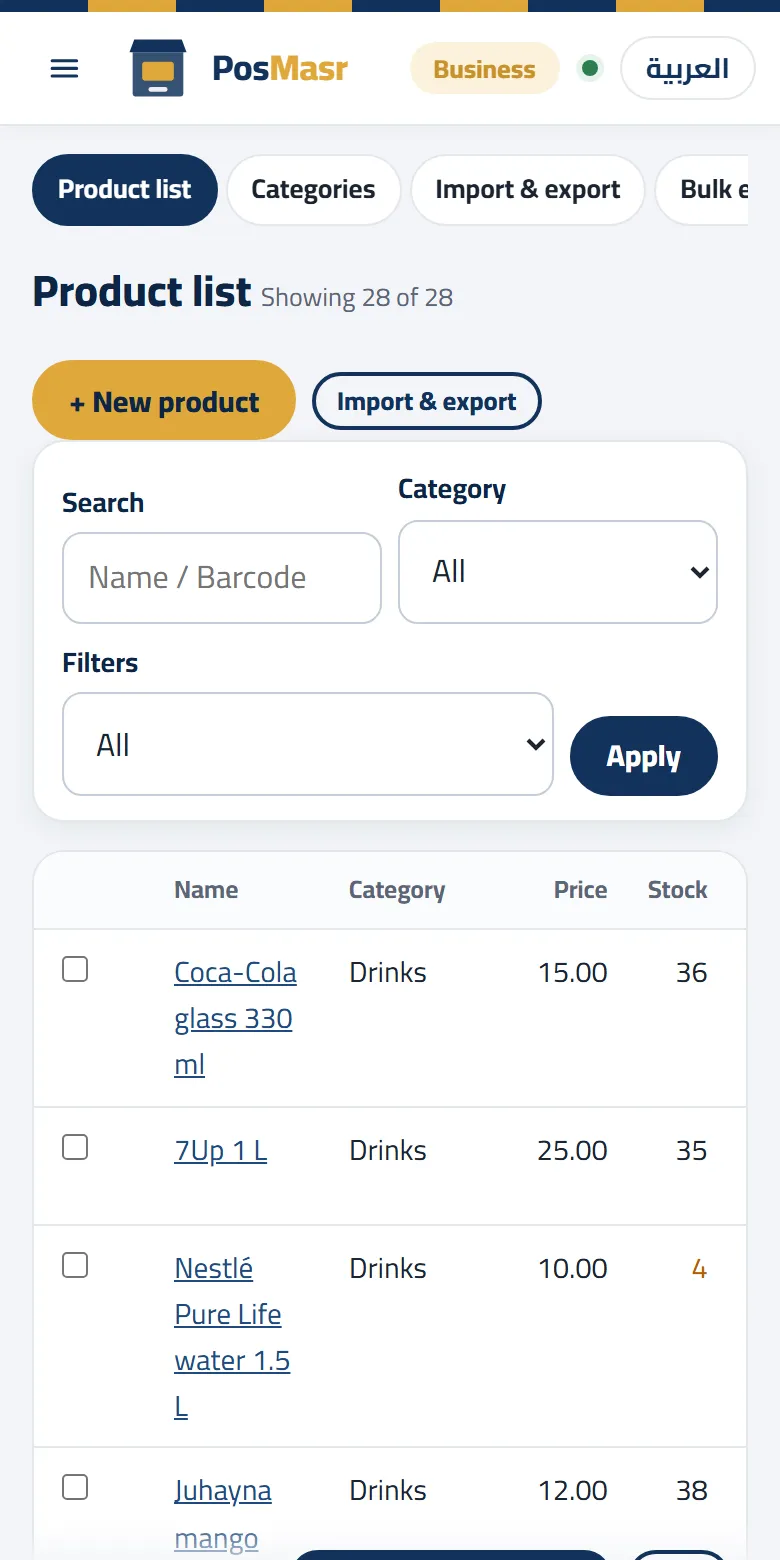
Counting the whole shop with the phone is a job of its own, with its own routine: the stock-take article walks through it step by step, so we will not repeat it here.
On the desktop edition: the Platinum package
On the desktop edition the data lives on the till PC and nowhere else, so your phone talks to the till itself: the program carries a small web server inside, with nothing to install. The phone pages come with the Platinum package (14,900 EGP once per till PC, 12,900 at the launch price until 15 October).
In the shop, on its Wi-Fi
Settings → Remote monitoring → tick Start web server → Save and start, allow the firewall once, then open the address it shows (for example http://192.168.1.35:8090/) on the phone and sign in with the manager's name and password.
From anywhere: PosMasr Link
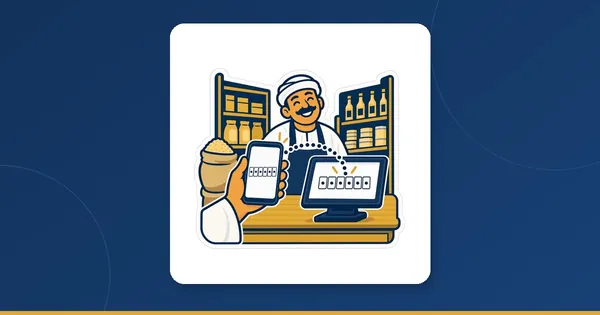
Internet providers in Egypt now put most shops behind a shared address, so forwarding a port on the router no longer reaches the till, and a static IP is hard to get. PosMasr Link goes around it: the till keeps one outgoing, encrypted connection to link.posmasr.com, and your phone opens your own address there from anywhere — mobile data, another Wi-Fi, another city. Settings → Remote monitoring → PosMasr Link → tick it → Save; then scan the QR code it shows with the phone's camera.
Try it first on the live demo (test / test); the full setup, HTTPS and the diagnosis button are in section 17 of the manual.
On PosMasr Cloud: any plan, any browser
Online, the numbers live on our servers, not on the till. So your phone does not need the till at all: switch the shop's PC off at night and the whole day is still on your phone. And the dashboard is in every plan, Basic included (250 EGP a month).
- Sign in with your e-mail and a 6-digit code — no password to invent. Owners and managers can add a second step with an authenticator app, so a stolen e-mail alone does not open the shop.
- Live: the Today tiles move as the tills' sales arrive, not every half hour.
- Any browser on a phone, a tablet or the laptop at home, always on the latest version.
What appears follows the plan. On Basic: the day's sales and receipts, the week and the month, sales by the hour, the latest receipts and the best sellers, with reports for the last 30 days. Cashier adds credit and the drawer of the open shift, with the full report history. Shop adds stock, running low and expiring. Business adds the kitchen. And on Chain a branch chooser sits on top: all branches together, or one — remembered for each user, while a manager limited to one branch sees only that branch. The branches report itself is in the branches article.


What waits for the line
The table to read before you choose:
| Situation | Desktop (Platinum) | PosMasr Cloud |
|---|---|---|
| The till PC is switched off | The phone shows nothing | The phone shows everything up to the last sale |
| The shop's internet is down | On the shop's Wi-Fi it still works; from outside, nothing until the line is back | The till keeps selling; those sales appear on the phone once they sync |
| Your phone has no internet | Only on the shop's Wi-Fi | Nothing — the pages need the line |
| A price you change from the phone | On the till within seconds | On the till a moment later; during a cut, when the line is back |
| Two shops on one screen | No: one address per shop | Yes, on Chain |
What the till does while the line is down is in the offline selling article.
A five-minute routine
A dashboard opened only when you are worried helps little; five minutes a day do:
- Morning, one minute: the running low list is your order for the supplier. Screenshot it and send it on WhatsApp.
- Noon, one minute: sales by the hour, compared with yesterday at the same hour (the date arrow). A dead hour in a normal day is often a printer out of paper or a till that was never switched on.
- Evening, two minutes: the drawer card before the close tells you what should be counted; after the close, compare it with the Z report. The daily close article explains what a difference means.
- Once a week, one minute: credit owed and expiring soon. Call the three biggest debtors (see selling on credit) and put a sale price on what will expire first (see expiry dates).
Quick answers
Can my cashier open the dashboard too?
Not unless you want it. On the desktop edition it needs a manager account and its password. Online, a cashier's account signs in on the till only; the browser is for the owner and the managers you invite.
Do I need to download an app?
No. Both are web pages that open in the phone's browser; add the page to the home screen and it opens like an app.
I have the Gold package. Can I add the phone pages?
Yes, by moving up to Platinum: you pay the difference between the two packages and get a new key for the same PC. Nothing is reinstalled and your data stays as it is. The packages are on the pricing page.
Is it safe to open the shop from outside?
On the desktop edition PosMasr Link is encrypted end to end, the relay stores nothing, and 5 wrong passwords lock the address for 5 minutes. Online, the sign-in is an e-mail code with an optional second step, and your data is on our servers with a backup every day; the data safety article has the details.
See it on your own phone before you pay
Open the desktop demo with test / test, or start a PosMasr Cloud trial: 14 days of the Business plan, free, no card — pair a till and watch the first sale land on your phone.