

Why the notebook is not enough any more
The notebook does not know that the barber is off on Tuesday, that colouring takes ninety minutes, or that the only dentist's chair is already taken at four. WhatsApp bookings are worse: the message arrives while you are working, you answer an hour later, and in the meantime someone else has called. Then there is the customer who simply does not come, and the chair that stays empty for an hour you will never sell again.
Bookings answers this with one rule it never breaks: each team member and each resource has one visit at a time — or as many as its capacity — and one person cannot be booked in two branches at the same hour. Everything else is built around that.
Setting it up
The first time you open Bookings, a wizard asks what kind of business you are: salon, clinic, car wash, repair, studio, restaurant tables, or other. It prepares a starting point you then adjust:
- Services are products. A haircut is a product of the shop with its price and VAT, plus a length, add-ons, minutes before and after (to clean the chair or prepare the room), a deposit if you want one, and how far in advance it must be booked.
- Resources are whatever can only be used by one visit at a time: a room, a chair, a washing bay, a table, a machine.
- The team is the shop's own team, with rights: who books, who checks out, and even “a team member sees only his own visits”.

How the customer books
Every shop has its own booking page at posmasr.com/menu/<shop>/book, made for the phone. No account, no app:
- the branch, then one or more services;
- the team member he wants, or “anyone”;
- a free time — only the really free ones are shown;
- his name and phone, and confirm.
While he types, the time is held for him for 10 minutes. After booking he gets a “manage my booking” link to see the visit, move or cancel it within your policy, add it to his calendar and find his way to the shop.

Two more pages work the same way:
- Reserve a table (
…/reserve): the party size first, then the time, the seating preference and the occasion. When the time is full it suggests the nearest other times, or the waiting list. The smallest table that fits is chosen; two are joined only if you allowed it. - The class timetable (
…/classes): each class with its places left, and a waiting list when it is full.

The reception's day
- Today: the day's visits on one board — coming, arrived, in progress, done.
- The calendar by day, week, month or as a list; a phone booking in seconds; a visit that repeats every week.
- The waiting list: a cancelled time is offered to whoever is next, held for them for a while.
- Packages and memberships: ten sessions paid in advance; a session is set aside when booked and used up only when the visit is done.
- A private calendar link per team member, to follow his day on his own phone.
- Reports: how busy each person and resource really is, no-shows, the busiest hours of the week — on screen, CSV, Excel or print.
At the till: the visit ends as a normal sale
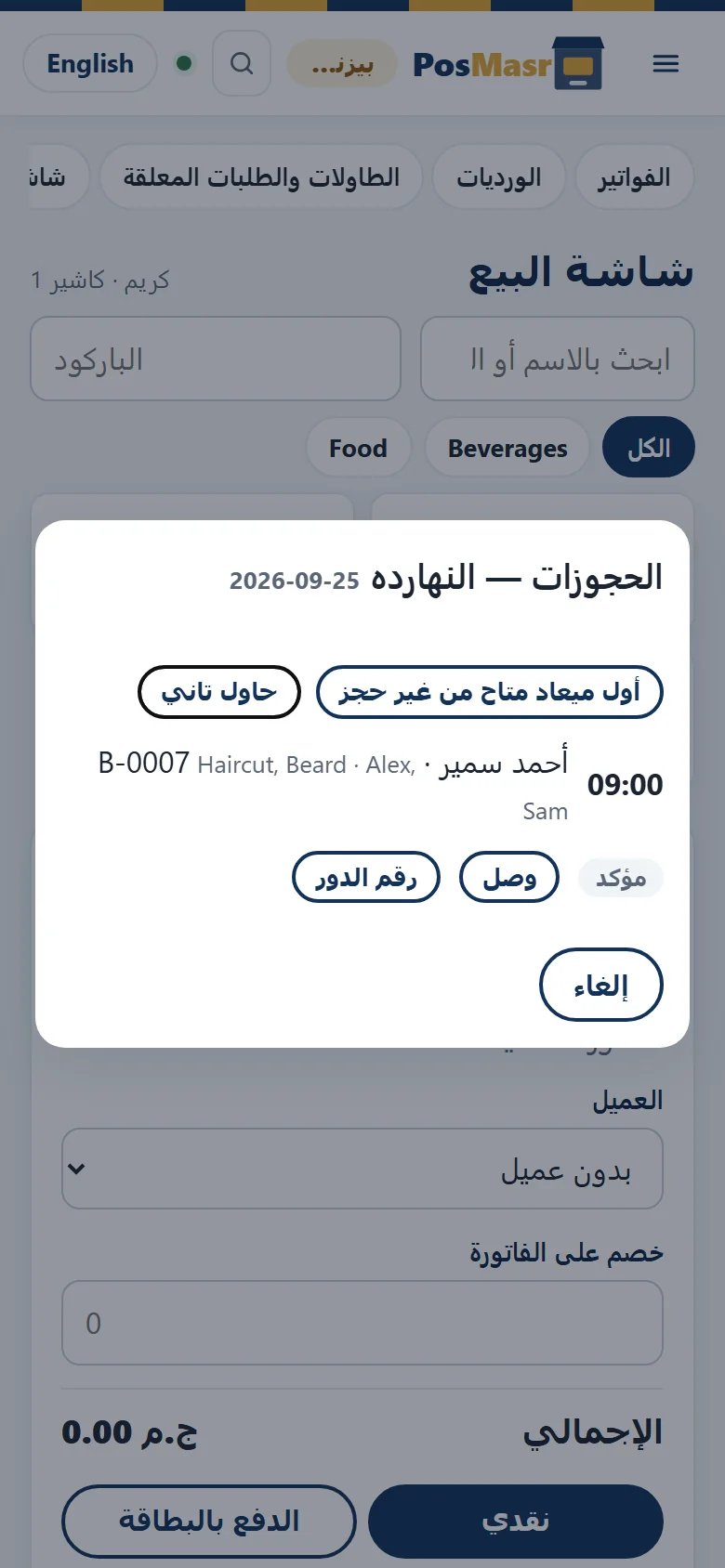
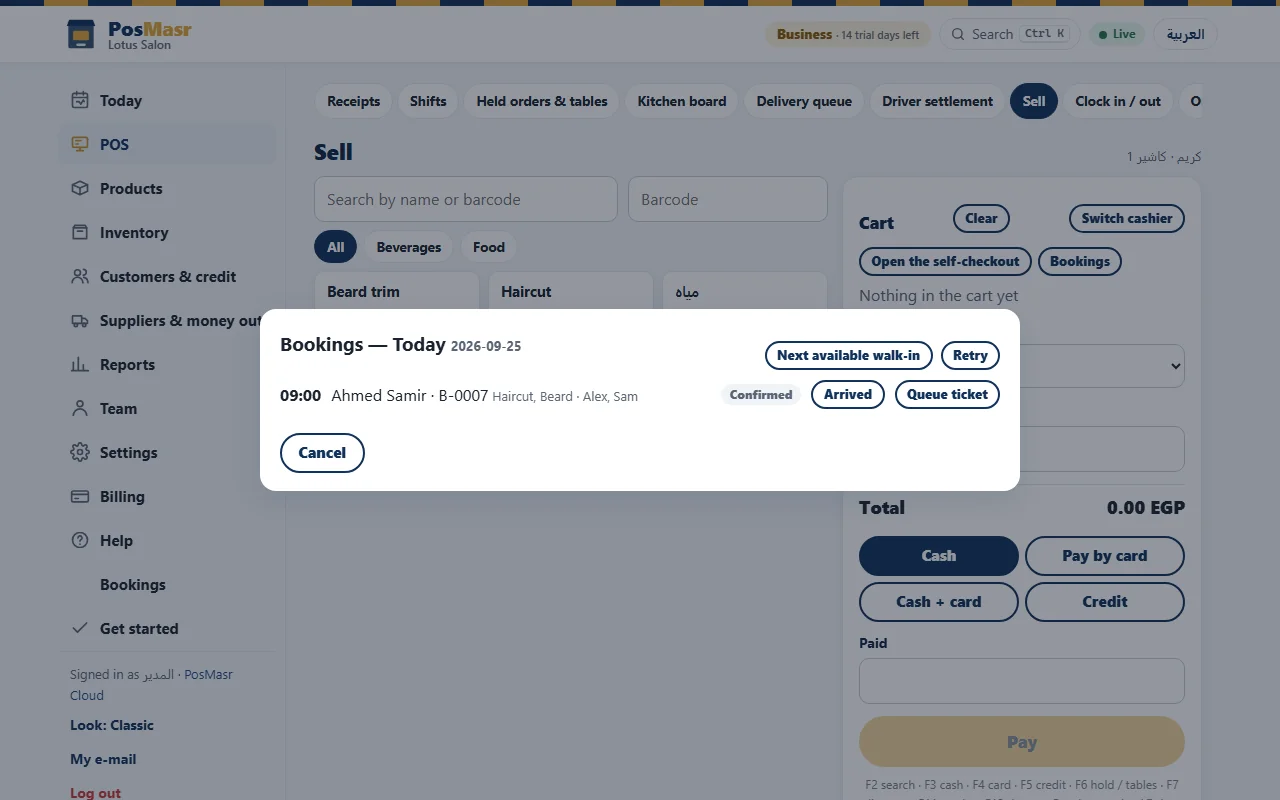
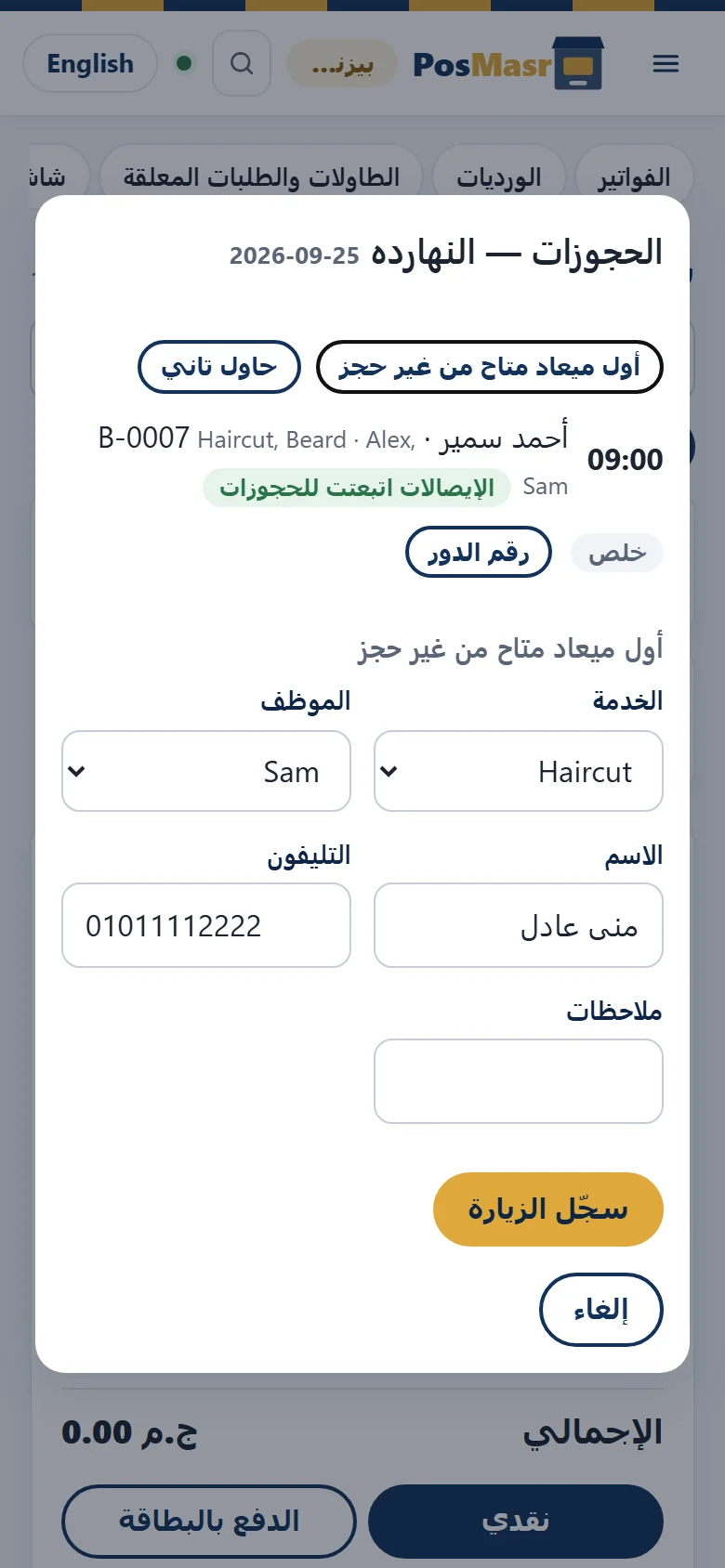
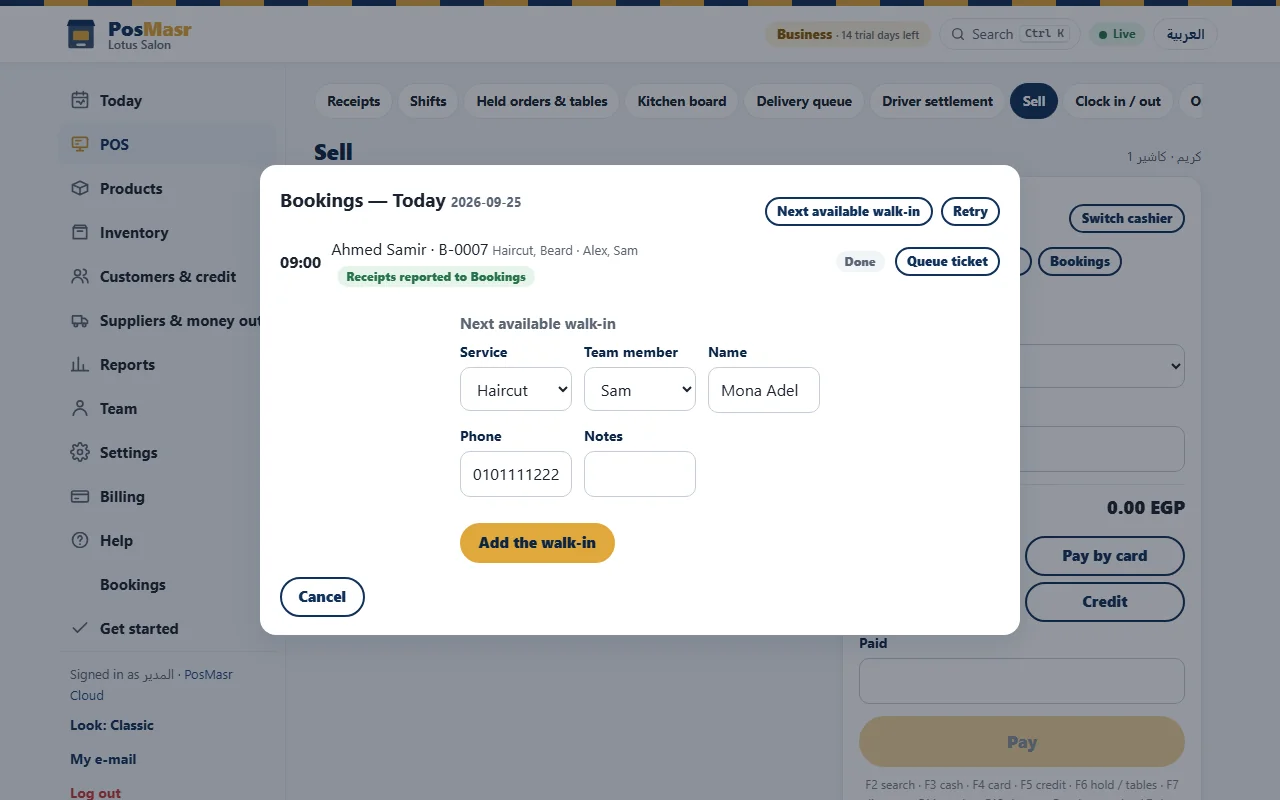
This is the part we were strictest about: Bookings never invents a receipt. On the Sell page, in the online app or the till app, the Bookings button opens “Bookings — Today”. Each line has the time, the customer, the booking number, the services and the team member; a Confirmed visit becomes Arrived, then Start.
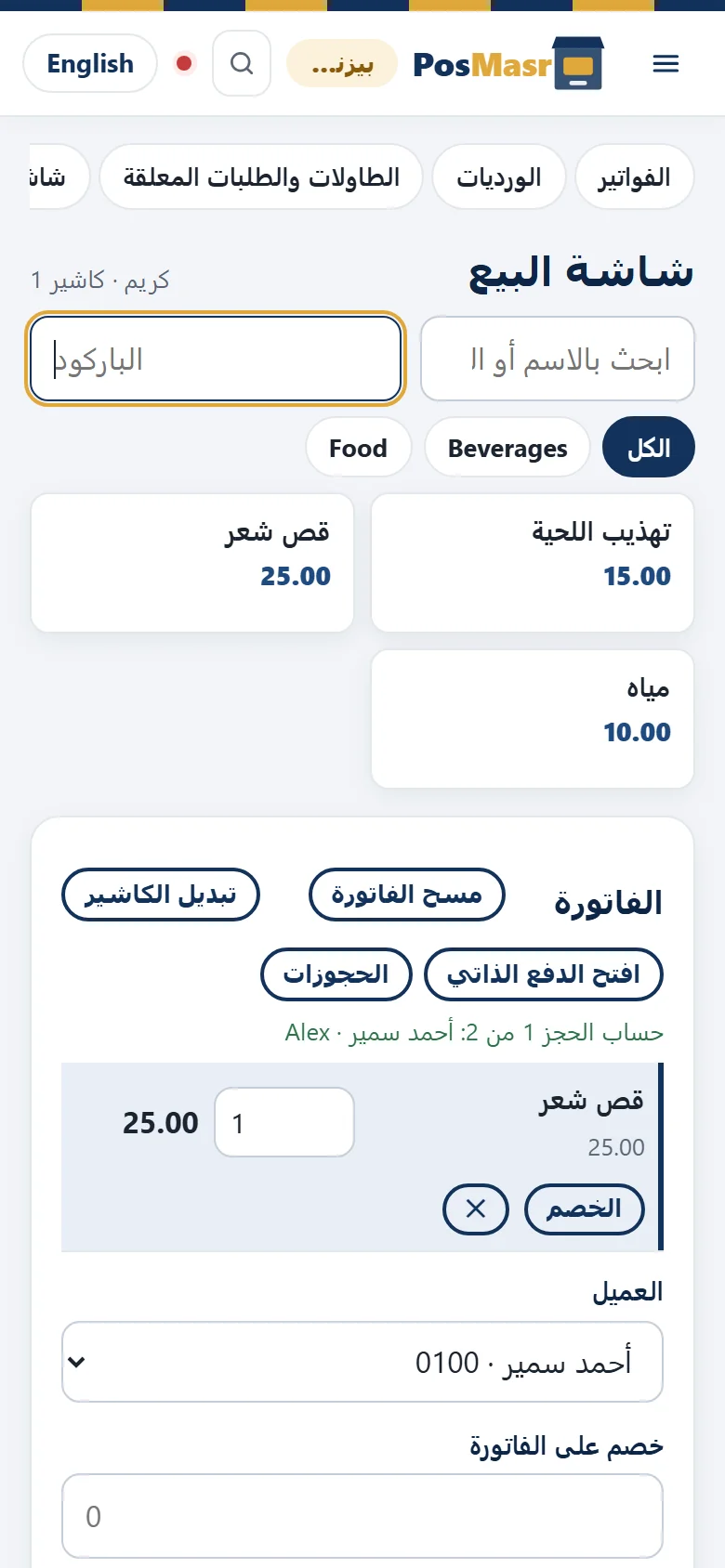
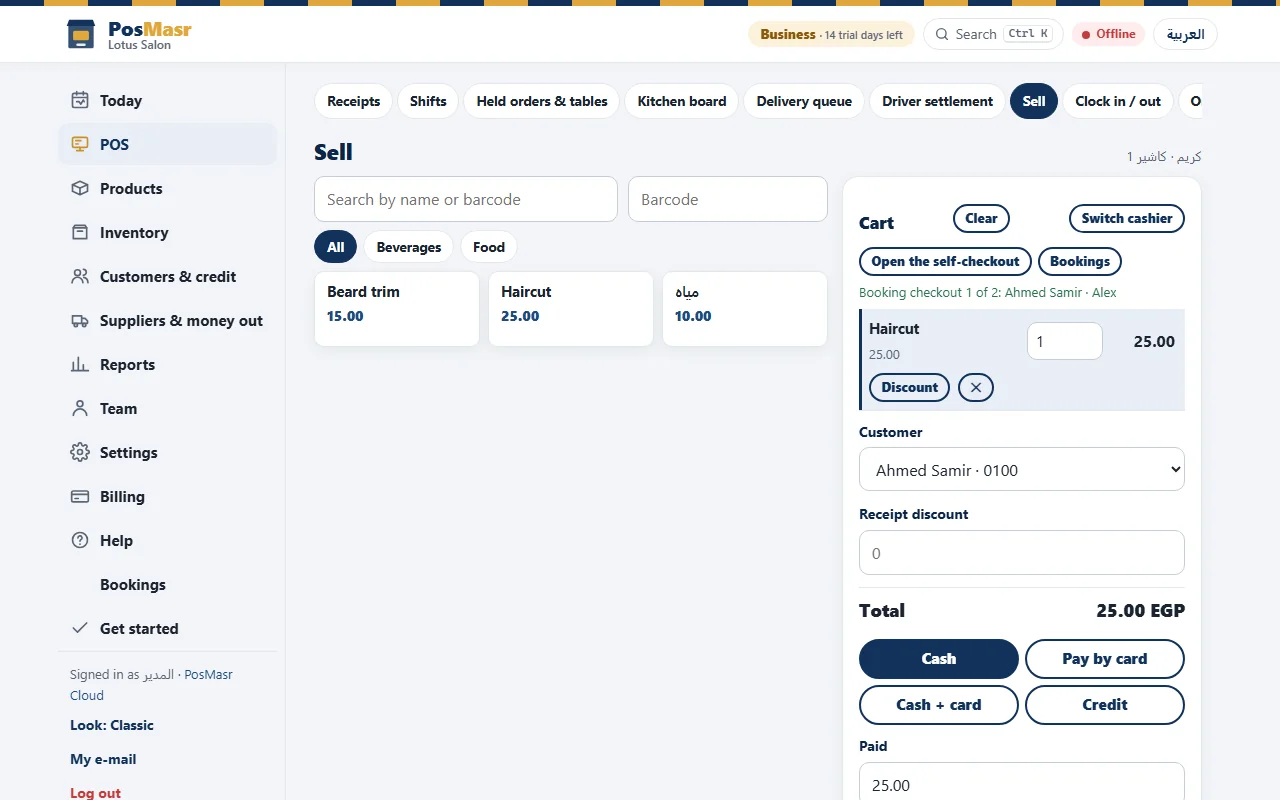
Check out fills the cart with the services at the booking's price, with the customer and the team member set. Add a product from the shelf if he wants one, then take the payment as you always do — cash, card or credit. A deposit already taken is applied in the same sale.
A sale has one seller, so a visit with two team members checks out as one receipt each: “Booking checkout 1 of 2”, then 2 of 2. When they are paid the till shows “Receipts reported to Bookings” and the visit closes.
Walk-ins, even offline
“Next available walk-in” takes the service, the team member, the name and the phone, and records the visit in the first free place. It works offline: the till keeps it and sends it when the line is back. If the same time was booked online meanwhile, nothing is overwritten — the visit is marked “needs review at reception”. And Queue ticket prints the customer's turn on the till printer.
See also when the internet cuts.
Reminders and messages
Eleven messages come written in your shop's voice, and every word can be changed: received, confirmed, reminder, moved, cancelled, deposit, a place free from the waiting list, we missed you, thank you, time to come back, and happy birthday.

| Channel | How it goes out |
|---|---|
| By itself, once e-mail is set up | |
| From a “to send” list: one tap opens WhatsApp with the message written, and your staff press send | |
| SMS | Not available |
Quiet hours keep reminders out of the night, and a customer who said no to messages gets none.
Deposits and no-shows
Deposits. Put a deposit on a service and the booking page shows the customer your own payment instructions. The booking stays requested until staff record the deposit, through the shop's normal deposit flow — take, refund or keep — and at check-out it comes off the bill. More in instalments and deposits.
No-shows. Mark the visit as a no-show and the “we missed you” message is ready. The customer card counts no-shows and cancellations, a habitual one can be blocked from booking online, and a no-show fee is charged only if you switched the setting on — always with a reason.
What it does not do yet
- No online card payment for deposits: the customer pays the way your page tells him, and staff record it.
- No automatic WhatsApp or SMS: WhatsApp is a ready message sent with one tap.
- No phone verification by code.
- No gift vouchers, and no before-and-after photos on the visit.
- No Bookings in the program on your PC: it lives in PosMasr Cloud.
Which plans include it
Bookings comes with Business (2,500 EGP a month) and Chain (5,000 EGP a month + 750 per extra branch), in the online app and the till app. Every new shop starts with 14 days of Business, free and with no card, so you can set it up and book yourself a test visit from day one. All plans are on the Cloud page.
First year 20% off every plan, with the code AHLAN20.
Quick answers
Does the customer need an app?
No. He opens your link or scans your code, picks a time, and types his name and phone.
Can two customers get the same time?
No. One visit per person and per resource at a time (or its capacity), and the time is held for 10 minutes while the customer types.
Do I need a separate list of services?
No. Services are products of the shop, so their price, VAT and reports are the ones you already have.
And Ramadan hours?
You type Ramadan's dates and hours yourself, and bookings follow them.
Can a team member see the others' visits?
Only if you allow it. The right “sees only his own visits” keeps each one to his own day.
A booking page for your shop, today
Start the 14-day trial of Business, no card, run the wizard and book your first visit from your own phone.
First year 20% off every plan — with the code



