Twelve on paper, ten in the shop
Sameh sells car spare parts in Tawfiqia. He ordered 12 cartons of oil filters at 640 EGP and 20 sets of brake pads at 450 EGP. The van came three days late with 10 cartons of filters, and one set of pads had a crushed box. A week later the invoice arrived: 12 cartons of filters, 20 sets of pads, and the pads at 462 EGP.
Before, Sameh's accountant would type the invoice as it is, and the supplier's account would say Sameh owes for two cartons he never saw and a set he refused. Now the invoice stops at the door.
Receiving with a delivery note
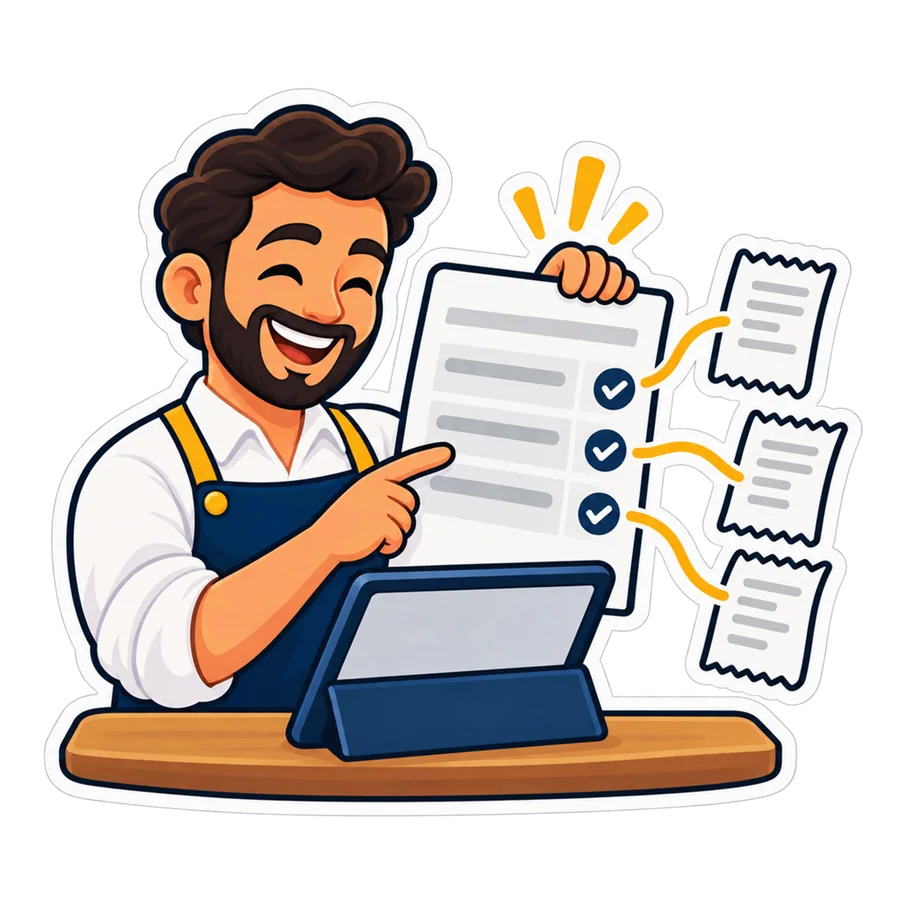
On the purchase order press Receive with a delivery note. Per line you write:
- Delivered: what came off the van.
- Damaged: refused at the door; it never enters stock. Accepted = delivered minus damaged.
- Over and short against what the order still waits for, worked out for you.
- Batch and expiry where the product has them: they go into stock with the goods.
The note records how late the delivery came against the order's date. Partial deliveries are normal: one note per delivery, and the order stays open until everything came or you close it. Sameh's note: filters 10 delivered, 10 accepted, 2 short; pads 20 delivered, 1 damaged, 19 accepted; 3 days late.
The supplier's invoice
Press Record the supplier's invoice. The lines come prefilled from the delivery note at the order's prices; you change them to what the paper says. Or photograph it: the invoice reader (AI) fills the lines, the number, the date and the VAT, and you check them. The photo only fills the invoice: the goods were received with the delivery note.

One invoice bills one delivery note, and the same supplier's invoice number twice is refused.
The match
Per product the program puts side by side the order's quantity and price, what the note accepted, and what the invoice bills at what price. Two limits, in Settings → Procurement:
| Limit | By default | Outside it |
|---|---|---|
| Price | 1 % | The invoice price differs from the order's by more, either way |
| Quantity | 0 | The invoice bills more or fewer than were accepted |
An invoice with no delivery note, or with a product that is not on the order, does not match either. Sameh's invoice failed three ways: 12 filters billed for 10 accepted, 20 pads for 19, and 462 against 450 (2.7 %). The match is a fixed rule on your numbers, not AI.
Invoices to check
An invoice inside the limits is posted at once. One outside them waits in Invoices to check (also in the Approvals inbox), and you choose:
- Accept as it is — with a note, by someone with the approve right; it is posted.
- Dispute — with a note: you asked the supplier; it stays in the queue.
- Return to the supplier — with a note: nothing is posted, and the delivery can be billed by the corrected invoice.
- Match again — when the missing delivery note has come.
Sameh disputed, sent the supplier a photo of the note, then returned the invoice. The corrected one — 10 filters, 19 pads at 450 — matched and was posted. The difference: 1,970 EGP before VAT that he would have paid for nothing.
Posted: what the books see
- With Books: a Books bill linked to the receiving, with the right VAT code from the invoice's rate and the due date = the invoice date plus the payment terms (the supplier's own, else the shop's, 30 days by default). The bills list, the aged payables and the cash forecast see it the same minute.
- Without Books: the delivery is already on the supplier's account at the order's prices; posting adds or takes off only the difference, so the balance is what the invoice says.
Ageing and the scorecard
Supplier ageing shows what you owe each supplier by days past due: not due yet, 1–30, 31–60, 61–90, over 90 days. On each supplier's page, the scorecard for the last 180 days:
| Measure | What it says |
|---|---|
| On time | Orders whose first delivery came by the order's date |
| Fill rate | Accepted out of ordered |
| Price vs orders | What the invoices billed against the orders' prices |
| Damaged | How much came damaged |
With the orders late now and the invoices that had differences. When two suppliers offer the same price, this is the table that decides.
Alerts and Ask your shop
- Owner alerts: each invoice that did not match, once; and once a day the open orders past their date (late one day after it, by default).
- The daily summary on Telegram and e-mail: one line — requests waiting, invoices to check, orders late.
- Ask your shop: “which supplier is late?” lists the open orders past their date, the latest first.
What it does not do yet
• “Return to the supplier” returns the invoice, not the goods. Damaged goods are refused on the delivery note; sending back goods you accepted is the usual supplier return.
• One invoice, one delivery note. A supplier who bills two deliveries on one paper needs two invoices recorded.
• The photo fills the invoice, it does not receive the goods.
• On your PC, in part. Since desktop 5.7.0 the Gold package matches the typed supplier invoice with the order and the deliveries, with “Invoices to check” and the ageing (how); delivery notes with damaged lines and the scorecard are online only.
Which plans include it
| Edition | Delivery notes and the three-way match |
|---|---|
| PosMasr Cloud | Part of Procurement: included in the Business and Chain plans; an add-on for Shop at 300 EGP a month. The 14-day trial has it. It needs Stock; the Books bill needs Books (Business and up). |
| The program on your PC | From desktop 5.7.0, Gold and Platinum: the typed supplier invoice matched with the order and the deliveries, on one PC; no damaged lines on receiving, no scorecard (download) |
Available now in PosMasr Cloud: Settings → Procurement, off until a manager turns it on. Everything procurement does is on the suite page.
Quick answers
Does the damaged box enter my stock?
No. Damaged is refused at the door; only the accepted quantity enters stock.
Can I make the price limit 2 %?
Yes, anything from 0 to 50 %, for price and for quantity, in Settings → Procurement.
Who may accept an invoice that does not match?
Someone with the right to approve requests and invoice differences, or a manager, always with a note.
Is the match AI?
No. It compares your three papers with fixed limits. Only the invoice reader, which fills an invoice from a photo, and Ask your shop are AI.
Pay for what came through the door
Start the 14-day trial of Business, no card: Procurement and Books are in it. Receive your next delivery with a note and match its invoice.
First year 20% off every plan and add-on — with the code