

A perfume shop in Heliopolis
Mr Samir has a perfume shop in Heliopolis and two cashiers on two shifts. He spends his mornings with suppliers and his evenings at home. Last spring, one evening cashier refunded “returned” bottles that never came back, a few a week. Samir saw it three months later, in the stock count. With owner alerts, every one of those refunds would have reached his phone that same evening, with its receipt number and the cashier's name.

This is not about distrusting your staff. Most alerts will be honest mistakes and real returns; you mark them reviewed and move on. The point is that you see them, the same day, without opening a single report. For the wider picture, see how cashier theft happens and how to stop it.
What the alerts watch
Each kind has its own switch and threshold, with sensible defaults you can change:
| Group | What raises an alert |
|---|---|
| Receipts | A receipt voided; a return or refund; many voids or returns by one cashier in a short time (3 in 30 minutes by default); a sale outside opening hours |
| Prices and discounts | A big discount (20% by default); a discount over the cashier's cap, without a manager's approval; a price below the listed one; a big sale on credit |
| The drawer and the cart | A drawer over or short at the close; the drawer opened with no sale; items taken off after they were rung up; a held order deleted |
| Stock | Stock lowered by hand |
| Security | Failed sign-ins (3 in 15 minutes); a new device paired to the shop; a till off the line while the shop is open |
A till that sold offline and syncs later still raises its alerts, honestly dated: “happened at 14:05, synced now”. And the same receipt never alerts twice.
Since 7 October two more kinds have joined, from the Shop plan: Margin squeezed, when a delivery at a higher cost takes a product's margin under the floor you set (see when the supplier raises the price), and Slow stock, once a week (see the money sitting on the shelf).
How they reach you
- In the app: a bell in the header, and the alerts timeline (Owner → Alerts) with filters by period, kind, cashier and branch, and Mark reviewed with a note. Export to Excel or CSV.
- By e-mail to the owner's address.
- On Telegram, through the shop's own bot (from Business).
| Mode | What it does |
|---|---|
| Smart (default) | The serious ones at once (a drawer short, failed sign-ins, a new device, a till offline, a burst of voids); the rest in one message an hour |
| Now | Every alert as it happens |
| Hourly | One summary an hour |
Quiet hours hold everything while you sleep and send it after; an hourly cap stops a bad evening from flooding your phone. The settings (Settings → Owner alerts) belong to the owner alone, and every change is logged: a manager cannot switch them off. Managers see alerts only if the owner allows it, and only for their branches.
“Needs a look”, every day
Once a day, each cashier's day — voids, returns, refunds, discounts, sales — is compared with the same cashier's previous 28 days. Not with the others: a cashier on the busy evening shift is not a cashier on the quiet morning. When someone's day is far from their own normal, it shows under “Needs a look”, with that day's alerts about them, on the alerts page and in the daily Telegram summary.



Ask your shop
Eleven at night, Samir is on the sofa. Instead of opening reports, he types into the box on his dashboard, or to the shop's bot on Telegram:

| He types | He gets |
|---|---|
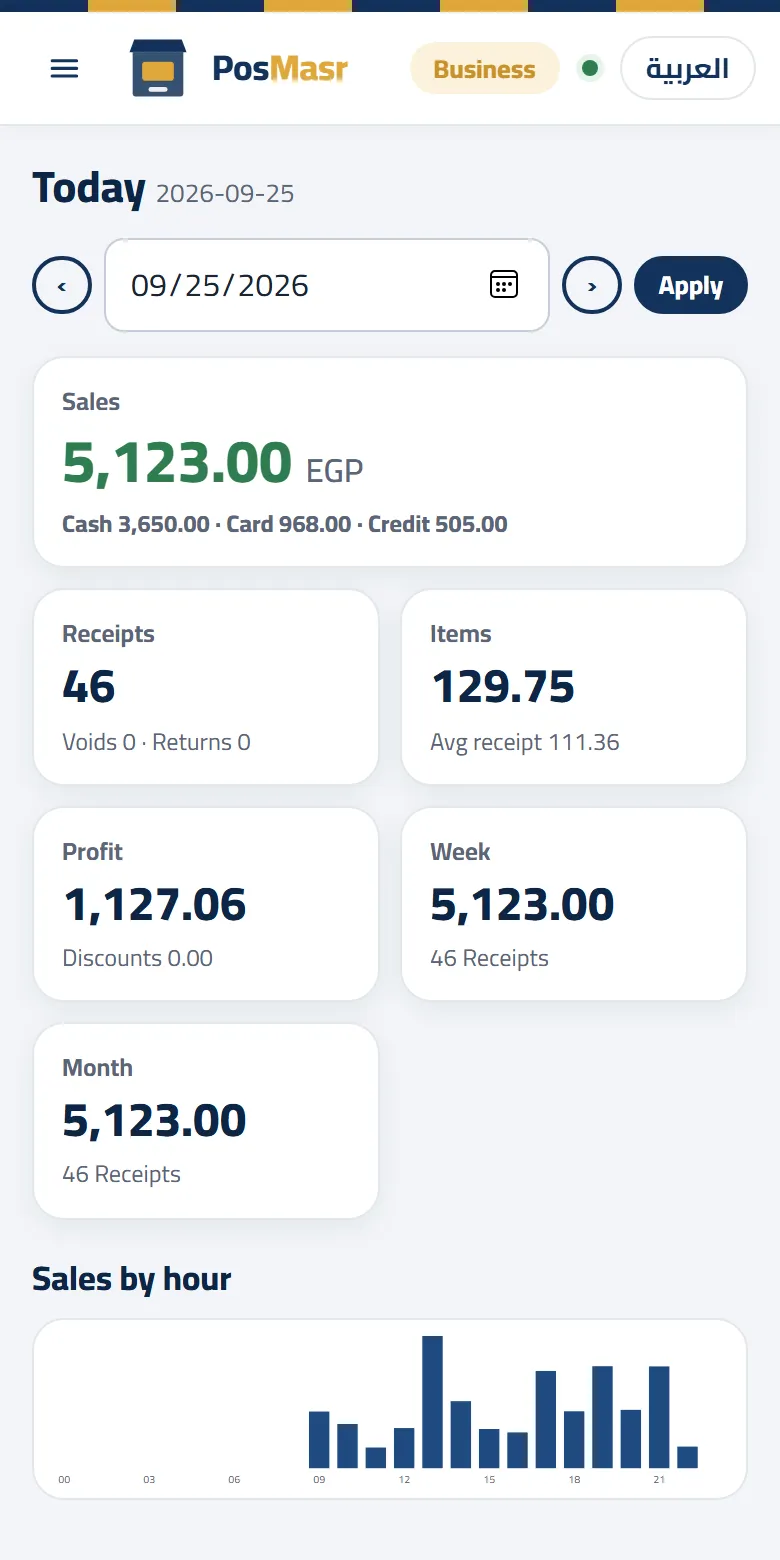
| “بعنا كام النهارده؟” or “be3na kam enaharda” or “sales today” | Today's sales, receipts, average receipt and tenders, with buttons: yesterday, this week, by cashier, by hour, compare |
| “أكتر حاجة اتباعت الأسبوع ده” | Best sellers (and the slowest, if he asks) |
| “مين عليه فلوس؟” | Who owes, and how much — as the credit page shows it, without phone numbers |
| “فاتورة 1234” | That receipt |
| “سعر عود الملكي وفاضل كام” | Its price and stock |
It also answers on profit (and says so when no costs are recorded), comparisons with yesterday or last week, what is running low or expiring soon, what you owe suppliers, the drawer and open shifts, open orders, and today's alerts. In Telegram it works after Link my Telegram: a 6-digit code you send to the shop's bot, once. And it answers with the asker's rights: a cashier who cannot see profit in the back office cannot see it here either.
Why it is not AI
Ask your shop reads your question with fixed rules: words, synonyms, dates (“امبارح”, “الأسبوع اللي فات”, “last 7 days”), branch and cashier names, receipt numbers. The figures are computed from your own data, the same way the reports compute them. When it does not understand a question, it says so and shows example questions. It never guesses a number. For money, a wrong answer that sounds sure is worse than “I did not understand”.
Since 7 October: what the list does not read goes to your AI
The fixed list above stays as it is: answered at once, with no AI. What is new is the question the list does not read: instead of coming back with examples, it can go to your AI. This is switching on shop by shop.
Your AI reads the shop's own reports with the asker's own rights — a cashier who cannot see profit does not see it here either — and writes the answer in Egyptian Arabic, with “Based on: …” under it naming the reports it used. It only reads; it changes nothing in the shop. Check the figures on the reports before you act on them.
Free questions a day: Shop 20, Business 50, Chain 100 (and 20 in the trial). Questions are kept 30 days; answers are not kept. More in Ask your shop, answered by your AI.
What it does not do yet
• No WhatsApp alerts. Alerts come in the app, by e-mail and on Telegram.
• Ask your shop understands what it was taught, not everything. An unusual question gets examples back, not an answer — unless your AI is switched on for your shop (above).
• In the program on your PC there are no live alerts and no Ask your shop: from Silver it has a “Needs a look” screen and a block in its daily summary, built from its own files.
• Telegram needs Business or Chain, and the shop's bot set up in Settings → Integrations.
Which plans include it
| Plan | Owner alerts (app + e-mail), Needs a look, the Ask box | Telegram (alerts and questions) |
|---|---|---|
| Basic, Cashier | — | — |
| Shop (1,999 EGP a month) | Included | — |
| Business (2,500 EGP a month) | Included | Included |
| Chain (5,000 EGP a month) | Included | Included |
| The program on your PC | “Needs a look” in the daily summary, from Silver | — |
Questions answered by your AI (switching on shop by shop): Shop 20 a day, Business 50, Chain 100; none on Basic and Cashier, which have no Ask box.
Every new shop starts with 14 days of Business, Telegram included. The steps are in the manual; the full comparison is on the PosMasr Cloud page.
Quick answers
Will I get a hundred messages a day?
Not with the defaults: smart mode sends only the serious ones at once and the rest once an hour, with quiet hours and an hourly cap. Raise the thresholds if your shop is busy.
Can my manager switch the alerts off?
No. Only the owner changes them, and every change is in the activity log.
Does Ask your shop understand Arabizi?
Yes: “be3na kam enaharda” is read like “بعنا كام النهارده”, and the answer comes in Arabic.
Is my data sent to an AI company?
Not for the alerts or the fixed list of questions: those are read by our own rules on our server. Only a question outside the list, in a shop where your AI is switched on, goes to the AI service that also reads invoice photos — the question and what the reports return for it, not used to train its models. We keep the question 30 days, and not the answer.
Let the shop tell you
Start the 14-day trial of Business, no card, switch owner alerts on and ask: “بعنا كام النهارده؟”.
First year 20% off every plan and add-on — with the code



