

A supermarket in Nasr City
Magdy has a supermarket in Nasr City. People buy in a hall of six aisles; behind it, a room holds the cartons of oil, sugar and detergent. Two years ago he rented a big warehouse in an industrial zone, where the suppliers unload their pallets, and a small truck brings goods from it every morning.
The program saw one number: 120 cartons of oil. Where? Nobody knew without walking down to count. The cashier said an item was finished while it sat in the back room, and when the truck came back two cartons short, nobody could say where they went.
Warehouses fix exactly this: every place has its own stock, and goods move between places with a note, a scan and a person who received them.
Locations: the floor, the store, the van
In Settings → Warehouses a manager adds the Locations of each branch: a name, a kind, and the location it is refilled from. The kinds:
- The shop floor: the branch's own stock, the one the till sells from. Every branch has it already.
- A back store: the room behind the shop, or the floor upstairs.
- A central warehouse: it is not a selling branch, so there is no extra branch to pay for.
- A van: the distribution truck and what is loaded on it.
- Consignment stock: goods of yours kept at a supplier.
Up to 50 locations a shop. For every product in every location: a bin (the shelf code, like A-03) and a min / max. The till only ever reads the shop floor's stock, so a back store never confuses a sale.
How a transfer travels
- The request. Someone on the floor asks for products and quantities from one location to another (or the refill makes the request, below).
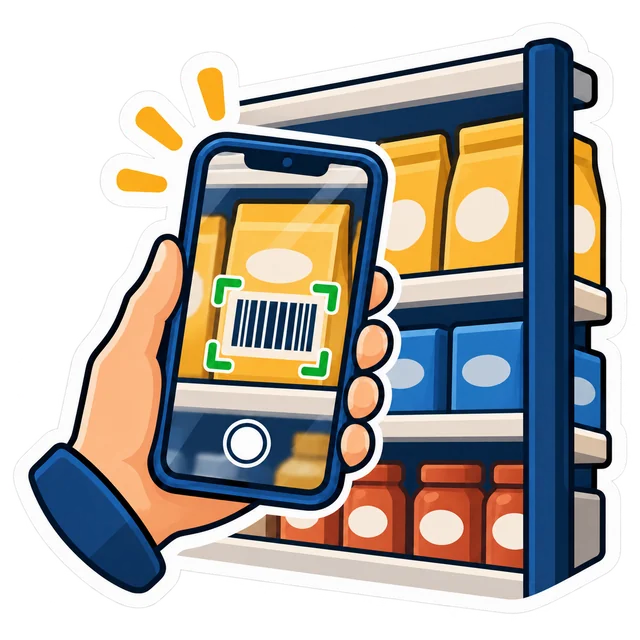
- The pick, by scanning. In the warehouse, the scan page opens on a phone or with a barcode scanner. The lines come in walking order, by shelf code. A scan counts a product (one unit), its pack's barcode (a carton), or a batch or serial number. A line nobody scanned goes as it was asked.
- The dispatch. The goods leave the location and a numbered transfer note prints: from, to, the lines, the value at cost, the signatures, and a QR.
- In transit. The goods are no longer at the source and not yet at the destination; their value shows under In transit.
- The receipt. The receiver scans the note's QR with a phone and the receiving page opens on that transfer. He counts by scanning or typing, then confirms. It may come in parts: half today, the rest tomorrow.
- The discrepancies. Short, damaged or over: none of them touches the stock until a manager settles it.
| Discrepancy | The manager chooses |
|---|---|
| Short (never came) | Written off, or back at the source (it never left) |
| Damaged | Written off, or kept in stock |
| Over (more than was sent) | Kept, or kept and taken off the source |
Every settled discrepancy names who settled it. Magdy's two missing cartons now have a note number, a sender, a receiver and a manager's decision.
Inside a branch and between branches
- Two locations of one branch: the move is instant. You pick, press, and the goods are there.
- Two branches (the Chain plan): in Settings → Warehouses you choose instant, as before, or in transit: the goods leave when they are sent and arrive when the other branch receives them.
- Alerts: a transfer still on its way after 3 days (you choose 1 to 60), and a received transfer with discrepancies to settle, both reach the owner.
- Ask your shop: type “إيه اللي في الطريق؟” (what is in transit?) and you get the transfers on their way, their value and days, the late ones and the discrepancies to settle.
Counts, value and refills
- Counts per location: everything, one category or one shelf code. Blind for staff: the counter does not see what is expected or the difference. A manager sees the variance in units and at cost and approves it, or sends it back to be counted again. Sales made during the count stay counted.
- Value per location: the stock of every location at the product's cost, plus what is on the way at the cost it left with, and the total.
- Refills (min / max): a location at or under its min is brought up to its max from its source, as far as the source holds. The result is an internal request you review and send.
- A location with no source — the central warehouse, say — buys: its lines point to the smart reorder, which counts what is on its way as already ordered, so nothing is ordered twice.
All of this is fixed, explained rules on your own stock — not AI.
Switching it on
- Settings → Modules: switch on Warehouses. It needs Stock on first.
- Settings → Warehouses: turn it on (it stays off until you do) and add your locations: name, kind and source.
- For each location, give the main products a shelf code and a min / max. Start with the fifty that move most.
- Receive a supplier's delivery straight into the location where it arrives, the central warehouse for example.
- Two branches or more on Chain? Choose instant or in transit, and the days after which a transfer counts as late.
Settings and locations are a manager's; so are settling discrepancies and approving a count. The full steps are in the manual, and we go through them with you on a call or on WhatsApp.
What it does not do yet
• The till sells from the shop floor only. No selling from a van or from a second location: the stock moves to the branch first.
• Consignment stock is a location like any other. There is no settlement with the supplier for what was sold from it.
• In transit is between branches only, on the Chain plan; inside one branch a move is instant.
• It is not in the program on your PC: there, one shop has one stock.
Which plans include it
| Edition | Warehouses |
|---|---|
| PosMasr Cloud | Included in the Business and Chain plans; an add-on for Shop at 300 EGP a month. In the 14-day trial. In transit between branches: Chain. |
| The program on your PC | Not included: one shop, one stock |
Available now in PosMasr Cloud, and off until you switch it on. On Shop the owner buys the add-on on Billing → Plan → “Add-on modules” (or asks us on WhatsApp). Every plan side by side is on the PosMasr Cloud page.
Quick answers
Will the cashier see the back store's stock?
No. The till sells from the shop floor only; the back store refills it by a transfer.
Do I need a barcode scanner?
No. The phone's camera does the same on the scan page.
Is the central warehouse billed as another branch?
No. It is a location, not a selling branch.
Half the transfer arrived today. Can I receive the rest tomorrow?
Yes. A receipt may come in parts; what never came is settled as short when you say nothing more is coming.
Is this artificial intelligence?
No. Scans, counts and fixed rules; the same stock always gives the same answer.
Know what sits where
Start the 14-day trial of Business, no card: add a back store, move ten cartons by scanning, and see the value of each location.
First year 20% off every plan and add-on — with the code



