
Sign up and sign in: Google, Facebook or e-mail
You can open an account with Google, Facebook or your e-mail. Later you sign in with a code that we send to your e-mail; a password is optional.
1Open the sign-up page
Go to app.posmasr.com/free. Press Continue with Google, Continue with Facebook or Continue with e-mail.
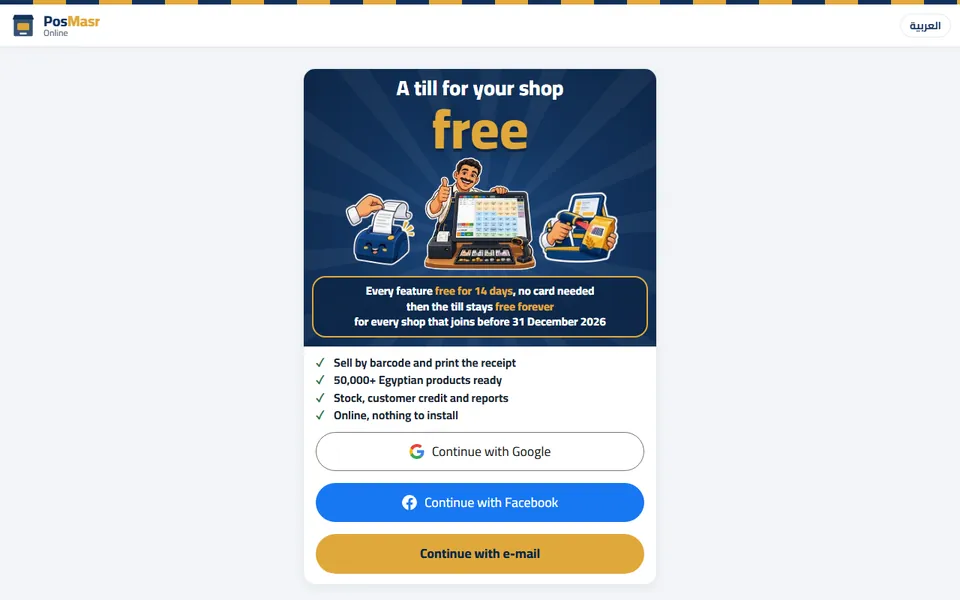
The sign-up page: Continue with Google, Facebook or e-mail. 2With e-mail: type the code
Type your e-mail. A 6-digit code arrives by e-mail; type it on the page. The code works for 10 minutes. After 60 seconds you can press Send another code.
3One last step
On One last step, answer What do you run? and press Start selling. Your shop opens.
4Sign in next time
Go to app.posmasr.com/login, type your e-mail and press Send the code. Type the code from the e-mail, or use the link in the e-mail. If you set a password, type it in Password (optional — if you set one).
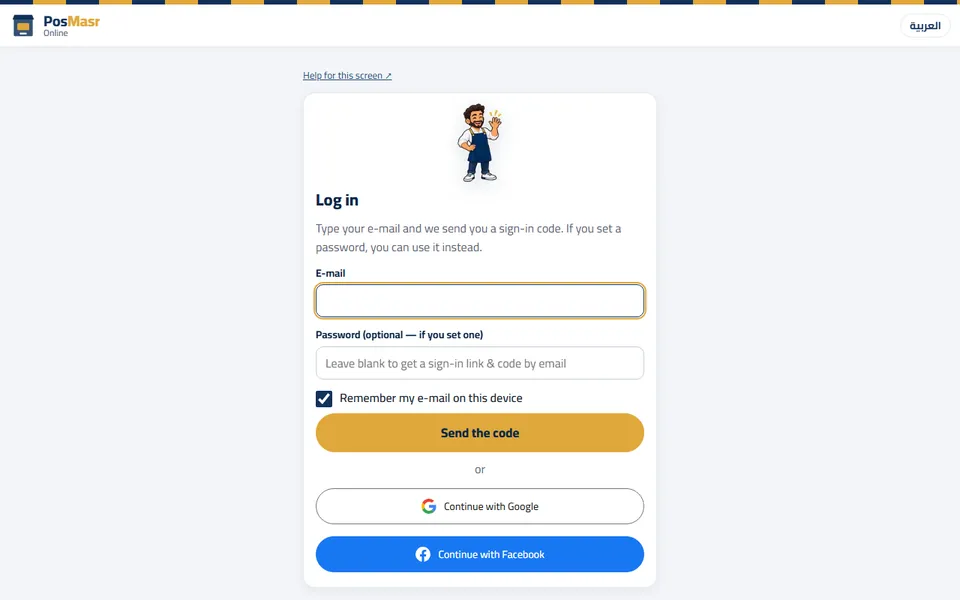
The sign-in page: your e-mail, then Send the code. 5Your own device only
Tick Remember my e-mail on this device only on your own phone or PC.
6The second step, if you switched it on
A Second step page asks for the Code (6 digits) from your authenticator app. Type it and press Verify.
The words on the screen
| On the screen | What it means |
|---|---|
| Send the code | Sends a sign-in code to your e-mail. |
| Second step | The extra code from your authenticator app, if you switched it on. |
| Lost your sign-in? | Help when you cannot reach your e-mail or your second step. |
If it does not work
- No code arrived: look in Junk / Spam, wait a minute, then press Send another code.
- The code is refused: it is older than 10 minutes or a newer code was sent. Use the newest code.
- You cannot reach your e-mail or your authenticator app: press Lost your sign-in? on the sign-in page.
