
Money: shifts, cash, the phone dashboard, reports and VAT
Every number comes from the receipts themselves, so the phone, the reports and the till always agree. You can read them from anywhere; your accountant can get a view-only account.
1Today, on your phone
Open app.posmasr.com on the phone and sign in. Today shows sales (cash, card, credit), receipts, items, profit, the week and the month; the arrows move to another day. Add it to the home screen so it opens like an app.
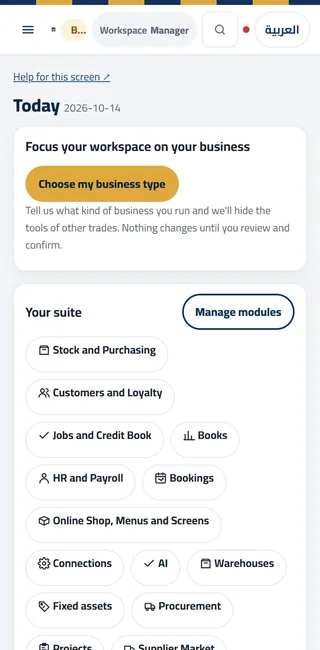
Today on a phone: sales, receipts, profit, the week and the month. 2Sales and profit reports
Reports → Sales shows sales by day, hour, product and cashier for any period. Reports → Profit shows what you earned after the cost of what you sold — it is only right if your products have their cost. Every report prints, and exports to Excel or CSV.
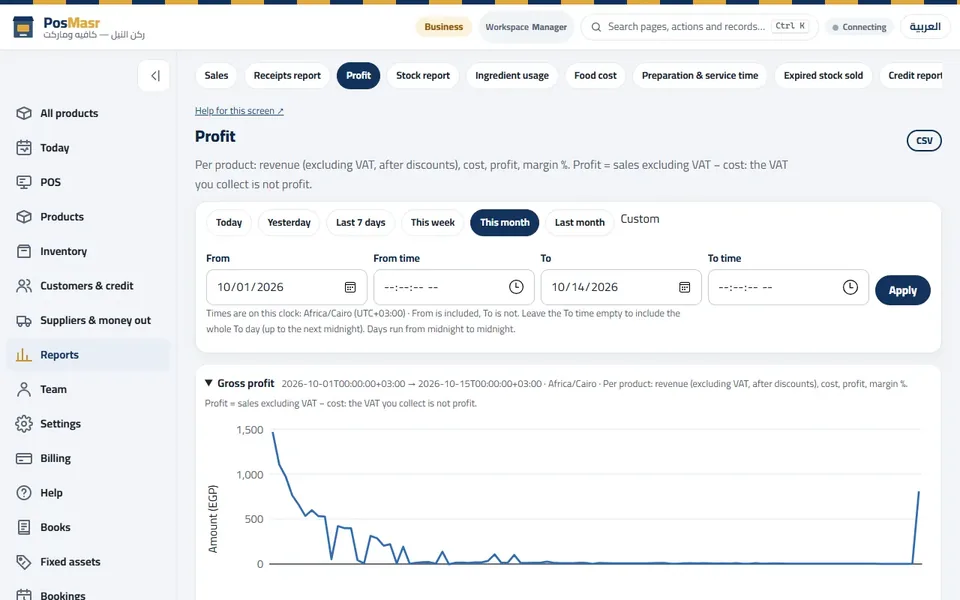
Reports → Profit: sales, cost and profit for the period you pick. 3The cash of every shift
Reports → Shifts & Z: each shift with its cashier, sales, Expected cash, Counted cash and the Difference (red when it is not zero). Open the Z report of any shift to see its details.
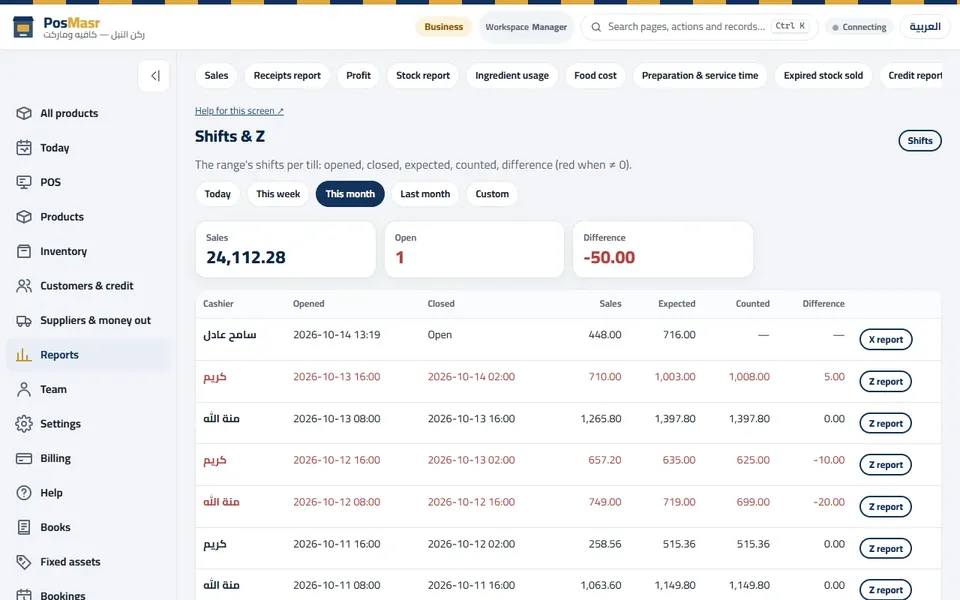
Shifts & Z: expected and counted cash per shift, the difference in red. 4Expenses
Suppliers & money out → Expenses: rent, salaries, electricity, cash taken from the drawer for the shop. Expenses bring the profit down to what you really keep.
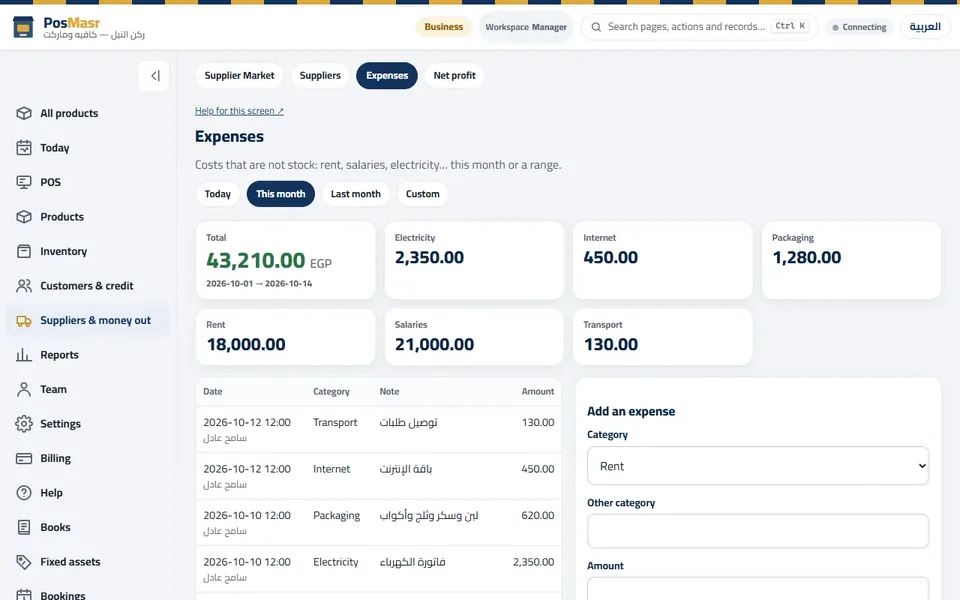
Expenses: what the shop spends, by category. 5Ask your shop
Reports → Ask your shop: type a question in plain words — “sales today?”, “who owes me?”, “what is running low?” — and get the exact figure from your own data. It is one of the AI features; it reads your reports and never invents a number.
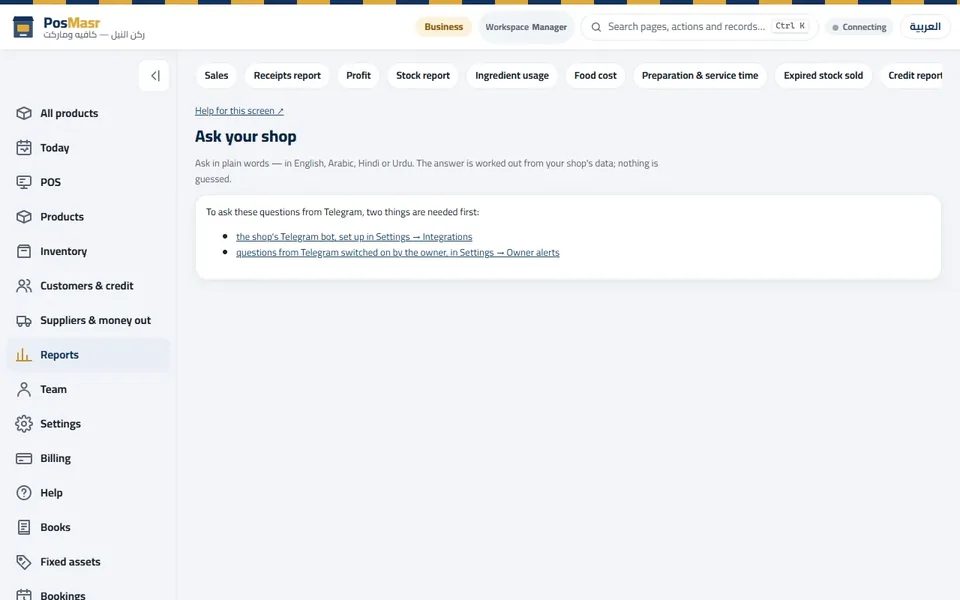
Ask your shop: a question in plain words, the figure from your own reports. 6VAT: the tax collected
Reports → Tax collected: the VAT (14%) and the service charge collected on the receipts of a month or a quarter, by rate and by day — the very amounts printed on each receipt. Print it (A4 or on the till) or export it for your accountant. It is for your records, not tax advice.
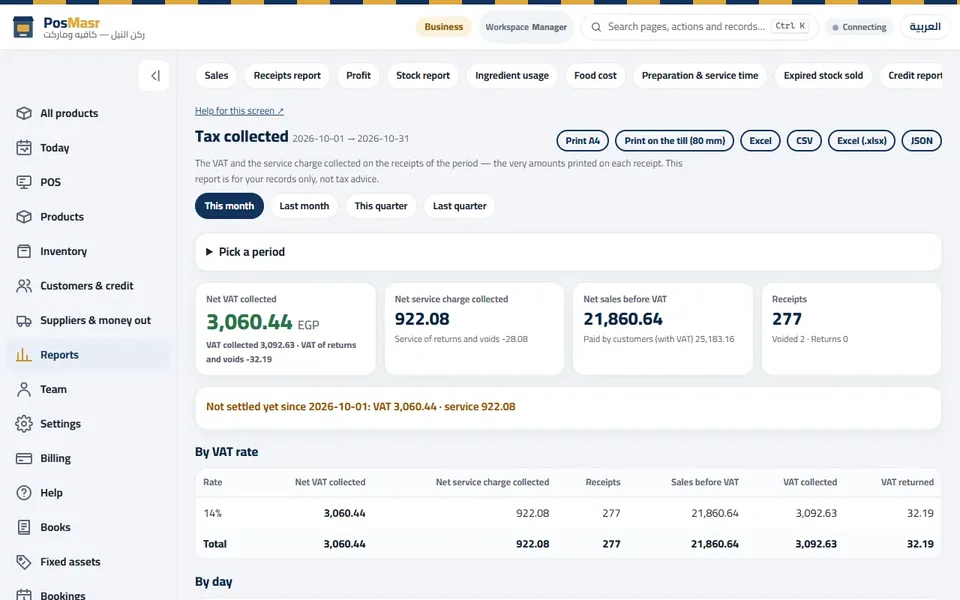
Tax collected: net VAT for the period, by rate and by day. 7Hear about it first: owner alerts
Settings → Owner alerts sends a message when something needs your eye: a void, a big discount, a refund, a drawer that does not add up. A daily summary by e-mail after closing is in Settings → Daily summary.
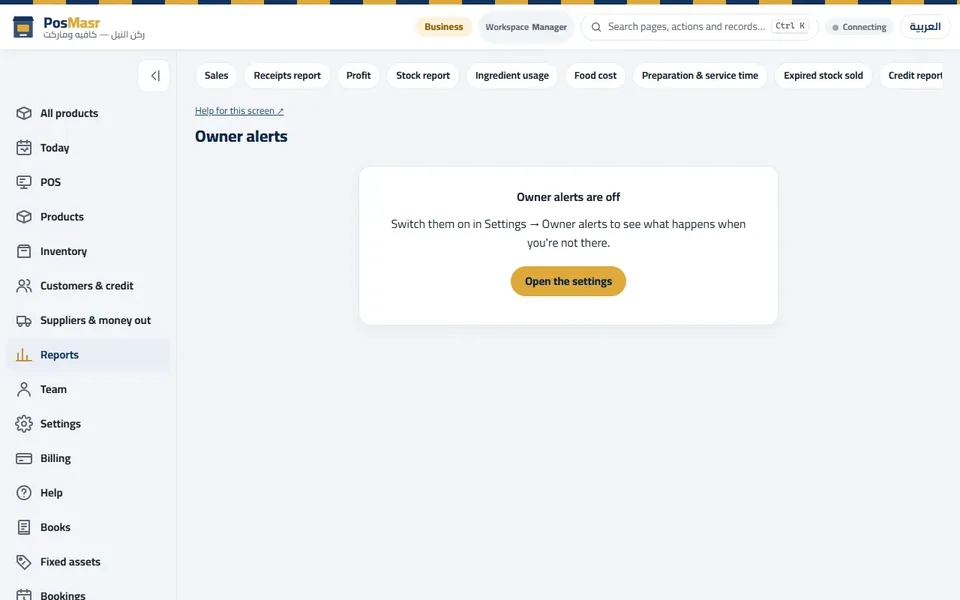
Owner alerts: switch them on in Settings → Owner alerts.
The words on the screen
| On the screen | What it means |
|---|---|
| Today | The day's sales, profit, cash and card. |
| Profit | Sales minus the cost of what was sold (needs product costs). |
| Expected / Counted / Difference | The cash the drawer should hold, what was counted, and the gap. |
| Tax collected | The VAT and service charge on your receipts for a period. |
| Ask your shop | Questions in plain words, answered from your own reports. |
Common mistakes
- Reading profit with no costs on the products.
- Letting differences pile up. Look at Shifts & Z every evening; a small gap is easy to explain the same day.
- Sharing the owner's login with the accountant. Give them their own account with the Accountant (view only) preset.
