
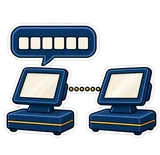
Sync
Sync links your shops and devices with one code, so products, prices, pictures, stock and sales move between them by themselves. A manager opens it to start a sync on the main device, or to join one with the code on another device.
/settings/sync5 optionsStart a sync (get a code)
1 optionsGet a code#
This shop becomes the main one: its products and stock are the base, and any other device types the code to sync with it. The main one does not need a paid plan.
Join with a code
1 optionsSync code#
The code shown on the main device; next you see what will happen before you confirm.
Example: The main device shows AB12-CD34; type it here on the other device.
Main device
1 optionsAdd a device (new code)#
Makes a new code so one more device can join this sync.
Example: A shop with two linked tills presses it to link a third; each device needs its own code.
Linked devices
2 optionsRemove#
Takes this device out of the sync.
Leave the sync#
A linked device leaves the sync; on the main device it stops the sync for every device.
Common questions
How long does a sync code work?
A code works for the minutes shown under it, and only once. Every device needs its own code.
What does not sync?
Customers and credit, users, settings and kitchen tickets do not sync.
Why can this shop not join a sync?
To receive a sync, the shop must be on a paid plan, not a trial or read-only. The main device does not need a paid plan.
