
Product list
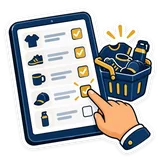
The Product list shows every product with its picture, category, price, stock and barcode. Open it to find, edit, hide or delete products, or tick several and change them together.
/products3 optionsProducts without a barcode
1 optionsGenerate#
“Generate” makes an in-store barcode starting with 2: it can never match a real product's barcode or a scale label.
Example: A shop with 40 products without a barcode presses Generate once, then prints the 40 labels that open.
With the ticked products
2 optionsHide#
Hides the ticked products from the till's product grid; they stay in the list marked Hidden.
Example: A cafe hides its summer drinks in winter; they keep their prices and come back with Show.
Show#
Puts the ticked hidden products back on the till's product grid.
Common questions
Who can generate the missing barcodes?
Only a manager sees the Generate line, and only while some products have no barcode.
Is a hidden product deleted?
No. It stays in the list marked Hidden and is only left off the till's product grid. Tick it and press Show to bring it back.
Why can I not tick products?
The ticks and the buttons under the list show only to users with the products right. Ask the owner to give it to you.
