
Salon and barber shops
PosMasr Online has the salon and barber shop type today. In PosMasr Desktop it comes in the next version of the program.
1Choose the type
Open Get started. On What kind of business do you run?, tap Salon / barber: services with a picture and price each; a sale can carry the person who did the work, with their percentage.
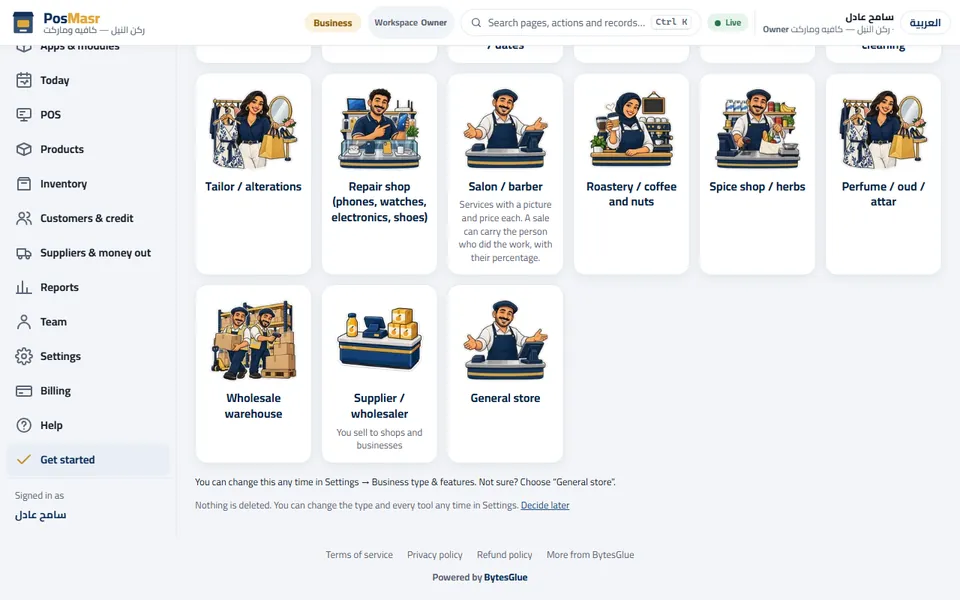
The business types, with Salon / barber. 2Start with ready services
A new salon that has no products yet is offered Start with ready services: six services, each with its own picture. Press Add these services or Skip.
3Type your prices
The ready services start at a price of 0. Open Products and type your own prices.
4In the next version of the program
On the first start, pick Salon / barber and answer Yes to start with 6 ready services. Add your barbers with Barbers → People → Add a staff member. At the till, Who did it? sets the barber for a line; there is No barber and Same for all lines.
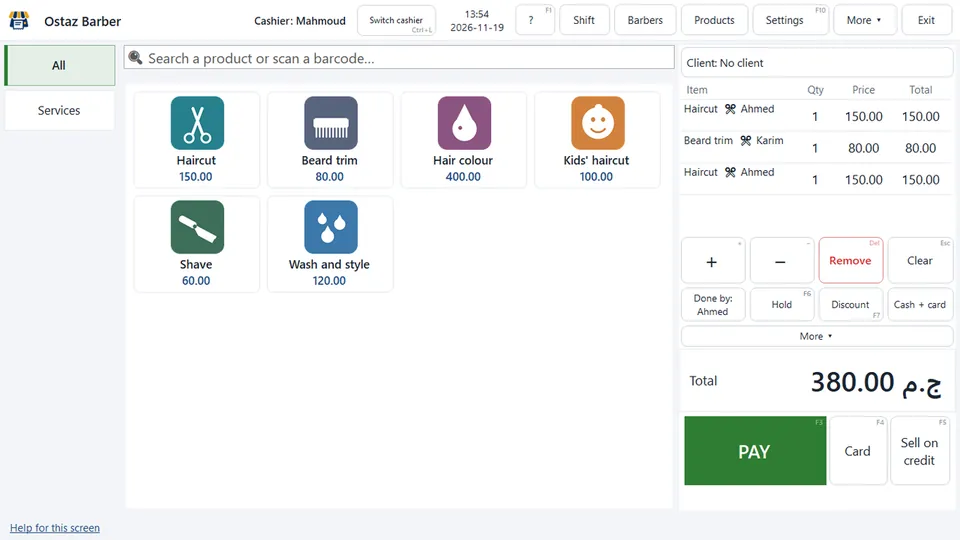
The next version of the program: a sale with the barber on each line. 5Barbers on the receipt and their totals
In the program, Settings → Printer & receipt → Barber's name under each line. The Barbers' totals tab shows what each barber did.
The words on the screen
| On the screen | What it means |
|---|---|
| Salon / barber | The shop type for services with a picture and a price each. |
If it does not work
- The ready services are not offered: they are offered only to a new salon / barber shop that has no products yet.
- The services sell at 0: type your own prices in Products.
- Your program has no Who did it?: it comes in the next version of the program.
