
The AI allowance of your plan
Each plan has a monthly allowance for the AI features: at most 5 % of the plan's monthly price. On Free and in a trial it is smaller. Everything that does not use AI keeps working when it runs out.
1Find it
The card AI allowance this month is on Billing and on Ask your shop.
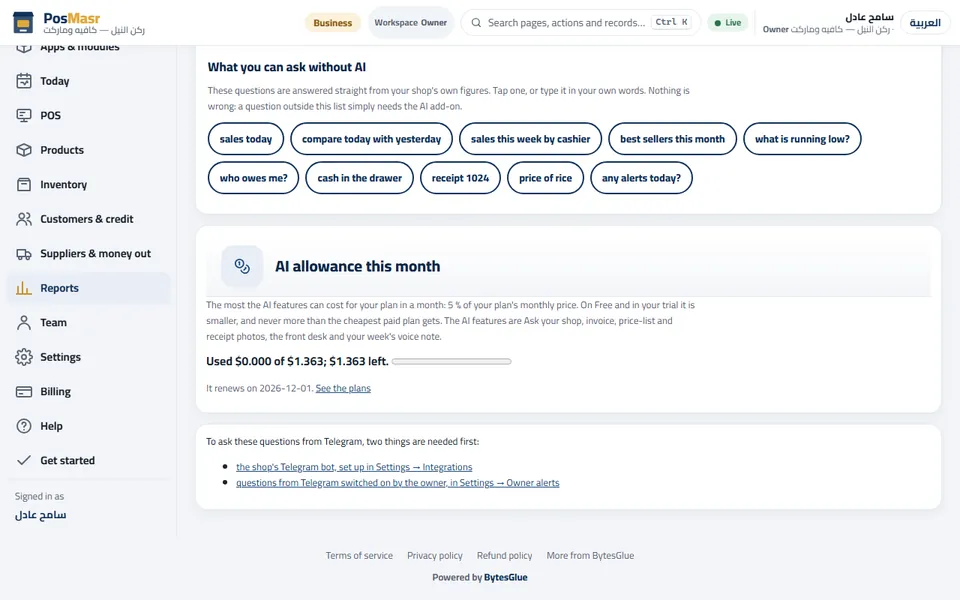
The card AI allowance this month on Ask your shop. 2Read it
It shows how much is used and how much is left, and the date it renews. See the plans shows the plans.
3What uses it
Ask your shop, Invoice, price-list and receipt photos, Front desk replies, Front desk voice notes, Your week voice note and Menu photos — where they are on for your shop.
4Before you read a menu
The menu photo page says how many photo reads your allowance still covers this month and when it renews.
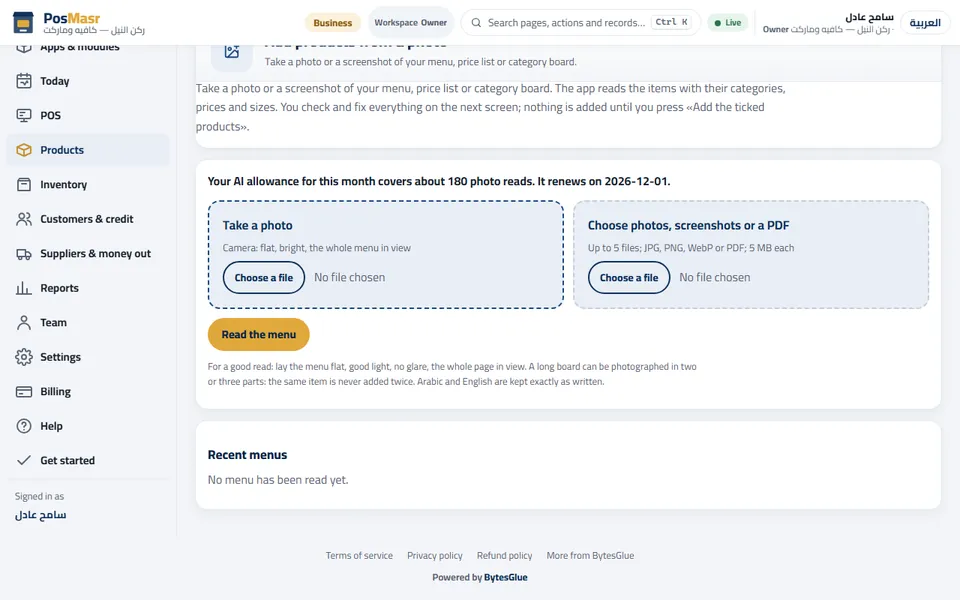
The menu photo page says how many photo reads the allowance covers. 5When it is used up
The AI features say "This month's AI allowance for your plan is used." with the date it renews. They work again on that date.
The words on the screen
| On the screen | What it means |
|---|---|
| AI allowance this month | The most the AI features can cost for your plan in a month. |
If it does not work
- The card says The allowance could not be read just now, so the AI features wait.: try again in a few minutes.
- The allowance is used: wait for the renewal date shown, or see the plans.
- Ask your shop answers without AI: the questions under "What you can ask without AI" do not use the allowance.
