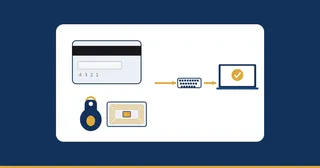
Most likely, yes. The PosMasr program runs on Windows 7, 8, 10 and 11, in 32-bit or 64-bit, and it is light enough for older, cheaper PCs. On Windows 7 you install Microsoft's free .NET Framework 4.8 once; Windows 8.1, 10 and 11 need nothing extra. It never needs the internet. The surest test is free: install the 14-day trial on the PC you already have, plug in your printer and sell a few test receipts. This post covers what to check, how to make an old PC reliable at the till, and when a new one is worth it.
Check your PC in five minutes
| Check | Where to look | What you want |
|---|---|---|
| Windows version | Right-click "Computer" or "This PC", then Properties | Windows 7, 8, 10 or 11 |
| 32 or 64-bit | Same window, "System type" | Either works |
| .NET Framework 4.8 | Only on Windows 7 | Install it once, free from Microsoft |
| A free USB port for the printer | The back of the PC | One for the printer, one for the scanner |
| The hard disk | Explorer | Room for the program and your backups |
If the PC turns on, runs Windows 7 or later and has two free USB ports, it is worth testing before you spend anything.
Test it with the free trial
- Download the program from the download page. The trial is Platinum for your line (Retail Platinum or F&B Platinum) for 14 days, with no card and no sign-up.
- Install it. Since version 5.1 the installer sets up the common USB receipt printers by itself; any other 58 or 80 mm thermal printer with a Windows driver works too.
- Pick a few products from the ready catalogue of more than 50,000 Egyptian products and type your prices.
- Use the Tests tab: a test print, a test drawer, and a receipt preview at real size.
- Sell ten test receipts at the speed of a real queue, then close a shift and print the Z report.
If all of that feels quick, your old PC is good enough for the till.
Make an old PC reliable at the till
An old PC is fine; an unreliable one costs you sales. A few habits help:
- Keep it for the till. Don't use the till PC for games, downloads or other programs that slow it down.
- Back up to a flash drive. Your data lives in files on that PC, so a copy on a flash drive is your safety net if the disk fails.
- Use the touch screen or the mouse you already have. Mouse, keyboard or touch all work.
- Plug the drawer into the printer. The usual setup is an RJ11 cable from the drawer to the printer; the program also supports a USB or serial trigger.
- No internet needed. The PC program never needs it, so an old PC without a connection is not a problem.
See every device that works on supported hardware.
When a new PC is worth it
Replace the PC when it keeps freezing, the disk makes noise, or the fan is loud and the case is hot. Moving is simple: back up to a flash drive, release the licence on the old PC (it gives you a release code), install on the new one, restore, and send the release code with the new machine's code. You get a new key for free and your data comes with you.
If you would rather stop thinking about the PC at all, PosMasr Online runs in a browser for management and sells from the till app on a computer or an Android tablet, with a backup every day and automatic updates. PC program or online compares the two.
What it costs
The PC program is a one-time licence per shop: for shops, Silver 2,450 EGP, Gold 4,250 EGP and Platinum 6,450 EGP; for restaurants, Silver 4,900 EGP, Gold 8,500 EGP and Platinum 12,900 EGP. Hardware is not included: "the license is for the software only", so you can keep the PC and printer you already have. Current prices and offers are on the pricing page.
Launch price until 31 December 2026, once per shop: for shops and services Silver 1,838 (list 2,450), Gold 3,188 (list 4,250) and Platinum 4,838 EGP (list 6,450); for restaurants and cafés Silver 3,675 (list 4,900), Gold 6,375 (list 8,500) and Platinum 9,675 EGP (list 12,900). An extra till in the same shop is 750 EGP on Silver (list 1,000) and 1,125 EGP on Gold and Platinum (list 1,500). The code ENDOFYEAR2026 takes 25% off the list price instead of the launch price, never both, on the whole first order.
When this is not for you
If your computer is a Mac or runs Linux, the PC program will not install: it is Windows only. A Mac with Apple Silicon or a Linux PC can run the online till app, which is marked Preview on the download page. If the old PC is already failing, a free test will only confirm it; fix the hardware first. And if you want to sell from a phone's browser alone, that is not possible: taking payments needs a till, the till app on a computer or the Android till app.
Questions and answers
Does PosMasr run on Windows 7 32-bit?
Yes. The program runs on Windows 7 and up, 32 or 64-bit. On Windows 7 you install .NET Framework 4.8 once, free from Microsoft.
Does the program need the internet on an old PC?
No. The program on your PC works completely offline, and your data lives on that PC.
Can I move to a new PC later without paying again?
Yes. Release the licence on the old PC, send the release code with the new machine's code, and you get a new key for free.
Will my old receipt printer work?
Any 58 or 80 mm thermal printer with a Windows driver works, and the installer sets up the common USB receipt printers by itself.