
PosMasr · Classic Desktop
Recipe ingredients and prepared stock · Classic Desktop
This guide uses fictional training data. Available controls depend on your enabled features, plan and permissions.
Prepared against the tested 13 October 2026 build; check your deployed build before following a new control.
Who can use this
Stock manager / cashier
Required tools
Recipes, preparation and stock. Requires the appropriate enabled features and entitlement; this guide does not add plan inclusions.
Before you begin
If a control is absent, check role, branch, enabled features and entitlement. If an order or price changed, refresh and review again. Do not repeat an uncertain financial action with a new request.
Classic Desktop exposes its native recipe and stock-preparation controls when enabled. Verify the fulfilment mode in that product’s editor. Online production add-ons and their browser order/quality screens are separate capabilities.
Steps
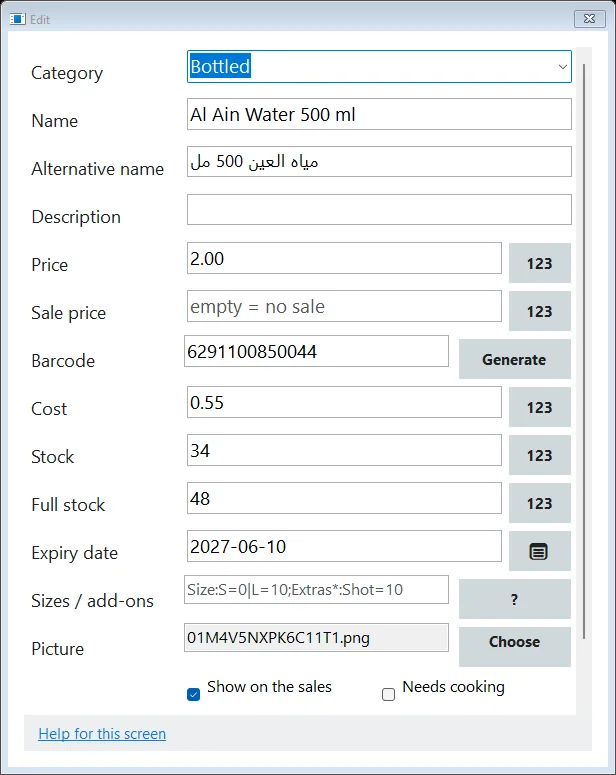
- Open the product and recipe/preparation settings actually available in your installation. Review ingredient quantities, units and the prepared-product setting.
- Post a preparation batch once and verify the input and prepared-stock movements. Keep preparation separate from selling the prepared item.
- Sell a small test quantity and inspect the resulting stock record. Do not deduct the same ingredients both at preparation and again at sale.
- Use the online recipe guide for cloud recipe and production routes. Browser batch/audit screens are not native screens.
Check the result
Review the saved record and its audit/stock/payment state before continuing. A preview, queued request or accepted send is not proof of completed delivery or settlement.
Edition differences and limits
Classic Desktop exposes its native recipe and stock-preparation controls when enabled. Verify the fulfilment mode in that product’s editor. Online production add-ons and their browser order/quality screens are separate capabilities.
