
PosMasr · Classic Desktop
Branch stock, transfers and counts · Classic Desktop
This guide uses fictional training data. Available controls depend on your enabled features, plan and permissions.
Prepared against the tested 13 October 2026 build; check your deployed build before following a new control.
Who can use this
Stock manager
Required tools
Inventory and authorized branch access. Requires the appropriate enabled features and entitlement; this guide does not add plan inclusions.
Before you begin
If a control is absent, check role, branch, enabled features and entitlement. If an order or price changed, refresh and review again. Do not repeat an uncertain financial action with a new request.
Classic Desktop stores its shop’s local inventory. Online branch/warehouse scopes and server-side transfers require the corresponding online capabilities. Back up native data before importing or migrating; do not use a data copy as a stock transfer.
Steps
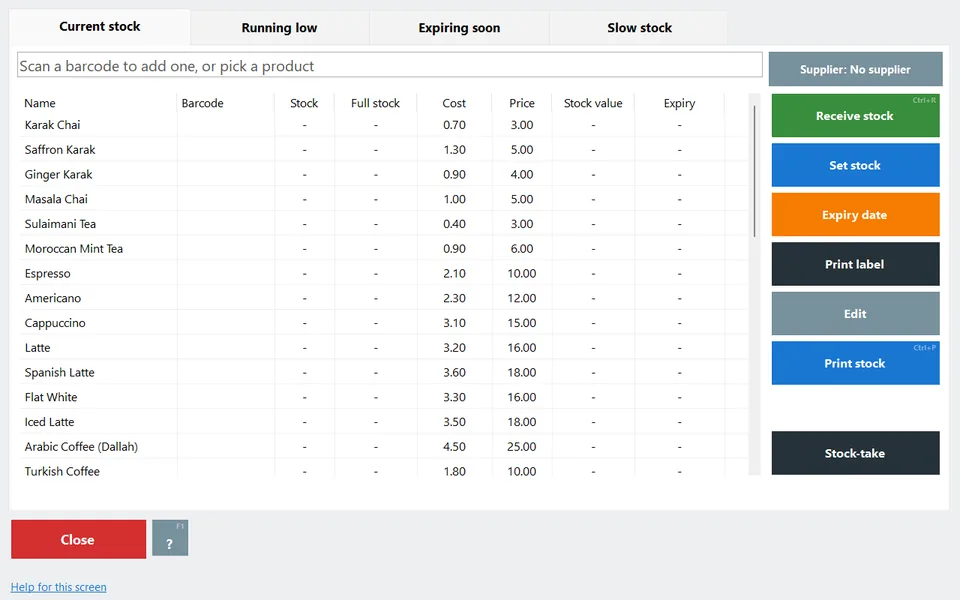
- Open Inventory for the local shop and review existing quantities.
- Record a receipt or adjustment using the native action available to your operator, with a truthful reason and actual quantity.
- Review the stock movement before posting another change. A spreadsheet preview is not a posted movement.
- Online branch transfers, inherited branch workspaces and scoped cloud reports use cloud accounts. Do not interpret one local stock file as a multi-branch ledger.
Check the result
Review the saved record and its audit/stock/payment state before continuing. A preview, queued request or accepted send is not proof of completed delivery or settlement.
Edition differences and limits
Classic Desktop stores its shop’s local inventory. Online branch/warehouse scopes and server-side transfers require the corresponding online capabilities. Back up native data before importing or migrating; do not use a data copy as a stock transfer.
